Configuring QoS
Using Map Groups
OmniSwitch 6600 Family Network Configuration Guide
April 2006
page 24-43
Using Map Groups
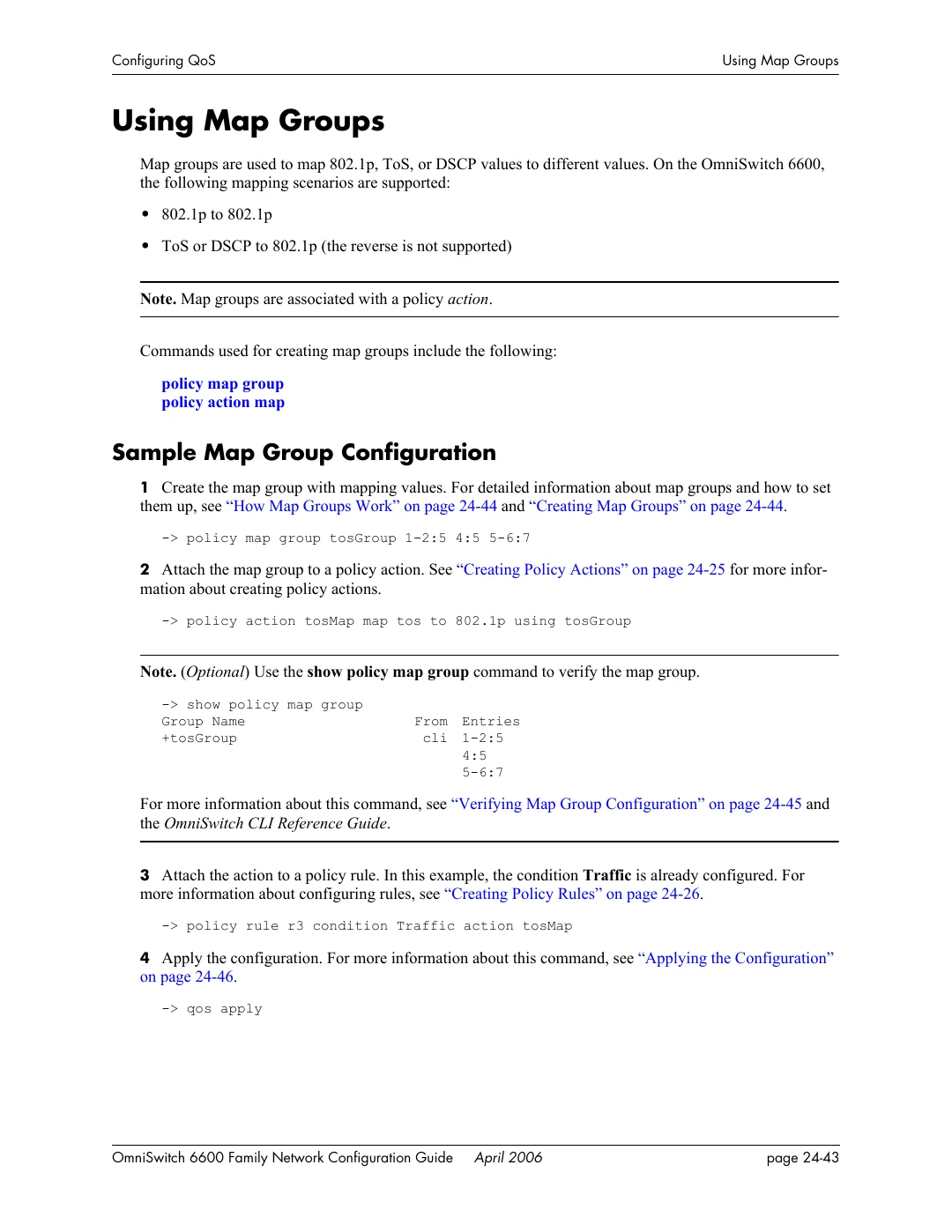
Map groups are used to map 802.1p, ToS, or DSCP values to different values. On the OmniSwitch 6600,
the following mapping scenarios are supported:
•
802.1p to 802.1p
•
ToS or DSCP to 802.1p (the reverse is not supported)
Note.
Map groups are associated with a policy
action
.
Commands used for creating map groups include the following:
Sample Map Group Configuration
1
Create the map group with mapping values. For detailed information about map groups and how to set
“How Map Groups Work” on page 24-44
“Creating Map Groups” on page 24-44
-> policy map group tosGroup 1-2:5 4:5 5-6:7
2
Attach the map group to a policy action. See
“Creating Policy Actions” on page 24-25
for more infor-
mation about creating policy actions.
-> policy action tosMap map tos to 802.1p using tosGroup
Note.
(
Optional
) Use the
show policy map group
command to verify the map group.
-> show policy map group
Group Name
From Entries
+tosGroup
cli 1-2:5
4:5
5-6:7
For more information about this command, see
“Verifying Map Group Configuration” on page 24-45
and
the
OmniSwitch CLI Reference Guide
.
3
Attach the action to a policy rule. In this example, the condition
Traffic
is already configured. For
more information about configuring rules, see
“Creating Policy Rules” on page 24-26
-> policy rule r3 condition Traffic action tosMap
4
Apply the configuration. For more information about this command, see
.
-> qos apply