Dynamic Link Aggregation Overview
Configuring Dynamic Link Aggregation
page 13-8
OmniSwitch 6600 Family Network Configuration Guide
April 2006
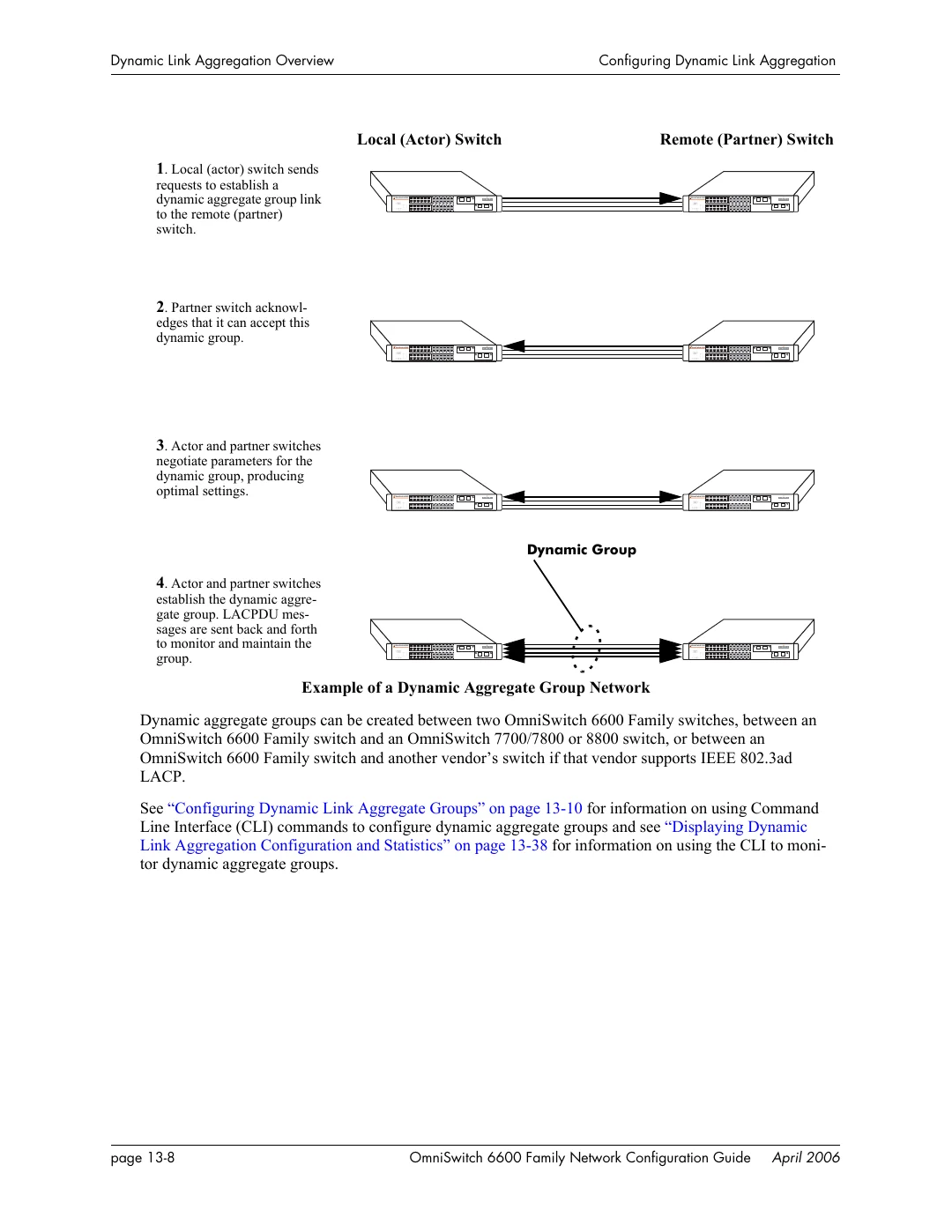
Example of a Dynamic Aggregate Group Network
Dynamic aggregate groups can be created between two OmniSwitch 6600 Family switches, between an
OmniSwitch 6600 Family switch and an OmniSwitch 7700/7800 or 8800 switch, or between an
OmniSwitch 6600 Family switch and another vendor’s switch if that vendor supports IEEE 802.3ad
LACP.
See
“Configuring Dynamic Link Aggregate Groups” on page 13-10
for information on using Command
Line Interface (CLI) commands to configure dynamic aggregate groups and see
Link Aggregation Configuration and Statistics” on page 13-38
for information on using the CLI to moni-
tor dynamic aggregate groups.
Local (Actor) Switch
1
. Local (actor) switch sends
requests to establish a
dynamic aggregate group link
to the remote (partner)
switch.
Remote (Partner) Switch
3
. Actor and partner switches
negotiate parameters for the
dynamic group, producing
optimal settings.
4
. Actor and partner switches
establish the dynamic aggre-
gate group. LACPDU mes-
sages are sent back and forth
to monitor and maintain the
group.
2
. Partner switch acknowl-
edges that it can accept this
dynamic group.
Dynamic Group
OmniSwitch 6648
OmniSwitch 6648
OmniSwitch 6648
OmniSwitch 6648
OmniSwitch 6648
OmniSwitch 6648
OmniSwitch 6648
OmniSwitch 6648