Using Condition Groups in Policies
Configuring QoS
page 24-40
OmniSwitch 6600 Family Network Configuration Guide
April 2006
This command specifies that port 2/1 will be deleted from the
techpubs
port group at the next
qos apply
.
To delete a port group, use the
no
form of the
policy port group
command with the relevant port group
name. The port group must not be associated with any policy condition. For example:
-> no policy port group techpubs
The port group
techpubs
will be deleted at the next
qos apply
. If
techpubs
is associated with a policy
condition, an error message will display instead:
ERROR: techpubs is being used by condition 'cond4'
In this case, remove the port group from the condition first; then enter the
no policy port group
command. For example:
-> policy condition cond4 no source port group
-> no policy port group techpubs
The
policy condition
command removes the port group from the policy condition. (See
for more information about configuring policy conditions.) The port group will
be deleted at the next
qos apply
.
Port Groups and Maximum Bandwidth
On the OmniSwitch 6600, if a policy is configured with a port group in the condition and a policy action
with maximum bandwidth, the bandwidth sent out over the ports in the port group is distributed over the
active ports in a source port group. (This functionality is different from the OmniSwitch 7700/7800/8800,
which allows each port in a port group the maximum bandwidth.)
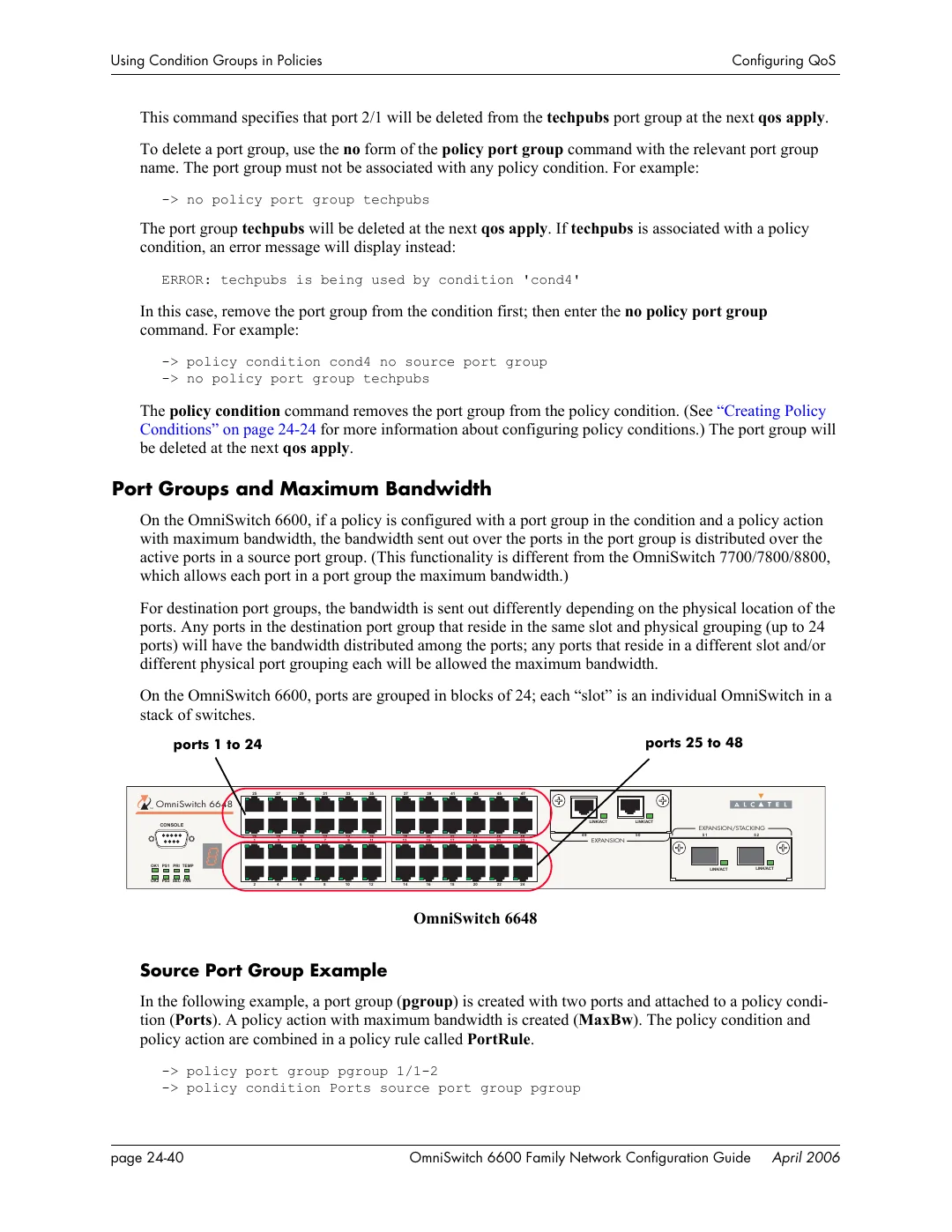
For destination port groups, the bandwidth is sent out differently depending on the physical location of the
ports. Any ports in the destination port group that reside in the same slot and physical grouping (up to 24
ports) will have the bandwidth distributed among the ports; any ports that reside in a different slot and/or
different physical port grouping each will be allowed the maximum bandwidth.
On the OmniSwitch 6600, ports are grouped in blocks of 24; each “slot” is an individual OmniSwitch in a
stack of switches.
Source Port Group Example
In the following example, a port group (
pgroup
) is created with two ports and attached to a policy condi-
tion (
Ports
). A policy action with maximum bandwidth is created (
MaxBw
). The policy condition and
policy action are combined in a policy rule called
PortRule
.
-> policy port group pgroup 1/1-2
-> policy condition Ports source port group pgroup
CONSOLE
3
4
5
6
7
8
9
10
11
12
13
14
15
16
17
18
19
20
21
22
23
24
1
2
EXPANSION/STACKING
EXPANSION
49
50
5 1
5 2
TM
OmniSwitch 6648
OK1
OK2
PS1
PS2
PRI
SEC
TEMP
FAN
27
28
29
30
31
32
33
34
35
36
37
38
39
40
41
42
43
44
45
46
47
48
25
26
LINK/ACT
LINK/ACT
LINK/ACT
LINK/ACT
LINK/ACT
LINK/ACT
LINK/ACT
LINK/ACT
ports 25 to 48
ports 1 to 24
OmniSwitch 6648