Using ACL Security Features
Configuring ACLs
page 25-18
OmniSwitch 6600 Family Network Configuration Guide
April 2006
Configuring a DisablePorts ACL
An additional method for dealing with spoofed IP traffic is to create a DisablePorts ACL that will adminis-
tratively disable ports that receive this type of traffic. To achieve this result, a policy action called
string
DisablePorts
is available. Note that
string
represents text that the user enters as a required part of
the policy action and must be followed by DisablePorts (e.g.,
badDisablePorts)
.
Note the following when using the DisablePorts action:
•
Only routed traffic is affected by this action.
•
The DisablePorts action must be specified using the capitalization shown here and in the example ACL
below.
•
A disposition is not required with DisablePorts because a drop action is implied and interpreted as a
disable port function.
•
To restore disabled ports to enabled status, disconnect and reconnect the cable or use the
command to administratively enable the ports.
•
This feature can be used with source IP addresses and source MAC addresses.
•
A source IP address DisablePorts rule will disable a port that receives an IP packet that contains a
source IP address that does not match the rule or an ARP packet that contains a source protocol address
field that does not match the rule.
•
A source MAC address DisablePorts rule will disable a port that receives an IP packet that contains a
source MAC address that does not match the rule.
•
The DisablePorts action and the UserPorts port group are not mutually exclusive, both can be used
together in the same ACL.
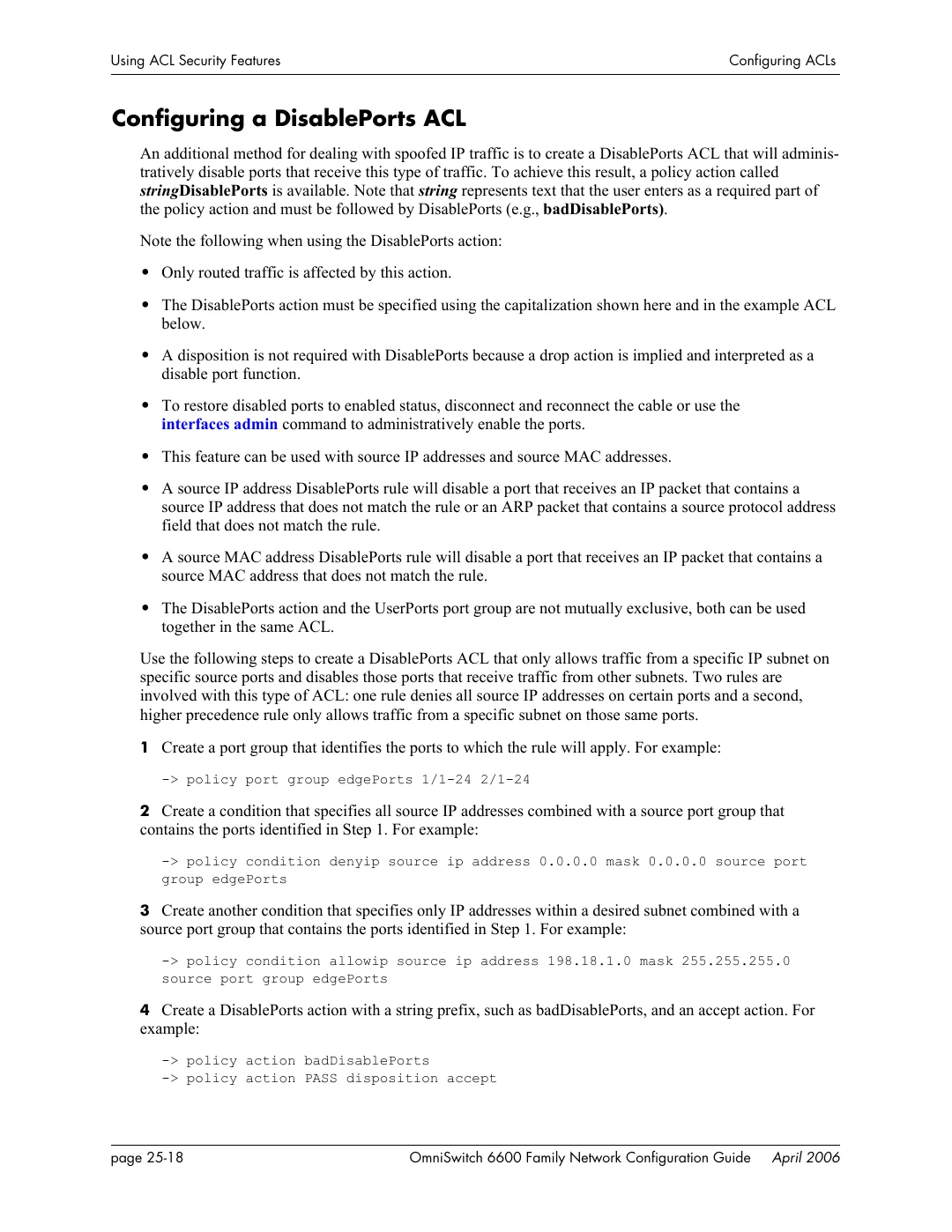
Use the following steps to create a DisablePorts ACL that only allows traffic from a specific IP subnet on
specific source ports and disables those ports that receive traffic from other subnets. Two rules are
involved with this type of ACL: one rule denies all source IP addresses on certain ports and a second,
higher precedence rule only allows traffic from a specific subnet on those same ports.
1
Create a port group that identifies the ports to which the rule will apply. For example:
-> policy port group edgePorts 1/1-24 2/1-24
2
Create a condition that specifies all source IP addresses combined with a source port group that
contains the ports identified in Step 1. For example:
-> policy condition denyip source ip address 0.0.0.0 mask 0.0.0.0 source port
group edgePorts
3
Create another condition that specifies only IP addresses within a desired subnet combined with a
source port group that contains the ports identified in Step 1. For example:
-> policy condition allowip source ip address 198.18.1.0 mask 255.255.255.0
source port group edgePorts
4
Create a DisablePorts action with a string prefix, such as badDisablePorts, and an accept action. For
example:
-> policy action badDisablePorts
-> policy action PASS disposition accept