RIP Routing
Configuring RIP
page 16-6
OmniSwitch 6600 Family Network Configuration Guide
April 2006
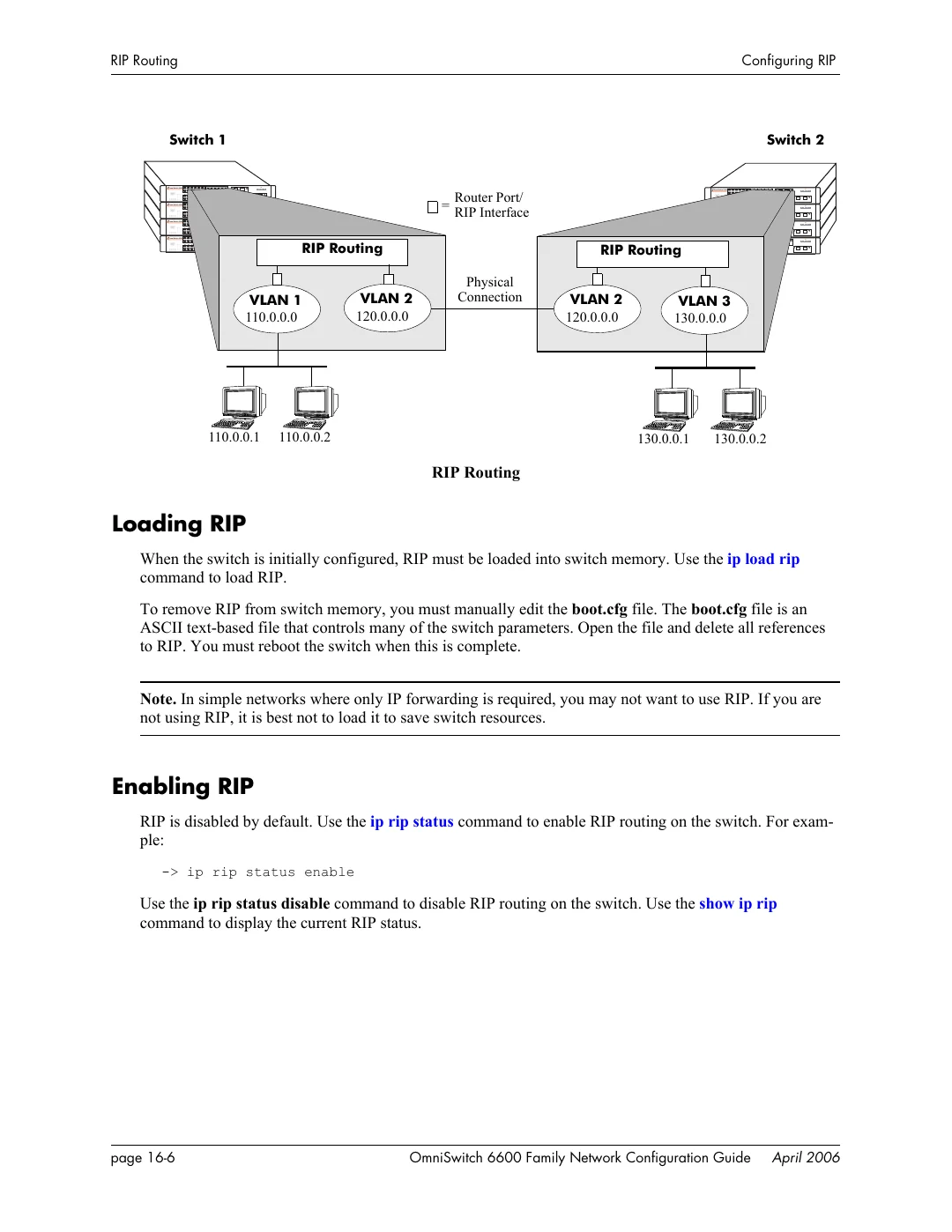
RIP Routing
Loading RIP
When the switch is initially configured, RIP must be loaded into switch memory. Use the
command to load RIP.
To remove RIP from switch memory, you must manually edit the
boot.cfg
file. The
boot.cfg
file is an
ASCII text-based file that controls many of the switch parameters. Open the file and delete all references
to RIP. You must reboot the switch when this is complete.
Note.
In simple networks where only IP forwarding is required, you may not want to use RIP. If you are
not using RIP, it is best not to load it to save switch resources.
Enabling RIP
RIP is disabled by default. Use the
command to enable RIP routing on the switch. For exam-
ple:
-> ip rip status enable
Use the
ip rip status disable
command to disable RIP routing on the switch. Use the
command to display the current RIP status.
OmniSwitch 6648
OmniSwitch 6648
OmniSwitch 6648
OmniSwitch 6648
OmniSwitch 6648
OmniSwitch 6648
OmniSwitch 6648
OmniSwitch 6648
Switch 2
130.0.0.1
130.0.0.2
Switch 1
110.0.0.1
110.0.0.2
Physical
Connection
VLAN 1
110.0.0.0
RIP Routing
VLAN 2
120.0.0.0
VLAN 2
120.0.0.0
VLAN 3
130.0.0.0
RIP Routing
Router Port/
RIP Interface
=