Configuring IP Multicast Switching
IPMS Overview
OmniSwitch 6600 Family Network Configuration Guide
April 2006
page 26-3
IPMS Overview
A multicast group is defined by a multicast group address, which is a Class D IP address in the range
224.0.0.0 to 239.255.255.255. (Addresses in the range 239.0.0.0 to 239.255.255.255 are reserved for
boundaries.) The multicast group address is indicated in the destination address field of the IP header. (See
“Reserved Multicast Addresses” on page 26-4
for more information.)
IPMS tracks the source VLAN on which the Internet Group Management Protocol (IGMP) requests are
received. The network interfaces verify that a multicast packet is received by the switch on the source (or
expected) port.
Note.
Jumbo multicast packets are not supported. The maximum MTU size supported by Alcatel’s IPMS
software is 1500.
IPMS Example
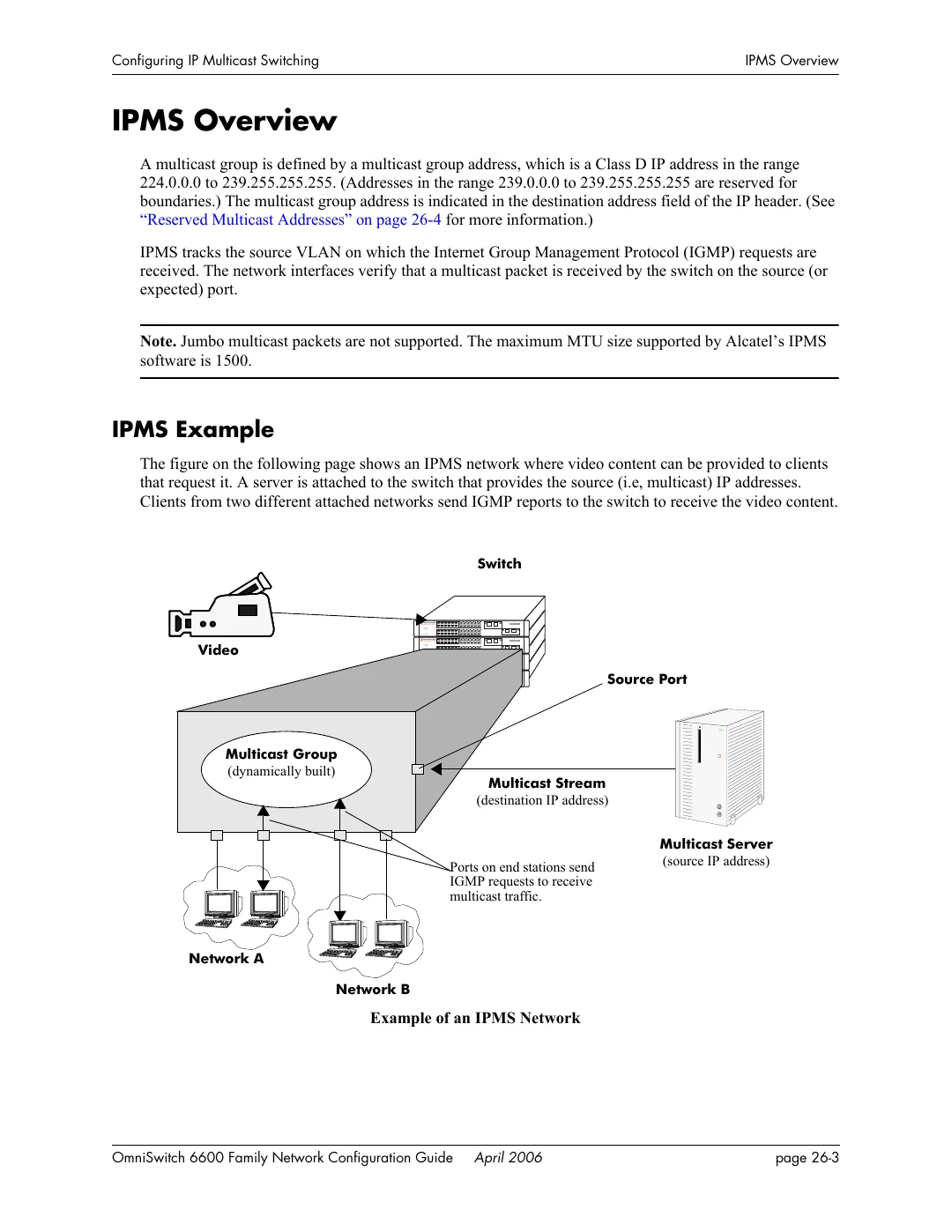
The figure on the following page shows an IPMS network where video content can be provided to clients
that request it. A server is attached to the switch that provides the source (i.e, multicast) IP addresses.
Clients from two different attached networks send IGMP reports to the switch to receive the video content.
Example of an IPMS Network
OmniSwitch 6648
OmniSwitch 6648
OmniSwitch 6648
OmniSwitch 6648
Video
Switch
Network A
Network B
Multicast Server
(source IP address)
Multicast Stream
(destination IP address)
Ports on end stations send
IGMP requests to receive
multicast traffic.
Source Port
Multicast Group
(dynamically built)