Configuring Static Link Aggregation
Static Link Aggregation Overview
OmniSwitch 6600 Family Network Configuration Guide
April 2006
page 12-5
Static Link Aggregation Overview
Link aggregation allows you to combine 2, 4, or 8 physical connections on a single switch or 2, 4, 8, or 16
links in a stack into large virtual connections known as link aggregation
groups
. You can create up to 4
link aggregation (both static and dynamic) groups on a single OmniSwitch 6624, 6600-U24, 6600-P24, or
6602-24 switch; up to 8 link aggregation groups on a single 6648 or 6602-48 switch; and up to 30 link
aggregation groups per stack.
You can create Virtual LANs (VLANs), configure Quality of Service (QoS) conditions, 802.1Q framing,
and other networking features on link aggregation groups because the switch’s software treats these virtual
links just like physical links. (See
“Relationship to Other Features” on page 12-6
for more information on
how link aggregation interacts with other software features.)
Alcatel’s link aggregation software allows you to configure the following two different types of link
aggregation groups:
•
Static link aggregate groups
•
Dynamic link aggregate groups
This chapter describes static link aggregation. For information on dynamic link aggregation, please refer
to
Chapter 13, “Configuring Dynamic Link Aggregation.”
Static Link Aggregation Operation
Static link aggregate groups are virtual links between two nodes consisting of 2, 4, or 8 physical links on a
single switch or 2, 4, 8, or 16 physical links in a stack. Up to 30 static and or dynamic link aggregation
groups can be configured on a stack consisting of up to eight OmniSwitch 6600 Family switches.
Static aggregate groups can be created between two OmniSwitch 6600 Family switches, between an
OmniSwitch 6600 Family switch and an OmniSwitch 7700/7800 or 8800 switch, or between an
OmniSwitch 6600 Family switch and an early-generation Alcatel switch such as an OmniSwitch/Router.
However, static aggregate groups cannot be created between OmniSwitch 6600 Family switches and some
switches from other vendors.
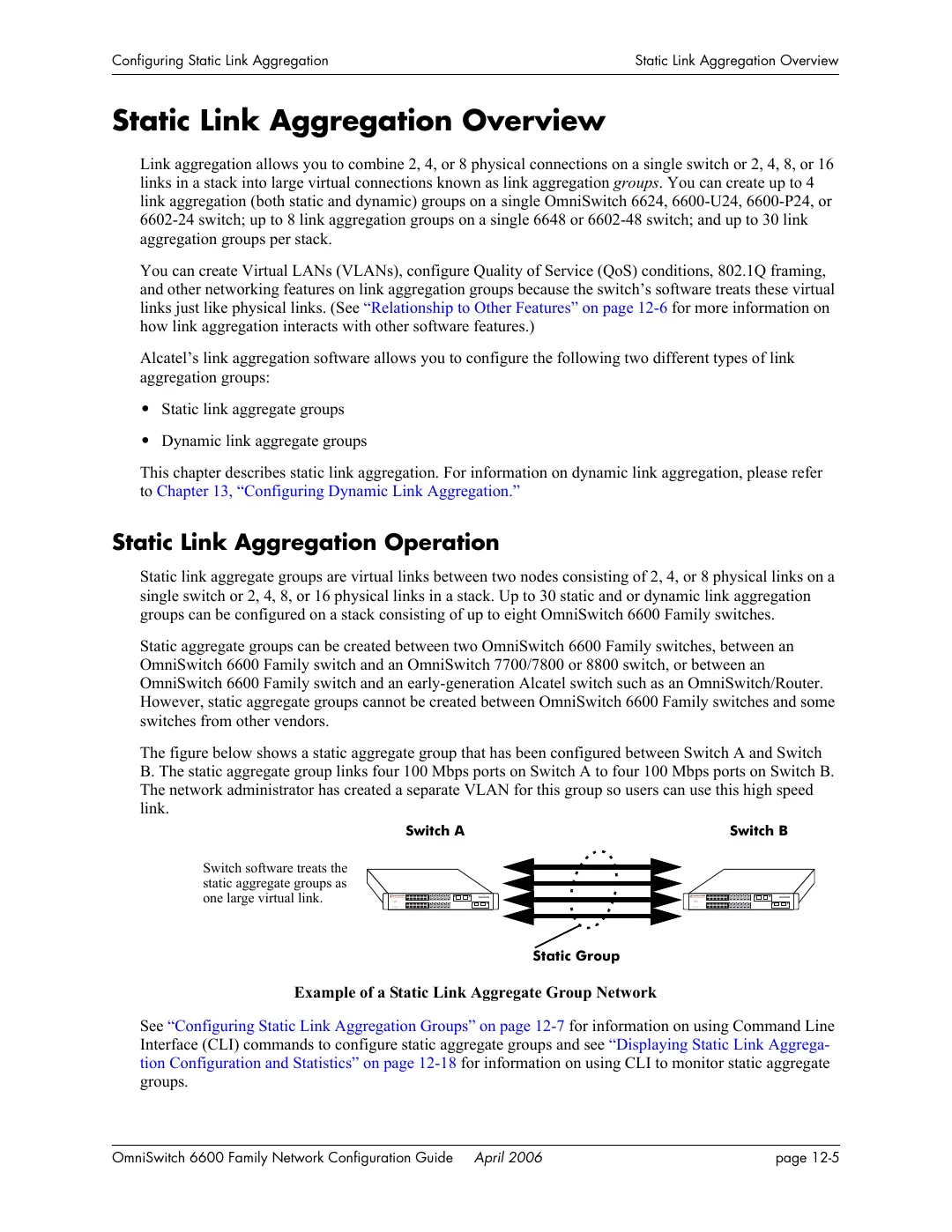
The figure below shows a static aggregate group that has been configured between Switch A and Switch
B. The static aggregate group links four 100 Mbps ports on Switch A to four 100 Mbps ports on Switch B.
The network administrator has created a separate VLAN for this group so users can use this high speed
link.
Example of a Static Link Aggregate Group Network
See
“Configuring Static Link Aggregation Groups” on page 12-7
for information on using Command Line
Interface (CLI) commands to configure static aggregate groups and see
“Displaying Static Link Aggrega-
tion Configuration and Statistics” on page 12-18
for information on using CLI to monitor static aggregate
groups.
Switch A
Switch B
Switch software treats the
static aggregate groups as
one large virtual link.
Static Group
OmniSwitch 6648
OmniSwitch 6648