Dynamically Assigning Ports to VLANs
Assigning Ports to VLANs
page 7-10
OmniSwitch 6600 Family Network Configuration Guide
April 2006
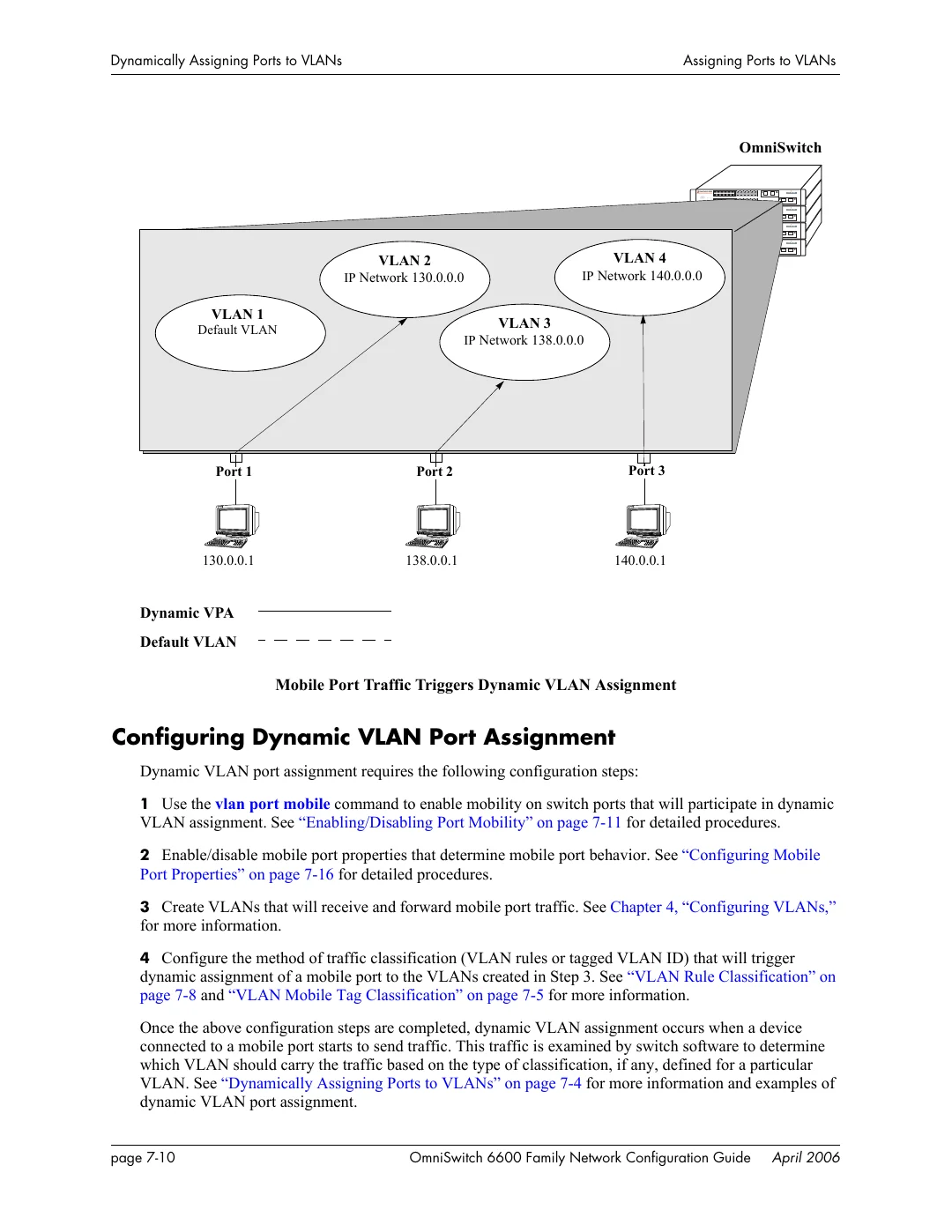
Mobile Port Traffic Triggers Dynamic VLAN Assignment
Configuring Dynamic VLAN Port Assignment
Dynamic VLAN port assignment requires the following configuration steps:
1
Use the
command to enable mobility on switch ports that will participate in dynamic
VLAN assignment. See
“Enabling/Disabling Port Mobility” on page 7-11
for detailed procedures.
2
Enable/disable mobile port properties that determine mobile port behavior. See
for detailed procedures.
3
Create VLANs that will receive and forward mobile port traffic. See
Chapter 4, “Configuring VLANs,”
for more information.
4
Configure the method of traffic classification (VLAN rules or tagged VLAN ID) that will trigger
dynamic assignment of a mobile port to the VLANs created in Step 3. See
and
“VLAN Mobile Tag Classification” on page 7-5
for more information.
Once the above configuration steps are completed, dynamic VLAN assignment occurs when a device
connected to a mobile port starts to send traffic. This traffic is examined by switch software to determine
which VLAN should carry the traffic based on the type of classification, if any, defined for a particular
VLAN. See
“Dynamically Assigning Ports to VLANs” on page 7-4
for more information and examples of
dynamic VLAN port assignment.
OmniSwitch 6648
OmniSwitch 6648
OmniSwitch 6648
OmniSwitch 6648
Port 2
VLAN 2
VLAN 1
VLAN 4
IP
Network 130.0.0.0
Default VLAN
IP
Network 140.0.0.0
138.0.0.1
140.0.0.1
VLAN 3
IP
Network 138.0.0.0
Port 3
130.0.0.1
Port 1
Dynamic VPA
Default VLAN
OmniSwitch