Monitoring Switch Health
Diagnosing Switch Problems
page 27-34
OmniSwitch 6600 Family Network Configuration Guide
April 2006
Configuring Resource and Temperature Thresholds
Health Monitoring software monitors threshold levels for the switch’s consumable resources—
bandwidth,
RAM memory, and CPU capacity
—as well as the ambient chassis temperature. When a threshold is
exceeded, the Health Monitoring feature sends a trap to the Network Management Station (NMS). A trap
is an alarm alerting the user to specific network events and, in the case of Health-related traps, indicates
specifically which threshold has been crossed.
Note.
When a resource falls back below the configured threshold, an addition trap is sent to the user. This
indicates that the resource is no longer operating beyond its configured threshold limit.
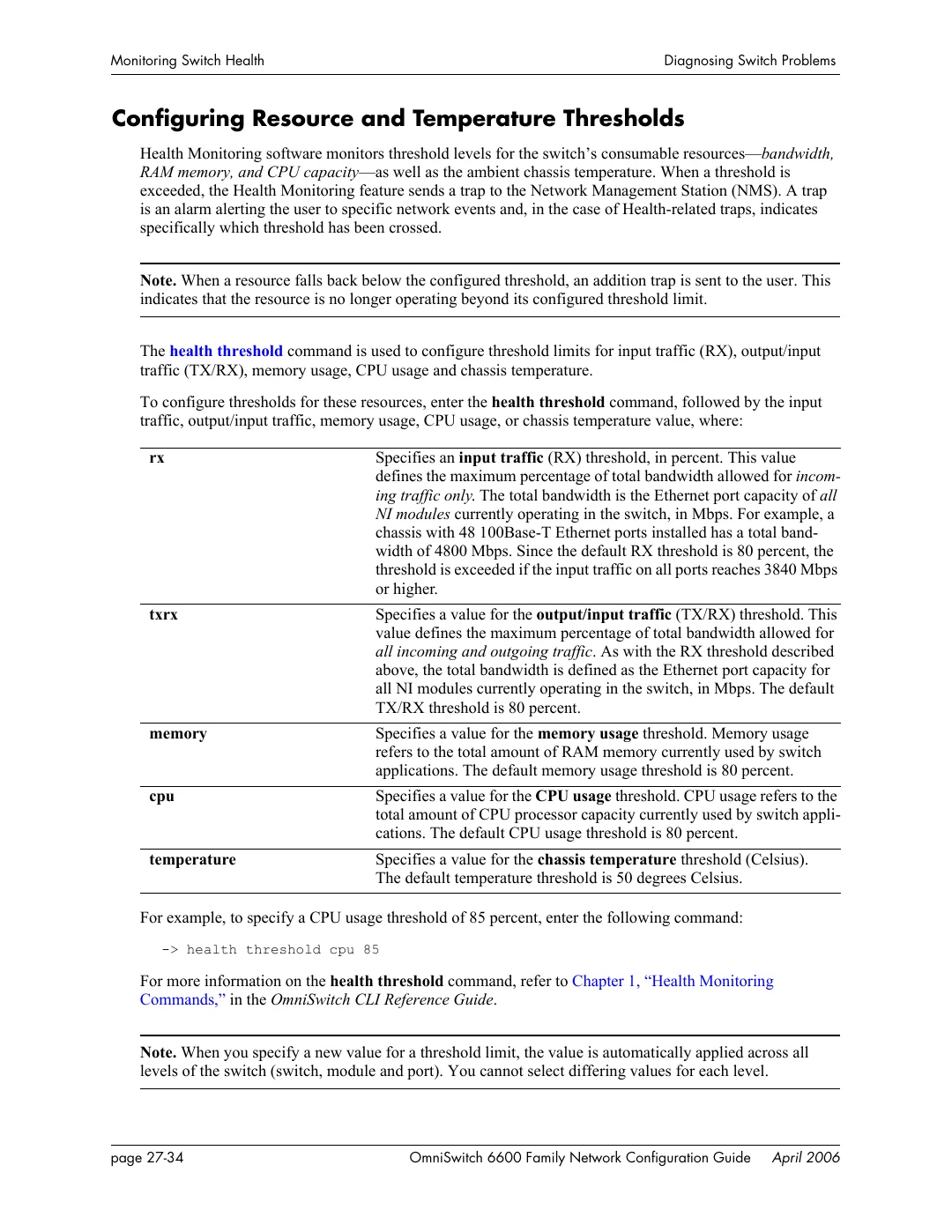
The
command is used to configure threshold limits for input traffic (RX), output/input
traffic (TX/RX), memory usage, CPU usage and chassis temperature.
To configure thresholds for these resources, enter the
health threshold
command, followed by the input
traffic, output/input traffic, memory usage, CPU usage, or chassis temperature value, where:
For example, to specify a CPU usage threshold of 85 percent, enter the following command:
-> health threshold cpu 85
For more information on the
health threshold
command, refer to
in the
OmniSwitch CLI Reference Guide
.
Note.
When you specify a new value for a threshold limit, the value is automatically applied across all
levels of the switch (switch, module and port). You cannot select differing values for each level.
rx
Specifies an
input traffic
(RX) threshold, in percent. This value
defines the maximum percentage of total bandwidth allowed for
incom-
ing traffic only
. The total bandwidth is the Ethernet port capacity of
all
NI modules
currently operating in the switch, in Mbps. For example, a
chassis with 48 100Base-T Ethernet ports installed has a total band-
width of 4800 Mbps. Since the default RX threshold is 80 percent, the
threshold is exceeded if the input traffic on all ports reaches 3840 Mbps
or higher.
txrx
Specifies a value for the
output/input traffic
(TX/RX) threshold. This
value defines the maximum percentage of total bandwidth allowed for
all incoming and outgoing traffic
. As with the RX threshold described
above, the total bandwidth is defined as the Ethernet port capacity for
all NI modules currently operating in the switch, in Mbps. The default
TX/RX threshold is 80 percent.
memory
Specifies a value for the
memory usage
threshold. Memory usage
refers to the total amount of RAM memory currently used by switch
applications. The default memory usage threshold is 80 percent.
cpu
Specifies a value for the
CPU usage
threshold. CPU usage refers to the
total amount of CPU processor capacity currently used by switch appli-
cations. The default CPU usage threshold is 80 percent.
temperature
Specifies a value for the
chassis temperature
threshold (Celsius).
The default temperature threshold is 50 degrees Celsius.