AXIS 213 PTZ 5
Product Description
The AXIS 213 PTZ Network Camera is a fully featured PTZ network camera for security surveillance and remote monitoring. The images from the camera are made available on the network as
The AXIS 213 PTZ can optionally be equipped with a connection module that provides 2 inputs and 3 outputs, which can be connected to external devices, e.g. door sensors. The connection module also provides Audio IN/OUT connections, thus providing support for
Video can be viewed in 5 resolutions (up to 768x576). Up to 20 viewers can access the AXIS 213 PTZ simultaneously when using Motion JPEG and
The AXIS 213 PTZ contains advanced scheduling tools that can be used to trigger an event. As the AXIS 213 PTZ is designed for use in security systems, it is equipped with security features such as IP address filtering and multilevel passwords. The AXIS 213 PTZ has a
AXIS 213 PTZ Network Camera
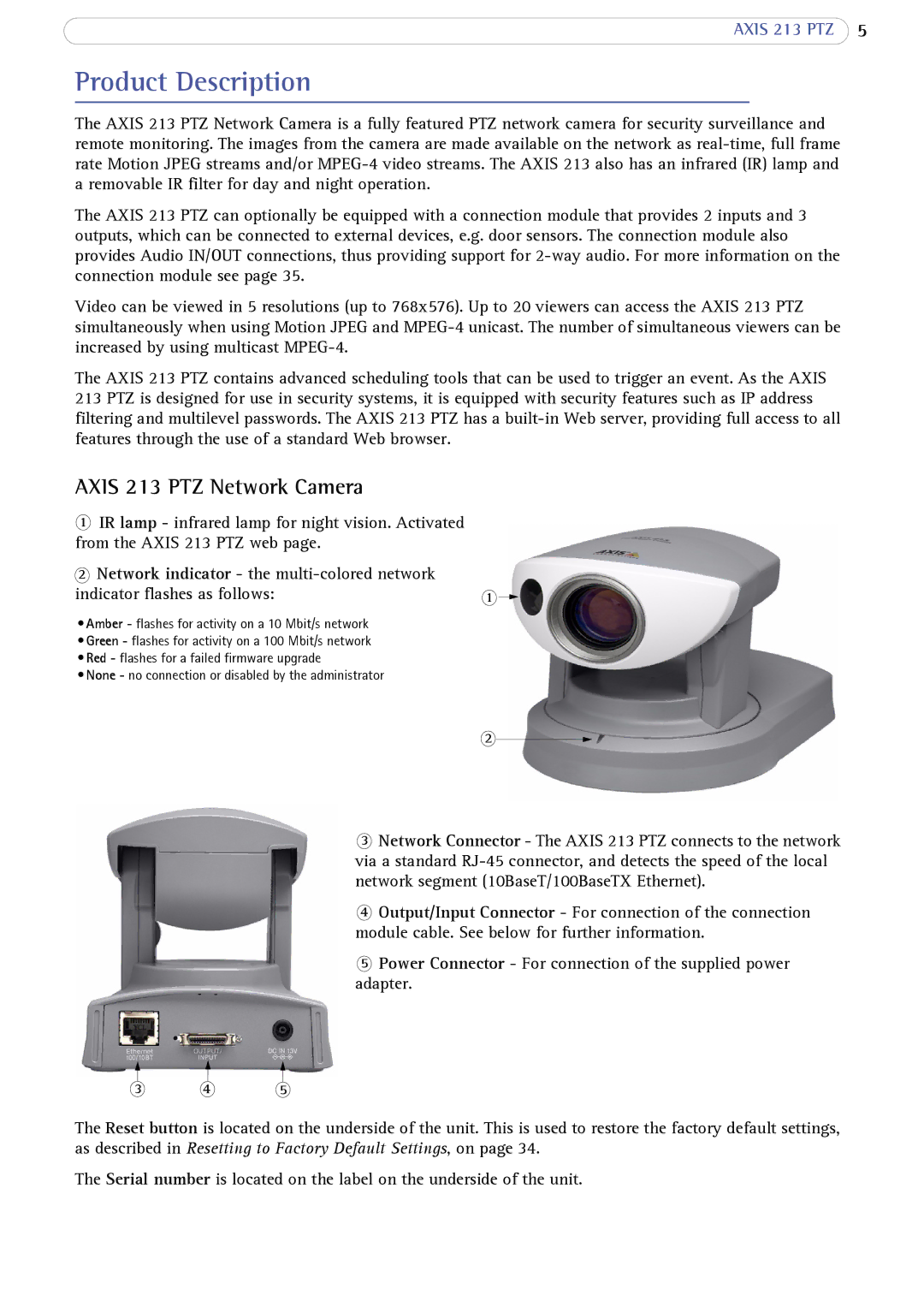
1IR lamp - infrared lamp for night vision. Activated from the AXIS 213 PTZ web page.
2Network indicator - the
indicator flashes as follows: | 1 |
•Amber - flashes for activity on a 10 Mbit/s network
•Green - flashes for activity on a 100 Mbit/s network
•Red - flashes for a failed firmware upgrade
•None - no connection or disabled by the administrator
2
3Network Connector - The AXIS 213 PTZ connects to the network via a standard
4Output/Input Connector - For connection of the connection module cable. See below for further information.
5Power Connector - For connection of the supplied power adapter.
3 4 5
The Reset button is located on the underside of the unit. This is used to restore the factory default settings, as described in Resetting to Factory Default Settings, on page 34.
The Serial number is located on the label on the underside of the unit.