Connecting the phone line
Connecting to the wall jack ____________________ | 1 | ||
You need an | |||
| |||
phone system. Contact your local telephone company to install this type of jack if you |
| ||
do not have one. |
| ||
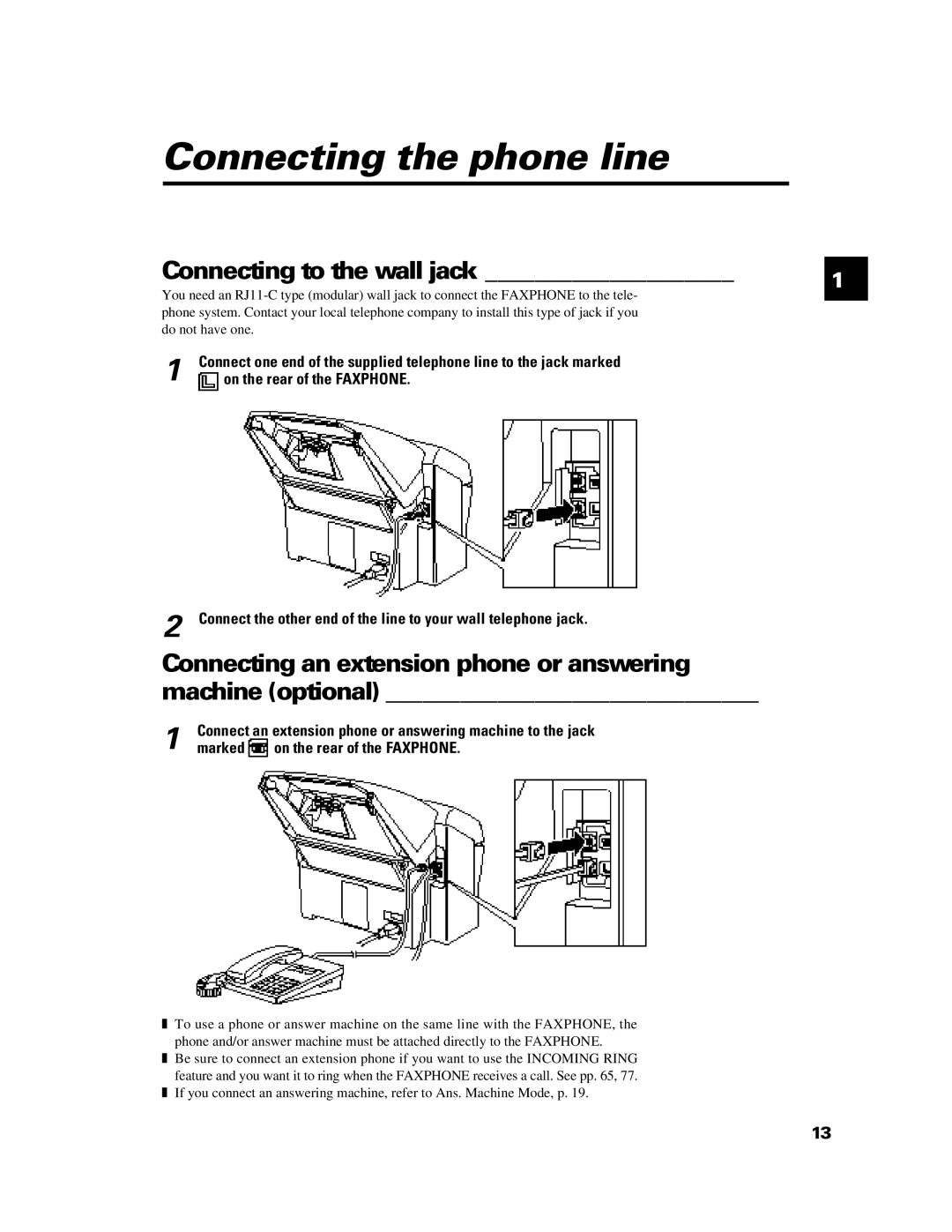
1 | Connect one end of the supplied telephone line to the jack marked |
| |
on the rear of the FAXPHONE. |
| ||
2 Connect the other end of the line to your wall telephone jack.
Connecting an extension phone or answering machine (optional) ______________________________
Connect an extension phone or answering machine to the jack
1 marked  on the rear of the FAXPHONE.
❚To use a phone or answer machine on the same line with the FAXPHONE, the phone and/or answer machine must be attached directly to the FAXPHONE.
❚Be sure to connect an extension phone if you want to use the INCOMING RING feature and you want it to ring when the FAXPHONE receives a call. See pp. 65, 77.
❚If you connect an answering machine, refer to Ans. Machine Mode, p. 19.
13