S e t t i n g | u p | t h e | P r o j e c t o r |
|
|
|
|
Connecting the CableWizard to the Projector
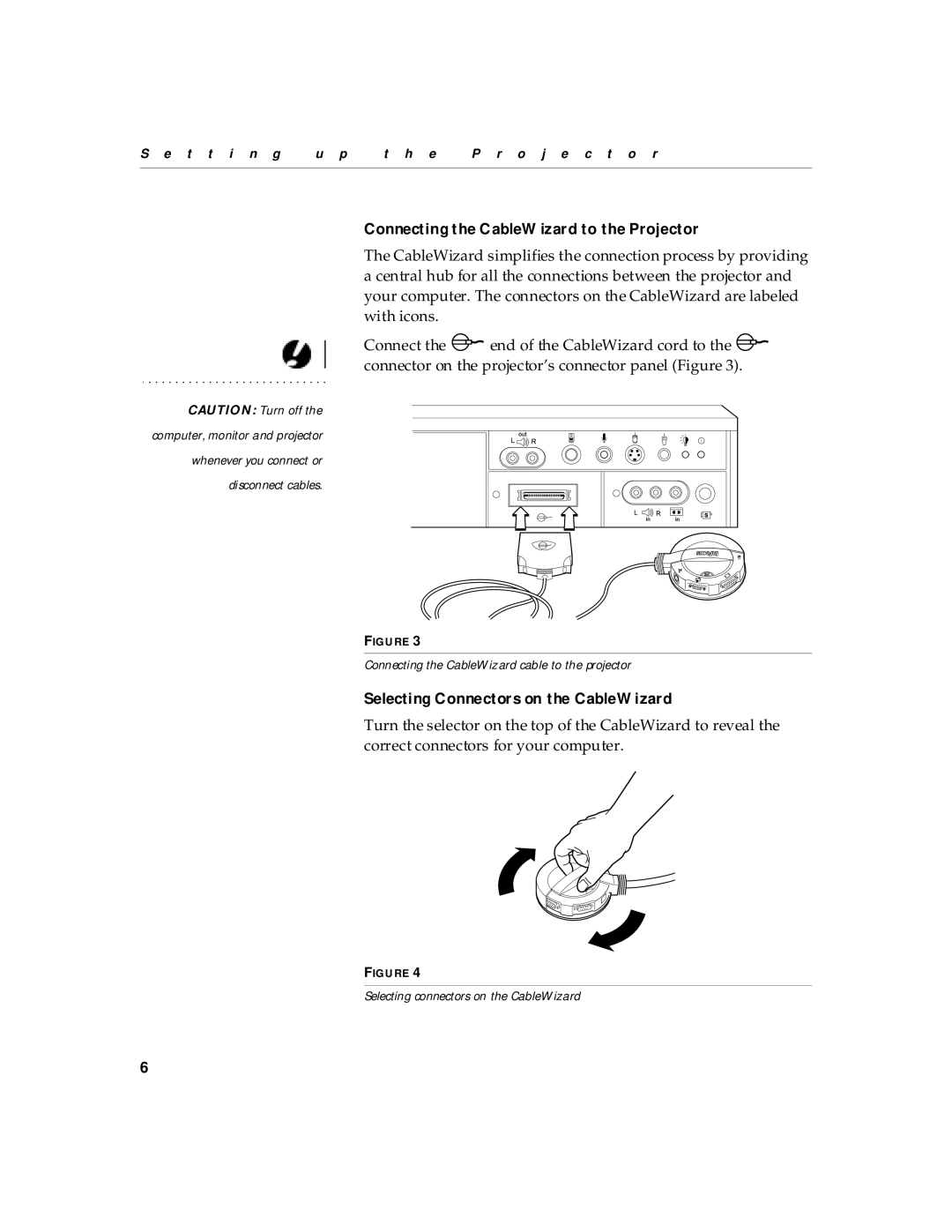
The CableWizard simplifies the connection process by providing a central hub for all the connections between the projector and your computer. The connectors on the CableWizard are labeled with icons.
Connect the 
 end of the CableWizard cord to the
 connector on the projector’s connector panel (Figure 3).
CAUTION: Turn off the
computer, monitor and projector
whenever you connect or
disconnect cables.
FIGURE 3
Connecting the CableWizard cable to the projector
Selecting Connectors on the CableWizard
Turn the selector on the top of the CableWizard to reveal the correct connectors for your computer.
FIGURE 4
Selecting connectors on the CableWizard
6