TH-A5
English
XV-THA5
Important for Laser Products
Table of Contents
Front Panel
Center Unit
Display window
Display
Inside of the Cover
Remote Control
Remote Control
On the back of the remote control, remove the battery cover
Putting Batteries in the Remote Control
Checking the Supplied Accessories
Adjusting the Voltage Selector
AM antenna connection
Connecting the FM and AM Antennas
FM antenna connection
Getting Started
Speaker Layout Diagram
When setting the speakers
Connecting the Speakers
Connecting speaker cords to the terminals
Audio component connection
Connecting Audio/Video Component
Turn the power off to all components before connections
Video cord supplied
TV connection
Basic DVD Operations
Turn On the Power
Load a DVD
Start Playback
Stop Playback
Load a VCD/CD
Basic VCD/CD Operations
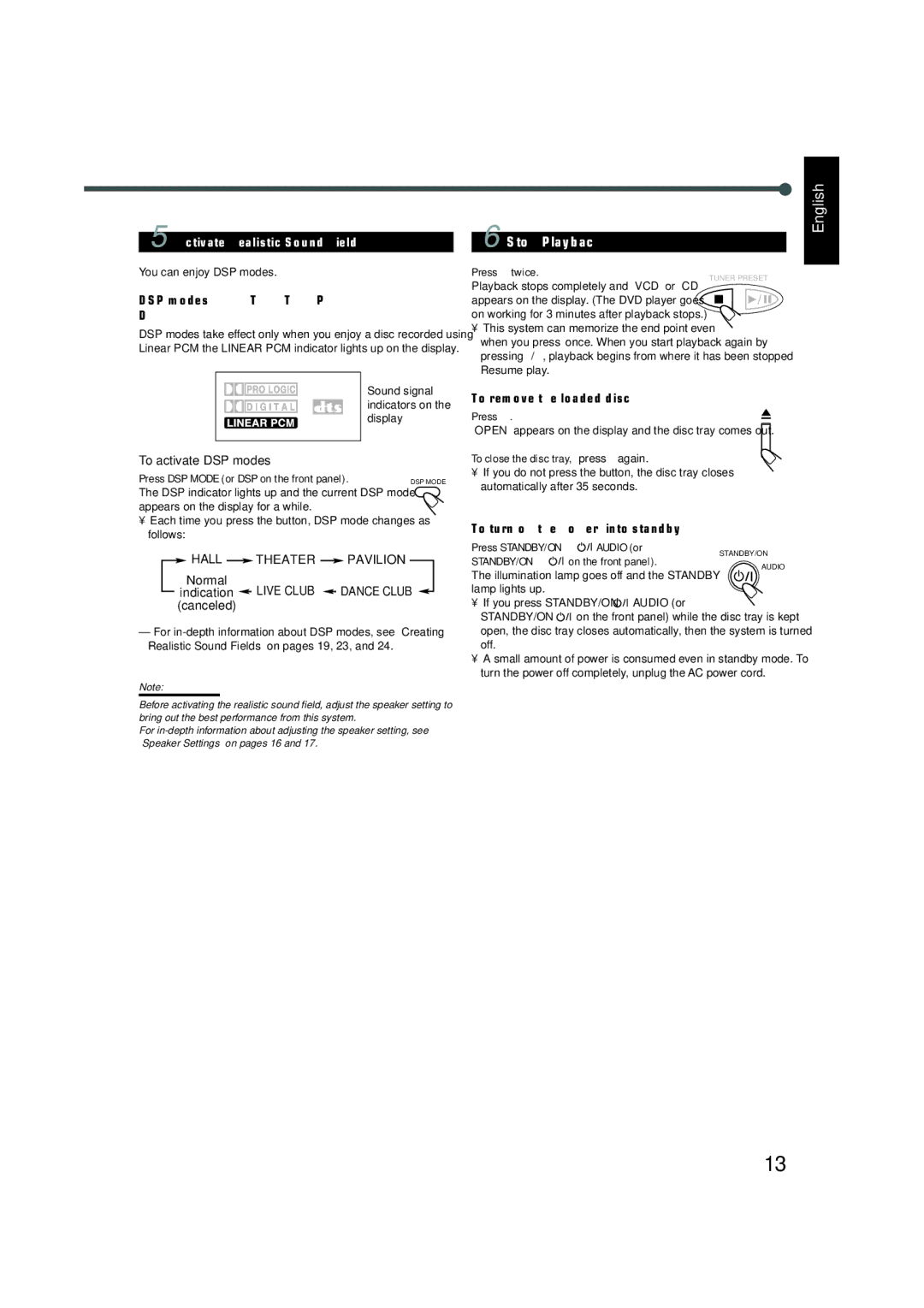
You can enjoy DSP modes
Select the Band
Basic Tuner Operations
Tune into a Station
Enjoying Sounds from the External Equipment
Turning Off the Power with the Timer
Other Basic Operations
Setting the Speaker Information
Speaker Settings
Press Setting repeatedly until one
Before you start, remember
Press 3 or 2 to adjust delay time
Setting the Delay Time
Repeat steps 2 and 3 to adjust the other delay time
For Dolby Digital or DTS Digital Surround
Creating Realistic Sound Fields
Available surround according to the input signal format
DSP Digital Signal Processor Modes
Adjusting Stereo Sound
Press 3 or 2 to adjust the output balance
To adjust the output level for the subwoofer
Press 3 or 2 to adjust the output level
Activating Dynamic Range Compression
Adjusting Dolby Digital DTS Digital Surround
From the remote control only Press D.R.C
Adjusting Dolby Surround
Repeat 1 and 2 for setting the other speaker
Adjusting DSP Modes
Now, you are ready to start the adjustment
Press Sound repeatedly to select the Sound CEN, REAR, or SW
Adjusting DSP Sound Parameters
Disc structure-DVD, Video CD VCD and Audio CD CD
If appears on the TV screen when pressing a button
Disc Introduction-DVD/VCD/CD
To go to another chapter or track except MP3
Basic Disc Operations
To stop during playback
To remove the disc
DVD Playback
From the remote control only Press Display
Changing the Color System
Showing the On-Screen Bar
Selecting the Subtitles
Selecting the Audio Languages
Selecting the Multi-Angle Views
Disc Menu-Driven Playback
Checking the Remaining Time
Moving to a Particular Portion Directly
Repeating Playback
Searching for a Particular Point
Programming the Playing Order Chapters-Program Play
To erase the stored program
To check the program contents
To modify the program
To exit from program play
Press Step once during playback
DVD Special Effect Playback
Press Step repeatedly to advance
Picture frame by frame
Sound indication
VCD/CD Playback
Disc Menu-Driven Playback Only for VCD
End point
Press A-B Repeat again to select
Repeat steps 3 and 4 to program other tracks you want
Programming the Playing Order Tracks-Program Play
Press 3 or 2 to select a track number, then Enter
To stop during play
Selecting Playback Channel
Press AUDIO/FM Mode repeatedly
Press 3/2/5/∞ to move Enlarged portion you want to Watch
VCD Special Effect Playback
Press Zoom to zoom
MP3 Introduction
What is MP3?
MP3 File Compatibility
Disc structure-How are MP3 files recorded and played back?
Starting Playback
MP3 Playback
Press 0 to load a disc Press 3
To go off the on-screen bar
MP3 Playback
Operations Using the On-Screen Display
Press the number buttons to Select a track number you Want
Moving to a Particular Track Directly
To repeat playback-Repeat Play
System starts playback from Selected track
Tuner Operations
Setting the AM Tuner Interval Spacing
Tuning in Stations
Selecting the FM Reception Mode
Using Preset Tuning
Setting the Initial Languages
Setting up the DVD Preferences
Languages you can select on this menu
For OSD Language

 HALL
 THEATER
 PAVILION
 LIVE CLUB
 DANCE CLUB
 (canceled)
 AUDIO (or
 on the front panel) while the disc tray is kept open, the disc tray closes automatically, then the system is turned off.