Installing your Modem
Before beginning, please turn your computer off.
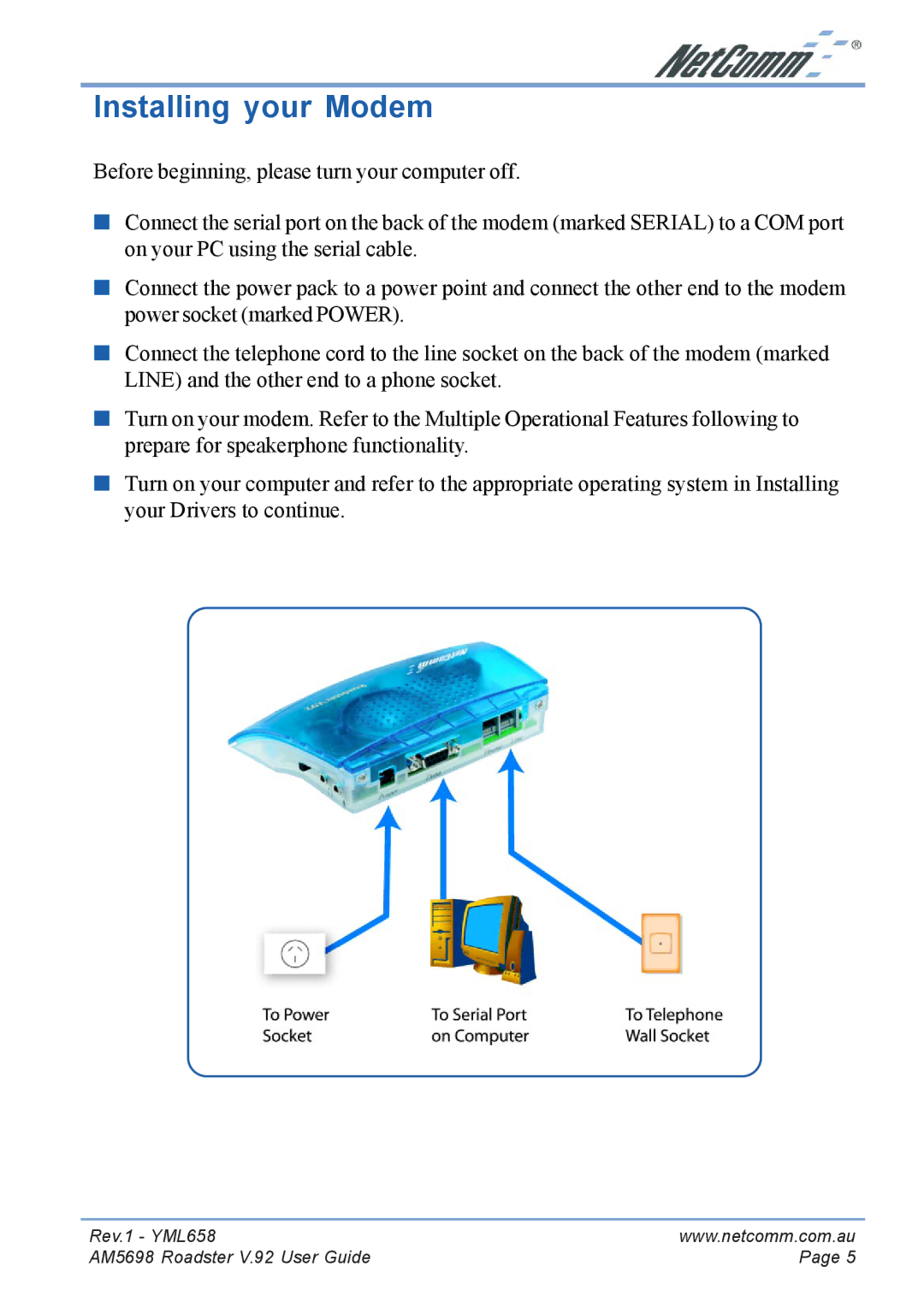
■Connect the serial port on the back of the modem (marked SERIAL) to a COM port on your PC using the serial cable.
■Connect the power pack to a power point and connect the other end to the modem power socket (marked POWER).
■Connect the telephone cord to the line socket on the back of the modem (marked LINE) and the other end to a phone socket.
■Turn on your modem. Refer to the Multiple Operational Features following to prepare for speakerphone functionality.
■Turn on your computer and refer to the appropriate operating system in Installing your Drivers to continue.
Rev.1 - YML658 | www.netcomm.com.au |
AM5698 Roadster V.92 User Guide | Page 5 |