WAN and System Configuration
| Add Circuit |
Circuit Name: | Circuit 2 |
Circuit Enabled: | Yes |
Circuit VPI | 0 |
Circuit VCI | 0 |
Use Connection Profile... | Default Profile |
Use Default Profile for Circuit | |
ADD Circuit NOW | CANCEL |
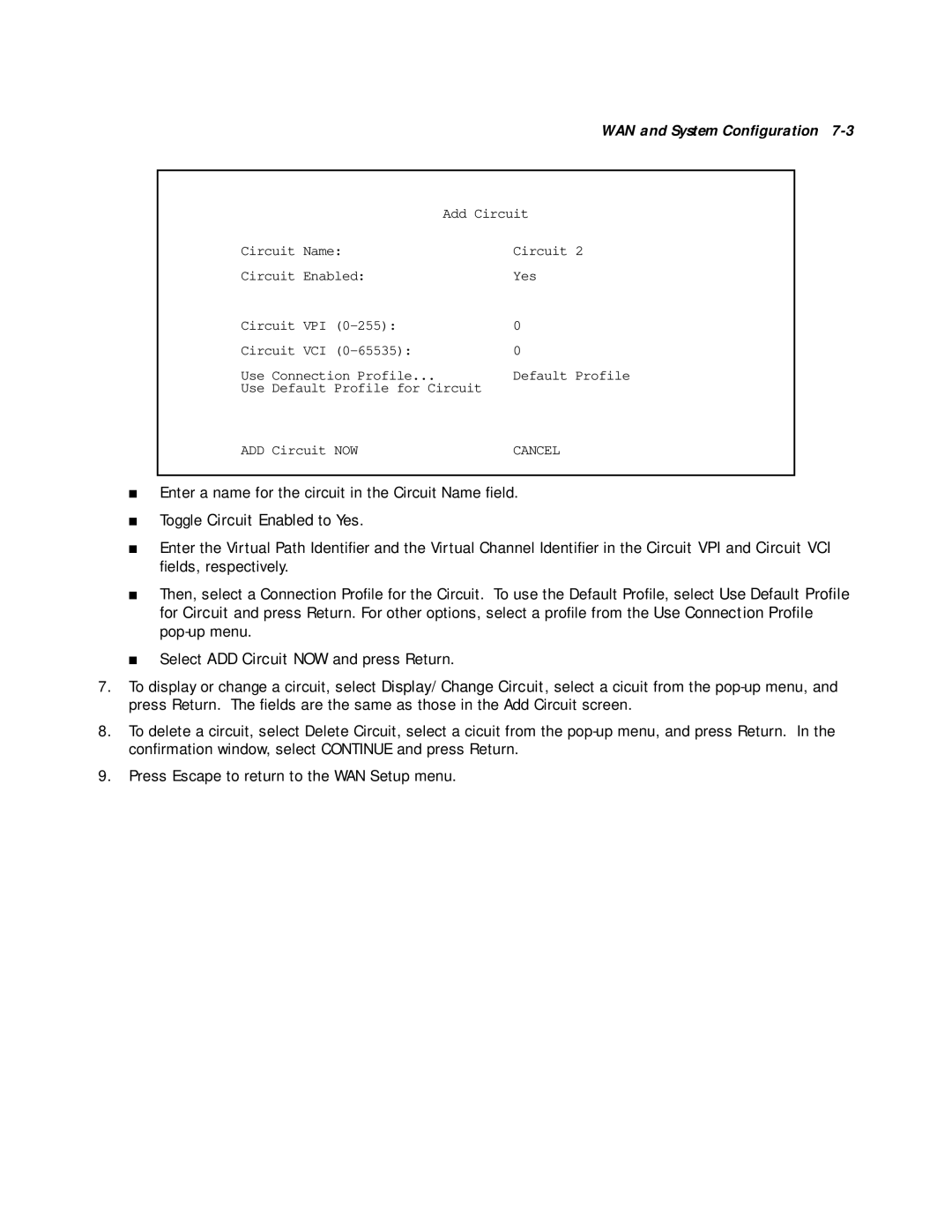
■Enter a name for the circuit in the Circuit Name field.
■Toggle Circuit Enabled to Yes.
■Enter the Virtual Path Identifier and the Virtual Channel Identifier in the Circuit VPI and Circuit VCI fields, respectively.
■Then, select a Connection Profile for the Circuit. To use the Default Profile, select Use Default Profile for Circuit and press Return. For other options, select a profile from the Use Connection Profile
■Select ADD Circuit NOW and press Return.
7.To display or change a circuit, select Display/Change Circuit, select a cicuit from the
8.To delete a circuit, select Delete Circuit, select a cicuit from the
9.Press Escape to return to the WAN Setup menu.