Matrix Pro User Guide
Page
Important Information
Welcome
Menu Tree
Using Shortcuts
Menu Tree
Contents
Contents
Voicemail & Messaging
AT&T Music
IM&E-MAIL, MOBITV, Media NET & Office Mobile
Camera
PC CONNECTIVITY, Internet SHARING, Remote Desktop
Settings
Games
Safety and Warranty
Before Using Your Phone
Inside the Package
Number PAD View
Handset Description
Qwerty Keyboard View
Handset Description
Activating Your Phone
Home Screen
Home Screen Customization
Home Screen Icons
Home Screen
Home Screen
Functions
Quick & Easy
KEY Function
Using Qwerty Keyboard
Battery Usage
Battery Installation
Battery Removal
Power-Off Charging
Battery Usage
Battery Charging
Power Connection
Battery Usage Times
Battery Standby Times
Battery Handling Information
DON’Ts
DOs
Basic Operation
Turning the Phone on
Installing SIM Card
Turning the Phone on / OFF
About Your SIM Card
Make a Call from AN Open Contact
Call Functions
Make a Call by Entering a Contact Name
Make a Call by Entering a Phone Number
Answer a Call by Pressing ANY KEY
Call Functions
Make a Call from the Call History List
Make a Call from a Hyperlink Phone Number
Answer or Ignore a Call
Answer a Second Call
Insert a Manual Pause in a Dialing Sequence
Insert a THREE-SECOND Pause in a Dialing Sequence
Video Share
Only for the initiator
Video Share
Only for the receiver
Saving Your Video Share
Unlock the Keypad
Setting UP Your Voicemail
Basic Functions
Lock the Keypad
2Change the status of Auto-Lockto ‘On’ 3Select Done
Basic Functions
AUTO-LOCK the Keypad
SET the Date and Time
SET the Idle Timer
Change the Home Screen Appearance
4Press Done
Enter Owner Information
View Operating System Information
Silence the Ring Tone of AN Incoming Call
Explore Files and Folders
Dial 911 or 112 and press O
Making AN Emergency Call
Entering Text and Numbers
Change the Multipress Timeout
Enter a Space
Enter a Symbol
Entering Text and Numbers
Delete Characters
Start a NEW Line
Enter Punctuation in Multipress Mode
Enter Punctuation in XT9 Mode
Enter Text in XT9 Mode
Change the Input Mode
Turn on Caps Lock
Enter the Plus Sign for International Calls
CALENDAR, CONTACTS, Call History & MY Stuff
Calendar
Schedule AN Appointment
Delete AN Appointment
View Appointments for the Week
Update AN Appointment
Calendar
View AN Appointment
3Press Menu Go to Date O
View TODAY’S Agenda
View Your Agenda for a Specific Date
View Your Schedule for the Month
Make AN Appointment Recurring
Show Week Numbers
5Select Show week numbers
Week view, press 5-day week, 6-day week, or 7-day week
Change the Work Week Display
Change the Reminder Time
3Press Menu Tools Oor R Options
5Select Send Contact Messages O
Contacts
Create a NEW Contact
Send Contact
Call a Contact from the Contact List
Change the Default Number for a Contact
Contacts
Call a Contact from Contact Information
Duplicate a Contact
Copy to Device / SIM
Copy ALL to Device / SIM
2Select Save to Contacts O 3Select New Contact
Delete a Contact
Delete ALL Device / SIM
Create a Contact for a Caller
3Select Video Share
Filter the Contact List
Video Share
Find a Contact
4Press Menu Send Text Message
Send AN E-MAIL to a Contact
Send a Text Message to a Contact
View and Edit Contact Information
ADD a Picture to a Contact
Remove a Picture from a Contact
5Press Menu Remove Picture O
5Press Custom ring tone
Assign a Category to a Contact
Assign a Ring Tone to a Contact
5Press Categories
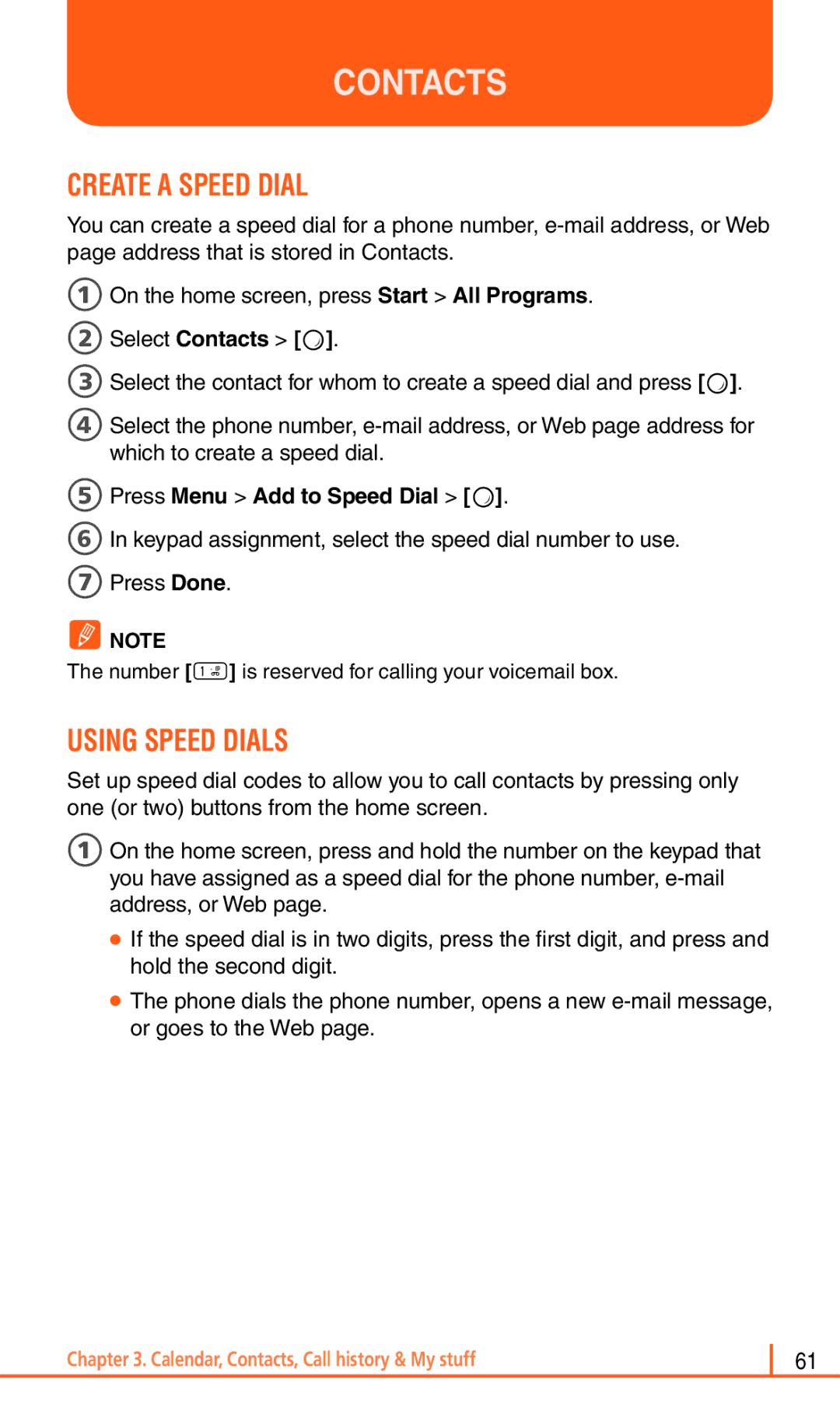
Using Speed Dials
Create a Speed Dial
5Press Menu Add to Speed Dial O
2Select Applications Speed Dial O
View and Edit a Speed Dial
Delete a Speed Dial
Send AS Vcard
Call History
View Call Timers
Reset Call Timers
4Press Menu Reset Timers O
Delete AN Item from Call History
Call History
View Details about a Call
Create a Contact from Call History
Dial the Last Number Called
Insert AN International Country Code
Send AN E-MAIL Message from Call History
MY Stuff
Voicemail & Messaging
Call Your Voicemail BOX
Voicemail
3Press Menu New Text Message
Text Messaging
Create a Text Message
Delete ALL Messages
Multimedia Message
Create a Multimedia Message
Text BOX
Multimedia Message
Multimedia Message Menu Options
Menu supports advanced MMS composer option
Remove Item
Menu option Description Options
View Multimedia Message
4Select the type of options to change 5Press Done
Change Messaging Account Options
Message’ ‘Send Multimedia Msg.’
Change HOW the Message List Displays
Create a Message from a Contact Card
2Press Menu Tools Options Display
During Synchronization
Connecting Directly to AN E-MAIL Server
Mail
Synchronizing E-MAIL Messages
Mail
Creating AN E-MAIL Account
To make a new account
To edit an account
2Press the Menu Settings
3Change the account settings as you would when creating it
Create AN E-MAIL Message
Overview of E-MAIL Security
Download a Complete E-MAIL Message
Download AN Attachment
Mark a Folder for Synchronization
3Press Menu Check Certificate
ADD a Picture to AN E-MAIL Message
Send and Receive Internet E-MAIL Messages
2Select the picture you want to add
ADD a Voice Recording to AN E-MAIL Message
SET UP AN Internet E-MAIL Account Manually
4Press Menu Delete
Delete a Message
Delete AN Account
Edit Predefined Text
Empty the Deleted Items Folder
1From the received message opened, press Menu Reply Forward
Forward a Message
Insert Predefined Text Into a Message
Mark a Message AS Read or Unread
Open a Message
Move a Message to a Different Folder
Reply to a Message
Press Menu Tools Switch Accounts
Quickly Move Between Accounts
Send a Message Draft
Save a Draft of a Message
Stop Adding a Signature to Messages
3Press Menu Tools Options Signatures
View Message Folder Contents
View AN Attachment
View the Inbox Message List
View the List of Accounts
What is SSL?
Organizer
Using the Alarm
Alarm
Voice Note
Create a Voice Note
Listen to a Voice Note
SET AS Ringtone a Voice Note
Voice Note
Delete a Voice Note
Rename a Voice Note
Sending a Memo
To Access Notepad
Creating a Memo
Viewing a Memo
Calculator
Using the Calculator
Using the World Time
World Time
3Select one of the three time zone, and press Menu Edit
Assign a Category to a Task
Tasks
Create a Task
Change a Completed Task to Incomplete
Locate a Task
Tasks
Delete a Task
Mark a Task AS Complete
100
AT&T Music
Windows Media Player
Copying Media Files
2Select Windows Media Player O
Windows Media Player
Playing Media Files
Playing media files from a library
Playing media files on a network
Opening the playlist
Setting UP a Playlist
Changing the Windows Media Player Settings
Creating a playlist
106
2Select Shop Music O
Shop Music
Using ID Song
Music ID
1Highlight ID Song! O
Exiting from the Musicid Application
Using Manage ID’S
Music ID
Getting Help with Musicid
2Select XM Radio Mobile O
XM Radio Mobile
2Select Music Videos O
Music Videos
Pandora
1On the home screen, press Start All Programes AT&T Music O
2Select Pandora O
Community
Media Mall
2Select Shop tones O
Shop Tones
2Select Shop Games O
Shop Games
2Select Shop Graphics O
Shop Graphics
2Select Shop Multimedia O
Shop Multimedia
Shop Applications
2Select Shop Applications O
3Follow the on-screen options
Media NET Home
Cellular Video
2Press O
Cellular Video
Media Clip Options
Video
Settings
Media Clip Options
Properties
Viewing a Video Clip
Using the Video Categories
Customizing Cellular Video
Updating the Favorites List
Adding a Video Alert
3From the Customize CV Options My Purchases O
MY Purchases
9Select Save to save the setting
Setting UP Parental Control
Configuring the Filters
8Select Content Filters or Purchase Blocker O
IM&E-MAIL, MOBITV, Media NET & Office Mobile
AOL Instant Messenger Windows Live Messenger Y! Messenger
IM & E-MAIL
Instant Messaging
GET Xpress Mail
Mobitv
See MEdia Net home in . MEdia Mall
Media NET
Onenote Mobile
Powerpoint Mobile
Office Mobile
Excel Mobile
Camera
Camera / Camcorder Mode
Select Video Quality
Copy AN Image to Your Phone
Take Videos Using a Timer
Camera / Camcorder Mode
Edit a Picture
Select Where Pictures are Saved
1Press Option Settings 2Use L/R to select Advanced Settings
Create a Pictures Folder
3Press Menu Use as Home Screen
View Pictures AS a Slide Show
SET a Picture AS the Home Screen
3Press Menu Play Slide Show
3Press Menu Send via Multimedia Msg
Send a Picture VIA Multimedia Message
Save a Copy of a Picture
View Pictures on Your Phone
Record a Video
Camera / Camcorder Operations
Camera
Video
Snapshot
Camera / Camcorder Operations
Take a Picture
Take a Picture Multishot
3Select phone number in the list, and press Call
You can do Video Share by selecting the camera menu
Camera Menu
Camera / Camcorder Controls
Camcorder Menu
Camera / Camcorder Controls
General Settings
Camera Settings
Video Settings
Hardware Button
Overview of the default hardware button assignments
Internet Explorer
3Press Menu Add to Favorites
Using Internet Explorer
ADD a WEB page to the Favorites List
Change Connection Options
3Press Memory
Using Internet Explorer
Change WEB page Display Options
Clear HISTORY, COOKIES, or Temporary Files
Create a NEW Folder in Favorites
Delete a Favorite
Disconnect from the Internet
3Enter the address, and press Go
Edit a Favorite
GO to a Link
GO to a WEB
3Press Menu Refresh
GO to a WEB page in the History List
Open Internet Explorer
3Select the Web page, and press Go
3Select a favorite and press Go
View a Favorite
View a List of Recently Visited WEB Pages
Move a Favorite to a Folder
2Press Menu View Zoom Level and select the size you want
View a page in Full Screen Mode
Change the Zoom Level on WEB Pages
Show or Hide Pictures on WEB Pages
Adjust the Scrolling Speed
Send a Link VIA E-MAIL
2Go to the Web page you want to send
This chapter addresses Bluetooth and ActiveSync functions
Install and SET UP Activesync
SET UP AN Exchange Server Connection
Activesync
Change Activesync Settings
Activesync
9Press Finish
3Press Done
Schedule Synchronization AS Items Arrive
Change the Synchronization Schedule
2Press the Menu Schedule O Do one or both of the following
Press Menu Status O
Start and Stop Synchronization
View Information about Sync Status
2Press the Sync O 3To stop synchronizing, press Stop
Change Settings for AN Information Type
Connect the Phone
2Press Menu Options O
This will allow you to use the ActiveSync program
Connect to a PC Using Chargeable USB Cable
Connect to a PC Using Bluetooth
Deactivate the USB Modem
5When finished, press Menu Disconnect Bluetooth
3Scroll to E-mail Settings
Change E-MAIL Security Options
Exclude AN E-MAIL Address from Reply ALL
Internet Sharing
Internet Sharing with Bluetooth
Make PC access Internet through Bluetooth wireless
Make PC access Internet through USB connection
3Press Connect
Remote Desktop
2Scroll to Connections O
Bluetooth
Turn Bluetooth on and OFF
3Select Wireless Manager O
Bluetooth
Pair with a Bluetooth Device
Send Objects to Another Device
Bluetooth Setup Wizard
USE Your Phone AS a PC Remote
Next
Connect to recognized device
Advanced Bluetooth Features
Drop pairing with device
Make phone visible to other device
Edit the properties of a recognized device
Send object to device
Edit device properties / change device name
Send an object to another device
Applications
Camera
File Explorer
My Documents Access the My Documents folder
GET Navigator
Java
179
Mobile Banking
MY-CAST Weather
Speed Dial
System Info
Task Manager
Getting Started
Voice Commander
Features
You can use Voice Commander to execute name dialing
Voice Commander
Voice Play Music
SMS
What time is it
Call History
Voice Commander Settings Main Functions
Contacts Setting
Application Setting
Advanced Settings Setting Page Sensitivity Setting
Music Setting
Play
Voice Button Setting
Set the voice commander quick key
Voice Tag
Settings
Call Forwarding
Phone
Auto Answer
Auto Lock
Channels
Phone
Call Waiting
Caller ID
Find a New Network
Fixed Dialing
Networks
Owner Number
Select TTY Mode
Service Dialing Numbers SDN
4Press Menu Delete Sounds O
Sounds
Change or Turn Sounds on or OFF
Delete a Sound
Copy a Sound from Your PC to Your Phone
Sounds
Change the Current Profile
Profiles
View the List of Profiles
Edit a Profile
Change the home screen appearance
2User to modem time offset
Clock & Alarm
Alarm
Alarm is mentioned at Chpater 5. Organizer
With an
Wireless Manager
Connections
Create a DIAL-UP Connection
Create a Gprs Connection
Connections
Create a VPN Connection
Create a Proxy Connection
5Press Yes
Delete a DIAL-UP Connection
Delete a Gprs Connection
2Press Dial-up 3Select the connection to delete
2Press Proxy 3Select the connection to delete
Delete a Proxy Connection
Change AN Intranet URL
Make Your Device Visible
USB to PC
Modem Link
Domain Enroll
Security
Enable the Device Lock
Disable the Device Lock
2Select Settings O
Changing PIN2
Security
Activating the SIM PIN
Changing the SIM PIN
View a Certificate
Delete a Certificate
6Press Menu Delete
Master Clear
Changing Master Clear Password
2Select Settings Security Change Master Clear Password
Encryption
4Select the program to remove 5Press Menu 6Select Remove
Remove Programs
Power Management
Alerts
Select More... O Video Share
Select More... O Accessibility
Accessibility
3Select More... O Regional Settings
Regional Settings
Owner Information
3Select More... O Owner Information
4Enter the information and press Done
Select More... O About
About
Device Name
3Select More... O Device Name
4Write your device name and press Done
Turn Error Reporting on / OFF
Error Reporting
3Select More... O Customer Feedback
Customer Feedback
Select More... O Windows Update
Windows Update
Select More... More... O Setup E-mail O
Setup E-MAIL
3Select More... More.. O Managed Programs
Managed Programs
There are many games included with your Pantech Matrix Pro
Games
Brain Challenge
Brain Challenge V2 Demo
Start a Game of Brain Challenge
1On the home screen, press Start All Programs More Games
Bubble Breaker
Bubble Breaker
View Bubble Breaker Statistics
1Press Menu Statistics
Guitar Hero 3 Mobile
2Start a game by selection Career Mode or Quick Play
Guitar Hero 3 Mobile
Start a Game of Guitar Hero 3 Mobile
Jewel Quest
Start a Game of Jewel Quest
Jewel Quest 2Start New Game
Midnight Pool Demo
Start a Game of Midnight Pool
Midnight Pool
Ms. PAC-MAN 2Start New Game
MS. PAC-MAN Demo
Start a Game of MS. PAC-MAN
Gameplay
MS. PAC-MAN Demo
Scrabble
Start a Game of Scrabble Blast
Scrabble
Play Solitaire
HOW to Move Cards
Solitaire
Start a Game of Solitaire
Tetris
Start a Game of Tetris
Tetris
Safety and Warranty
Safety Information for Wireless Handheld Phones
Exposure to Radio Frequency Signals
Antenna Care
Driving Safety
Safety Information for Wireless Handheld Phones
Posted facilities
Electronic Devices
Pacemakers
Other medical devices
Aircraft
Blasting areas
Potentially explosive atmospheres
Precautions
Precautions
Safety Information for FCC RF Exposure
SAR Information
SAR Information
Safety Information for Battery Usage
FCC & Industry Compliance
FCC & Industry Compliance
Statement according to FCC part
SAR limit set by the FCC is 1.6 W/kg
Health and Safety Information FCC
FCC & Industry Compliance
RF exposure FCC
248
249
Do wireless phones pose a health hazard?
FDA Consumer Update
What kinds of phones are the subjects of this update?
FDA Consumer Update
What are the results of the research done already?
253
254
What about children using wireless phones?
Where can I find additional information?
Protect Your Warranty
Month Limited Warranty
MANUFACTURER’S Warranty
MANUFACTURER’S Warranty