FormsMaster 8000 Series
Programmer’s Manual
Page
Table of Contents
Table of Contents
Table of Contents
Page
How to Use This Manual
Introduction
Printer Model Descriptions and Key Features
Selecting Emulations
Changing Forms/Tractor Paths
Page
Ansi X3.64 Emulation
Introduction
Ansi X3.64 Emulation
End of Text
Control Codes and Escape Sequences Grouped by Function
Communications
Character Size and Line Spacing
Character Attributes
Set Character and Line Spacing
Select Graphic Rendition
Backspace
Horizontal Position
Carriage Return
Vertical Position
Absolute Horizontal Tab
Relative Horizontal Tab
Line Feed
Partial Line Up
Absolute Vertical Tab
Relative Vertical Tab
ESC L
Horizontal and Vertical Position
Form Length and Form Feed
New Line
Form Feed
Horizontal Tabs
Vertical Tabs
Printer Controls
Cancel Automatic Carriage Return
Reset
Select Automatic Carriage Return ESC 20 h
ESC 20 l
Emulations
Select Software Interface n ESC ESC n
Control Codes and Escape Sequences Sorted Alphabetically
ESC L
Page
Epson FX Emulation
Cancel Line
Delete Character
Can
DEL
Cancel MSB Control
Character Size
Set MSB to
Deselect Printer
Select Condensed Mode
Select 10 CPI
Select 12 CPI
Select 15 CPI
Cancel Condensed Mode
Select double-wide mode one line
Cancel Double-Wide Mode one line
Double-Wide Mode
Select Subscript or Superscript Mode
Cancel Subscript and Superscript Mode
Select Emphasized Mode
Cancel Emphasized Mode
Underline Mode
Select Italic Mode
Cancel Italic Mode
ESC n
Master Print Mode Select
Character Sets
Select Draft or Letter QualityESC x n
ESC ! n
Select Font
ESC k n
Enable Printing of High Symbols
Select International Character Set
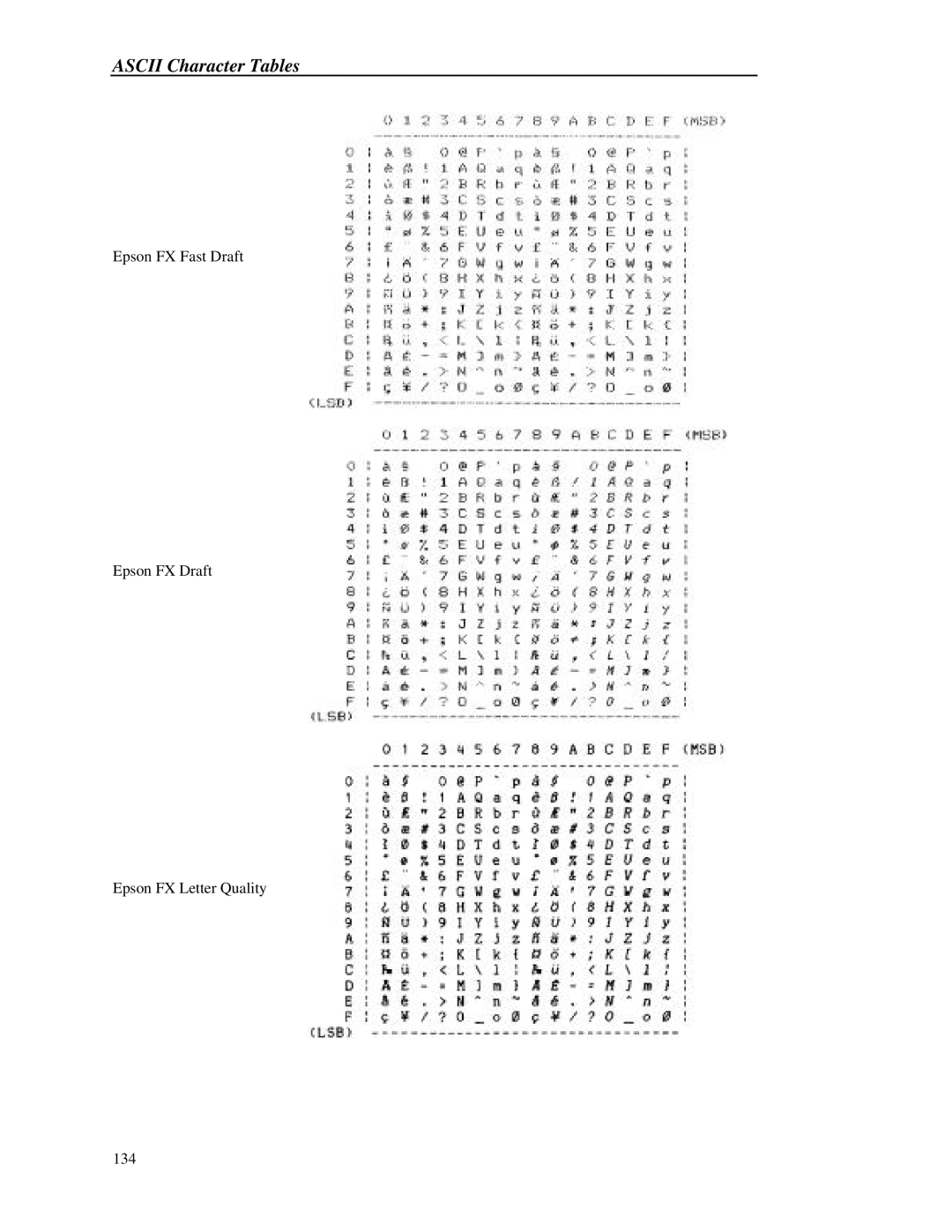
Character Table
ESC R n
Printing of Low Symbols
Line Pitch
Select 8 LPI
Set Line Spacing to 7/72
ESC 3 n
Set Line Spacing to n/216
Set Line Spacing to n/72 ESC a n
Variable Distance Line Feed
ESC j n
ESC J n
Variable Distance Reverse Line Feed
Set Form Length in Lines
ESC C NUL n
ESC C n
Set Form Length in Inches
ESC $ n1 n2
Set Horizontal Tab Stops
ESC \ n1 n2
Horizontal Margins
Set Vertical Tab Stops
Set Left Margin
Set Right Margin
ESC N n
Vertical Margins
Set Perforation Skip
Cancel Perforation Skip
Graphics
DPI Graphics
ESC O
High Speed 120 DPI Graphics
High Speed 240 DPI Graphics
Unidirectional Mode one line
Unidirectional Mode
ESC U n
ESC @
ESC EM n
Forms and Tractors
Load Form
Emulations
ESC K n1 n2 data
ESC Y n1 n2 data
Page