Watching TV
Daily operation
Turning on/off the power – using the control panel of the TV
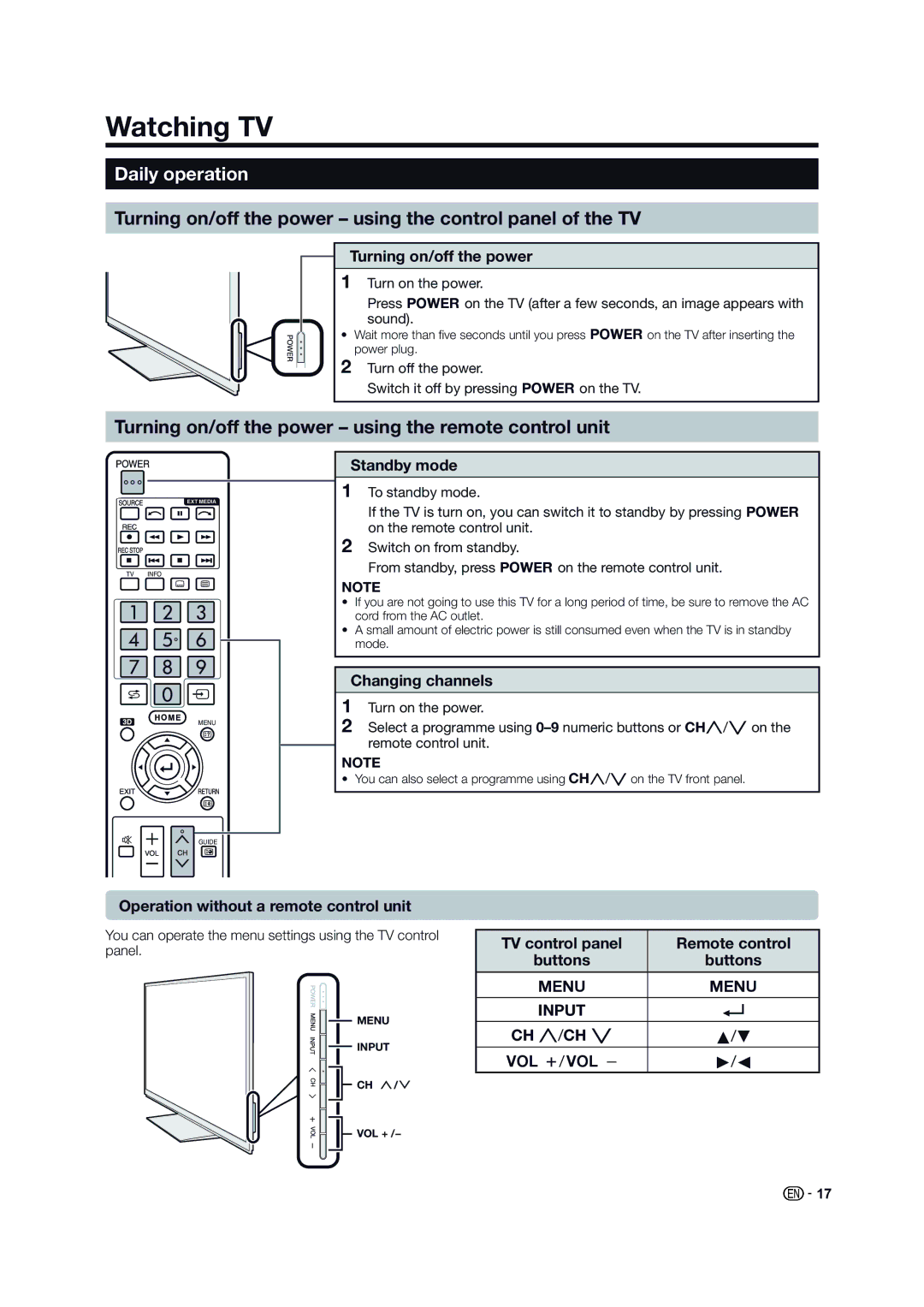
Turning on/off the power
1Turn on the power.
Press <on the TV (after a few seconds, an image appears with sound).
• Wait more than five seconds until you press <on the TV after inserting the power plug.
2Turn off the power.
Switch it off by pressing <on the TV.
Turning on/off the power – using the remote control unit
EXT MEDIA
TV INFO
MENU
Standby mode
1To standby mode.
If the TV is turn on, you can switch it to standby by pressing < on the remote control unit.
2Switch on from standby.
From standby, press <on the remote control unit.
NOTE
•If you are not going to use this TV for a long period of time, be sure to remove the AC cord from the AC outlet.
•A small amount of electric power is still consumed even when the TV is in standby mode.
Changing channels
1Turn on the power.
2Select a programme using
remote control unit.
NOTE
• You can also select a programme using CHr/son the TV front panel.
GUIDE
Operation without a remote control unit
You can operate the menu settings using the TV control panel.


 MENU
MENU
 INPUT
INPUT
CH
VOL + /−
TV control panel | Remote control |
buttons | buttons |
|
|
@ | @ |
INPUT | ? |
|
|
CH r/CH s | a/b |
Yk/Yl | d/c |
 17
17