Long-play recording (monaural recording)
When recording in
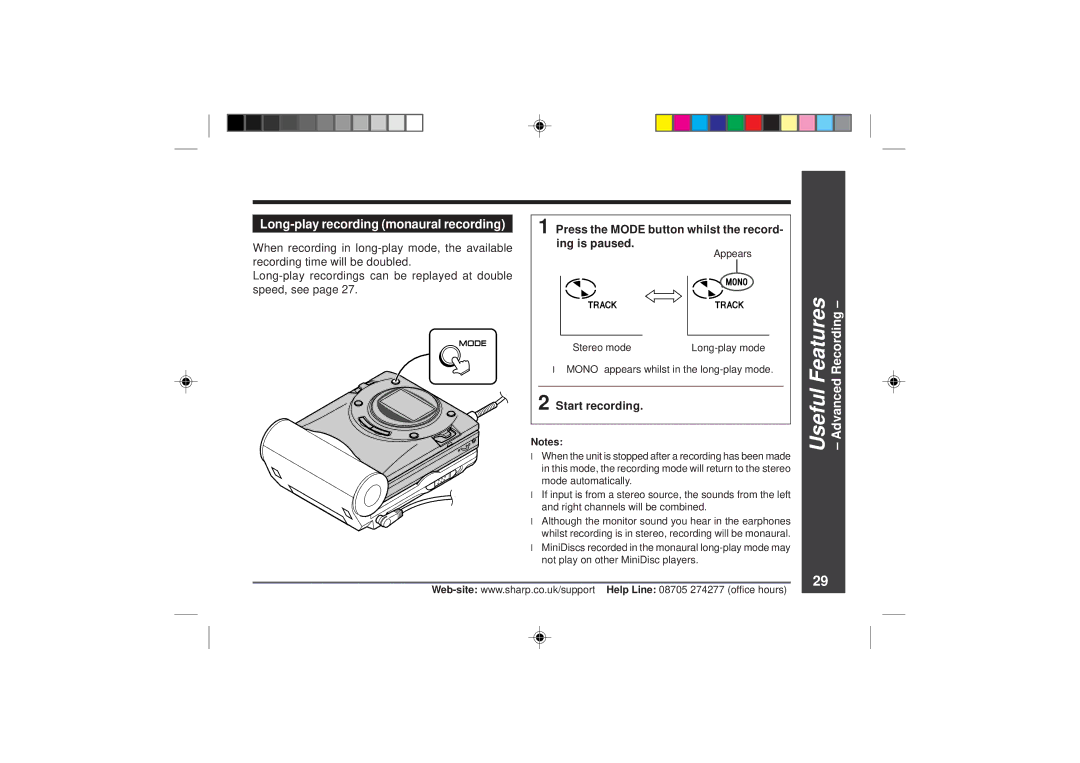
1 Press the MODE button whilst the record- ing is paused.
Appears
Stereo mode |
●“MONO” appears whilst in the
2 Start recording.
Notes:
●When the unit is stopped after a recording has been made in this mode, the recording mode will return to the stereo mode automatically.
●If input is from a stereo source, the sounds from the left and right channels will be combined.
●Although the monitor sound you hear in the earphones whilst recording is in stereo, recording will be monaural.
●MiniDiscs recorded in the monaural
Useful Features – Advanced Recording –
29