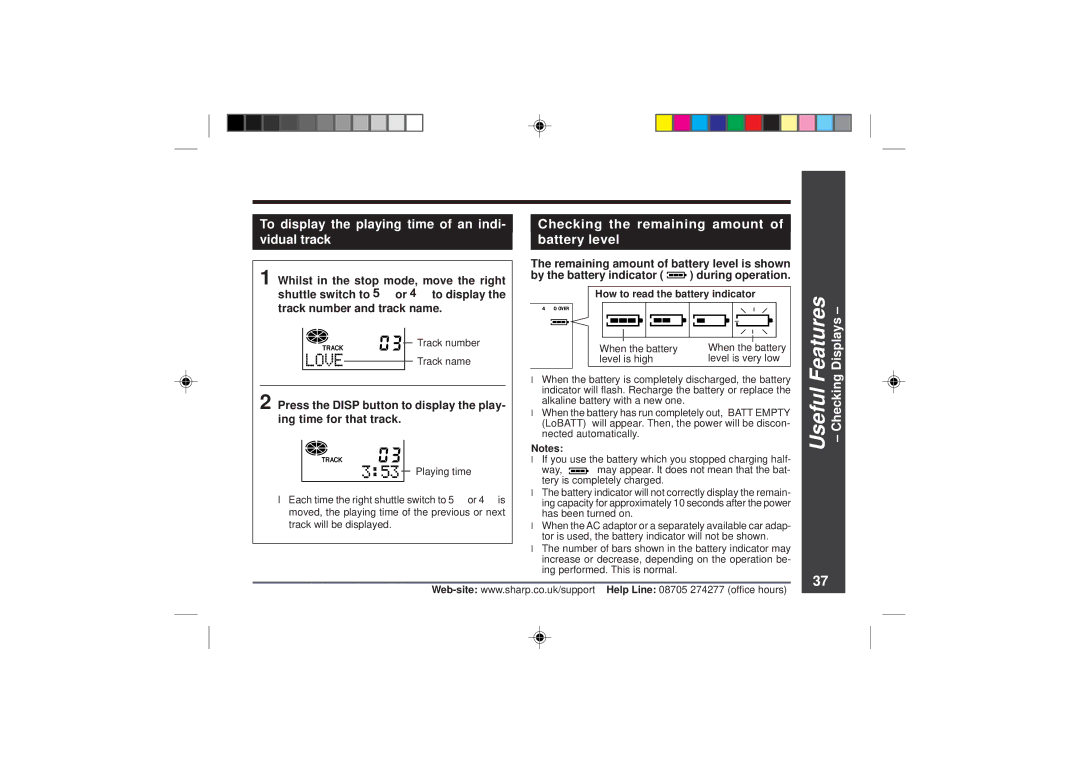
To display the playing time of an indi- |
| Checking the remaining amount of |
vidual track |
| battery level |
|
|
|
1 Whilst in the stop mode, move the right | The remaining amount of battery level is shown | ||
by the battery indicator ( | ) during operation. | ||
shuttle switch to 5 or 4 to display the | How to read the battery indicator | ||
track number and track name. |
|
| |
Track number | When the battery | When the battery | |
| |||
Track name | level is high | level is very low | |
| ● When the battery is completely discharged, the battery | ||
2 Press the DISP button to display the play- | indicator will flash. Recharge the battery or replace the | ||
alkaline battery with a new one. |
| ||
● When the battery has run completely out, “BATT EMPTY | |||
ing time for that track. | |||
(LoBATT)” will appear. Then, the power will be discon- | |||
| |||
| nected automatically. |
| |
|
|
|
|
| Notes: |
|
| ||||
|
|
|
|
| ● If you use the battery which you stopped charging half- | ||||||
|
|
|
| Playing time | way, “ |
|
|
|
|
| ” may appear. It does not mean that the bat- |
|
|
|
|
|
|
| |||||
|
|
|
|
| tery is completely charged. | ||||||
|
|
|
|
| |||||||
● Each time the right shuttle switch to 5 or 4 is | ● The battery indicator will not correctly display the remain- | ||||||||||
ing capacity for approximately 10 seconds after the power | |||||||||||
moved, the playing time of the previous or next | has been turned on. | ||||||||||
track will be displayed. | ● When the AC adaptor or a separately available car adap- | ||||||||||
|
|
|
|
| tor is used, the battery indicator will not be shown. | ||||||
|
|
|
|
| ● The number of bars shown in the battery indicator may | ||||||
|
|
|
|
| increase or decrease, depending on the operation be- | ||||||
|
|
|
|
| ing performed. This is normal. | ||||||
Useful Features – Checking Displays –
37