n N
20
Network Media Receiver | Setting up the hardware |
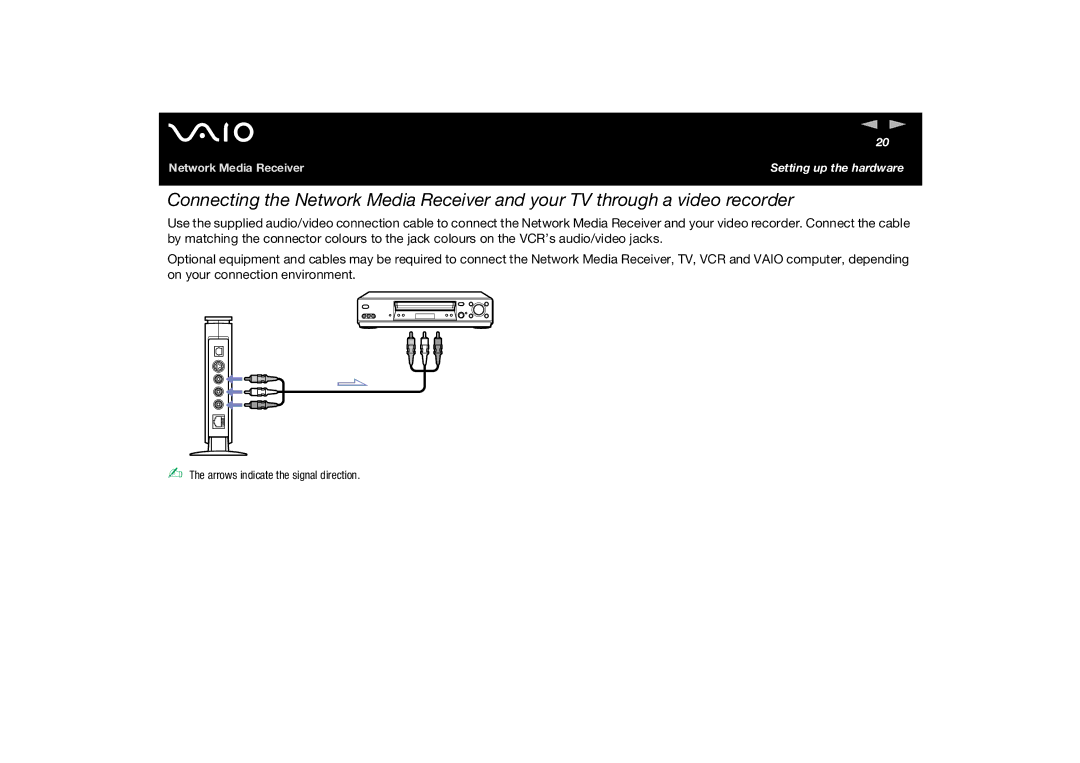
Connecting the Network Media Receiver and your TV through a video recorder
Use the supplied audio/video connection cable to connect the Network Media Receiver and your video recorder. Connect the cable by matching the connector colours to the jack colours on the VCR’s audio/video jacks.
Optional equipment and cables may be required to connect the Network Media Receiver, TV, VCR and VAIO computer, depending on your connection environment.
✍ The arrows indicate the signal direction.