Product Description
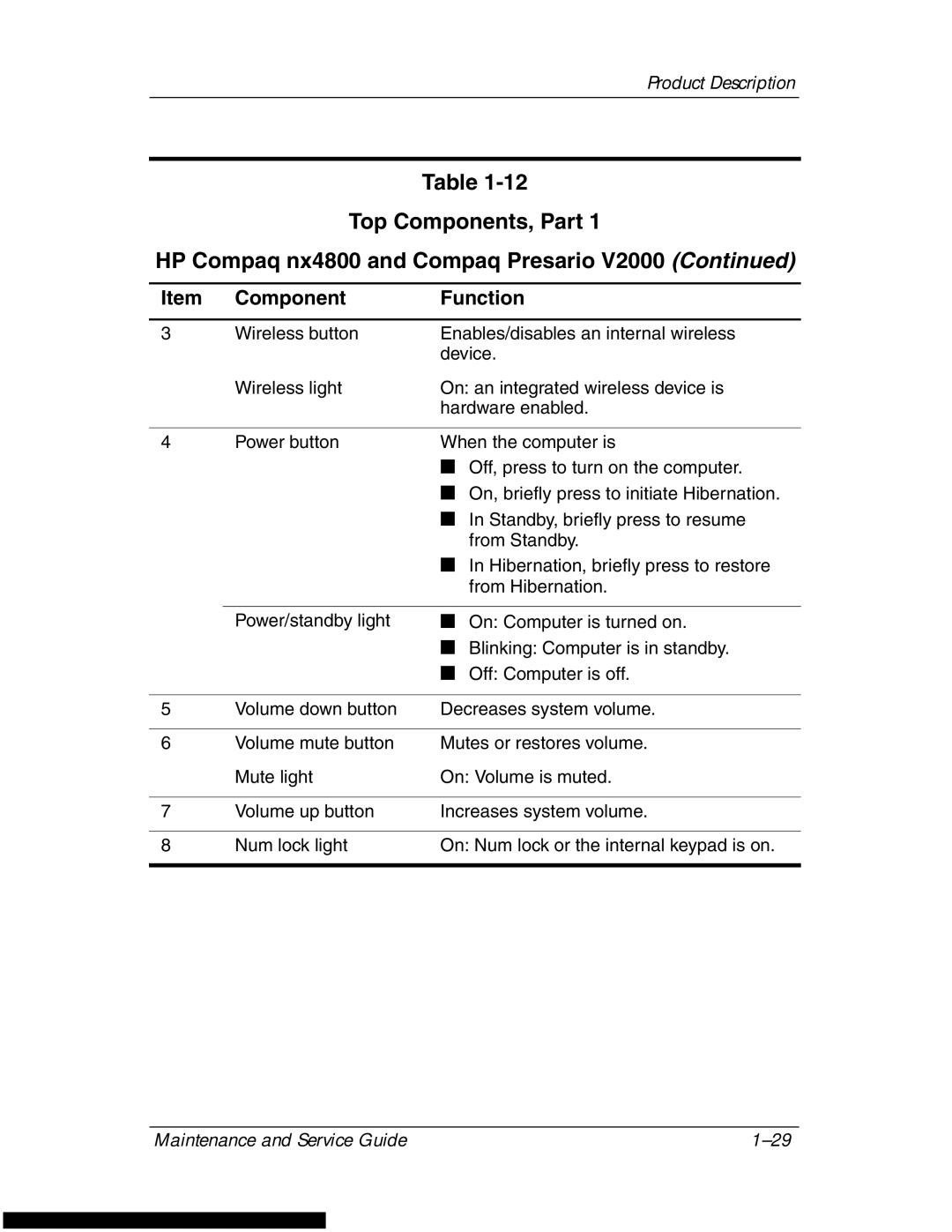
Table
Top Components, Part 1
HP Compaq nx4800 and Compaq Presario V2000 (Continued)
Item | Component | Function |
|
|
|
3 | Wireless button | Enables/disables an internal wireless |
|
| device. |
| Wireless light | On: an integrated wireless device is |
|
| hardware enabled. |
|
|
|
4 | Power button | When the computer is |
|
| ■ Off, press to turn on the computer. |
|
| ■ On, briefly press to initiate Hibernation. |
|
| ■ In Standby, briefly press to resume |
|
| from Standby. |
|
| ■ In Hibernation, briefly press to restore |
|
| from Hibernation. |
|
|
|
| Power/standby light | ■ On: Computer is turned on. |
|
| ■ Blinking: Computer is in standby. |
|
| ■ Off: Computer is off. |
|
|
|
5 | Volume down button | Decreases system volume. |
|
|
|
6 | Volume mute button | Mutes or restores volume. |
| Mute light | On: Volume is muted. |
|
|
|
7 | Volume up button | Increases system volume. |
|
|
|
8 | Num lock light | On: Num lock or the internal keypad is on. |
|
|
|
Maintenance and Service Guide |