ADMINISTRATOR SECTION CHAPTER 2: CONFIGURING THE ER SERVER
Expiration screen
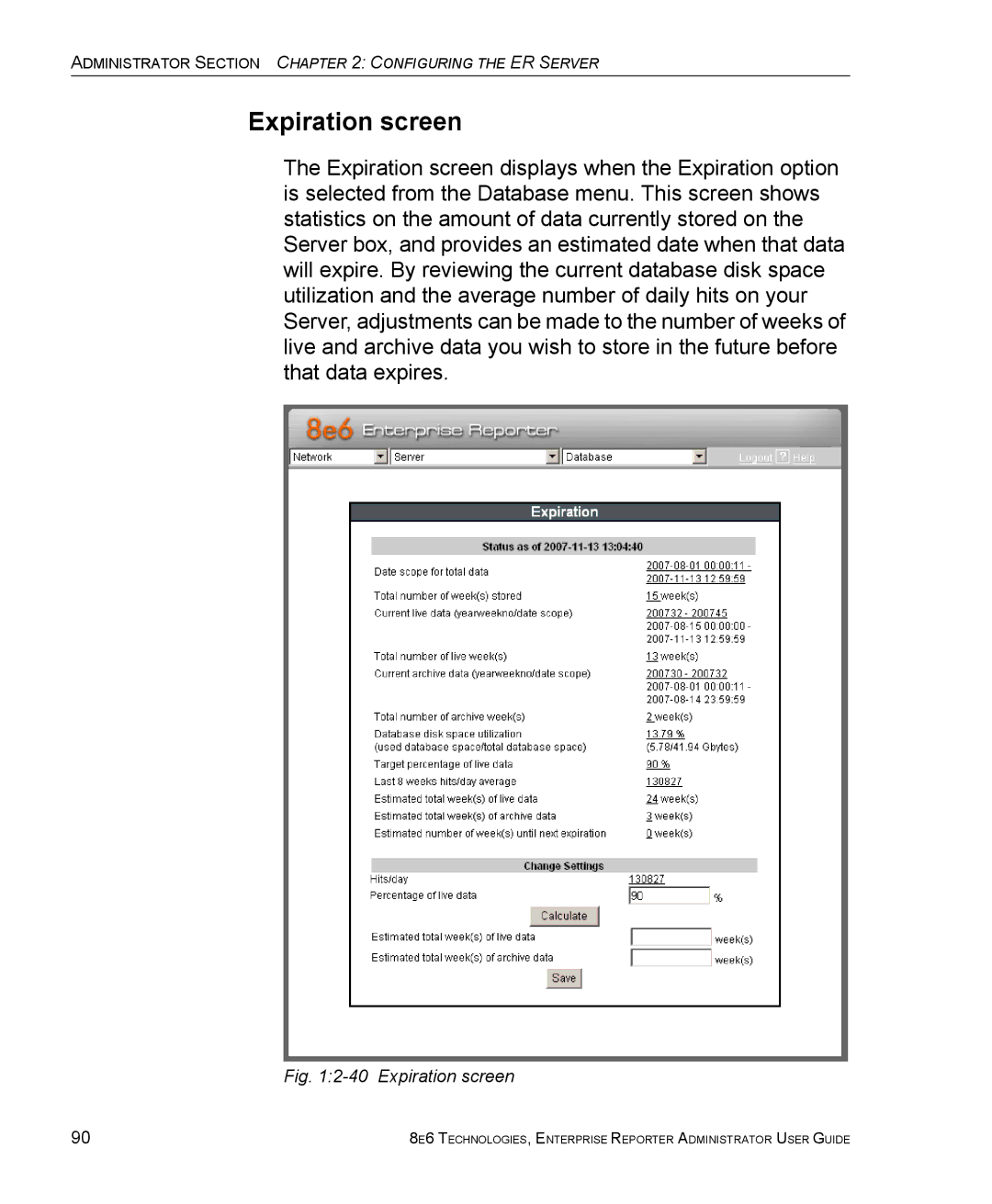
The Expiration screen displays when the Expiration option is selected from the Database menu. This screen shows statistics on the amount of data currently stored on the Server box, and provides an estimated date when that data will expire. By reviewing the current database disk space utilization and the average number of daily hits on your Server, adjustments can be made to the number of weeks of live and archive data you wish to store in the future before that data expires.
Fig. 1:2-40 Expiration screen
90 | 8E6 TECHNOLOGIES, ENTERPRISE REPORTER ADMINISTRATOR USER GUIDE |