2 Installing the Telephone | User’s Guide |
|
|
|
|
Mount the Charger Unit on a Wall (Optional)
The charger unit can be mounted directly on the wall. Use #10 screws and, if necessary, anchoring devices that are suitable for the wall material where the charger unit will be placed.
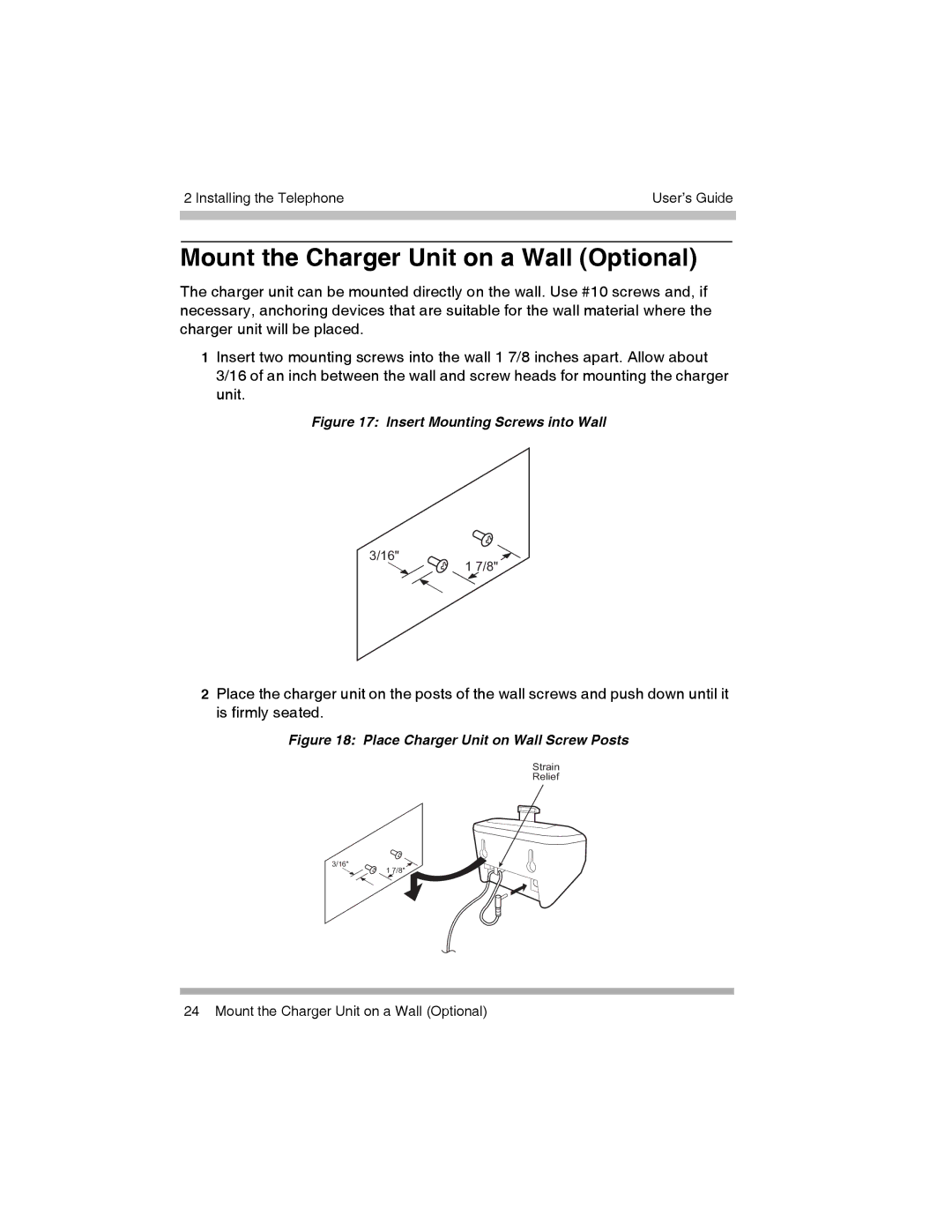
1Insert two mounting screws into the wall 1 7/8 inches apart. Allow about 3/16 of an inch between the wall and screw heads for mounting the charger unit.
Figure 17: Insert Mounting Screws into Wall
3/16" 1 7/8"
2Place the charger unit on the posts of the wall screws and push down until it is firmly seated.
Figure 18: Place Charger Unit on Wall Screw Posts
Strain
Relief
3/16" 1 7/8"
24 Mount the Charger Unit on a Wall (Optional)