5.Press the down arrow button and then the OK button to change the password.
Note: If you have already connected devices or computers to your product via
6.Enter your new
Note: Your password must be at least 8 and no more than 22 characters long.
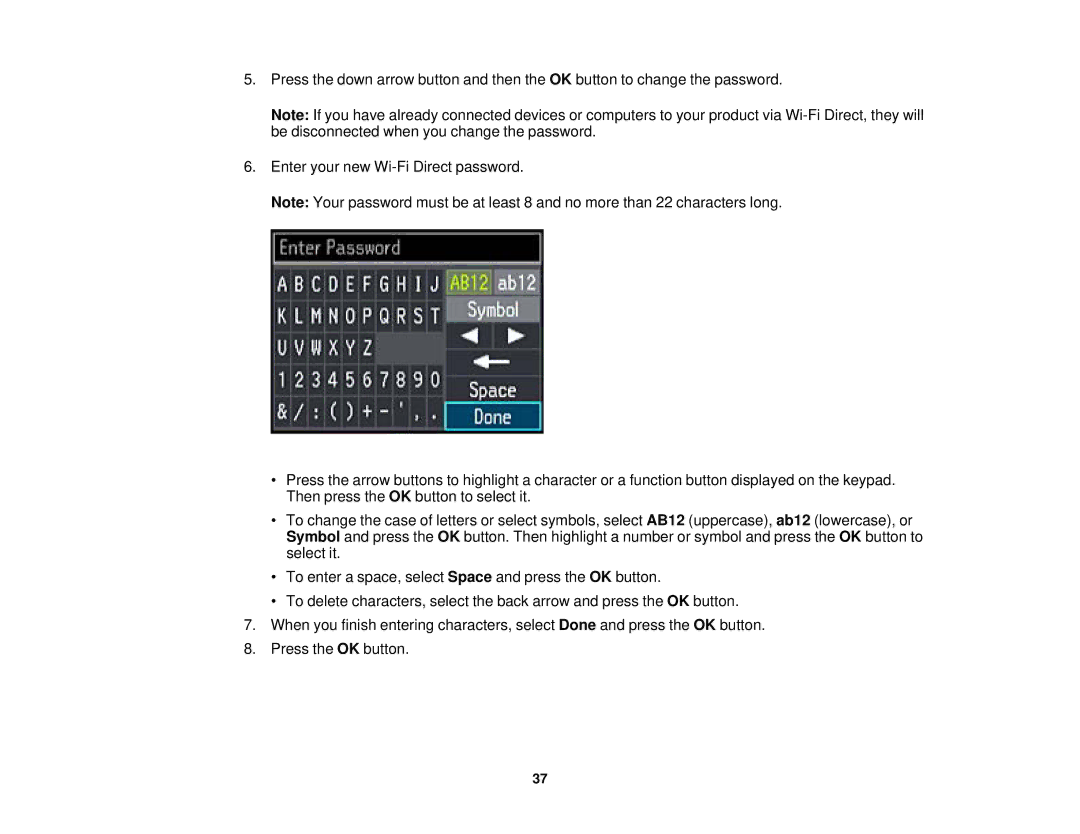
•Press the arrow buttons to highlight a character or a function button displayed on the keypad. Then press the OK button to select it.
•To change the case of letters or select symbols, select AB12 (uppercase), ab12 (lowercase), or Symbol and press the OK button. Then highlight a number or symbol and press the OK button to select it.
•To enter a space, select Space and press the OK button.
•To delete characters, select the back arrow and press the OK button.
7.When you finish entering characters, select Done and press the OK button.
8.Press the OK button.
37