ENGLISH
Preparation Introduction
Printing
For Your Reference
Loading paper
 Loading paper into the paper tray
 Note
Note
Always use specialty paper. Using paper other than specialty paper such as inkjet printer paper may cause a printer failure such as paper becoming jammed or sticking to the ink ribbon.
Do not touch the print surface (the blank, glossy surface) when handling paper.
Do not store paper in a place subject to high temperature, high humidity, or direct sunlight.
Do not leave paper in a place subject to excessive dust. Fingerprints or dust on the print surface may degrade print quality.
Up to 50 sheets of paper can be placed in the paper tray. Be careful not to exceed this number when loading additional paper. Loading too many sheets of paper may cause a paper jam.
Folding or bending paper may cause a paper jam.
Do not write on paper before printing a picture on it. If you want to write something, use an oil based pen after printing. It is not possible to print characters on this paper from a word processor or typewriter.
Printing on 4 × 6 paper
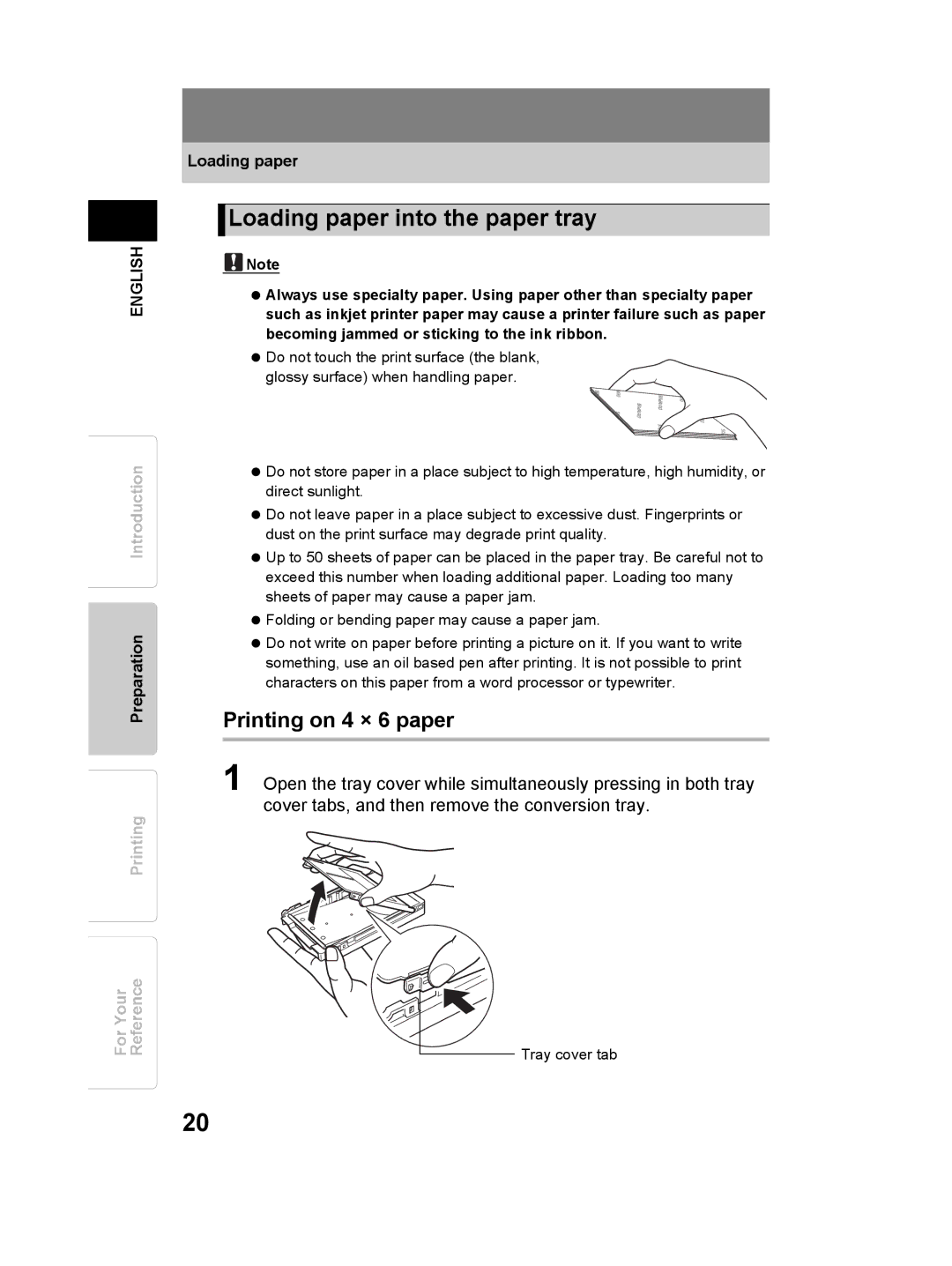
1 Open the tray cover while simultaneously pressing in both tray cover tabs, and then remove the conversion tray.
Tray cover tab
20