Windows NT 4.0 Or 2000 Host Setup Problems
125
Windows NT 4.0 Or 2000 Host Setup Problems
The installation procedure covered earlier in this chapter assumes
that the NIC adapter is configured with the correct IP address,
subnet mask and gateway (if required), and that the administrator
can
ping
and
telnet
to the NIC adapter from the server console.
If this is not the case, use the printer front panel to configure the
NIC adapter before proceeding.
Installing Microsoft TCP/IP Printing
The NIC installation for Windows NT 4.0/2000 also requires the
“Microsoft TCP/IP Printing” service on the server. To install this
service, click the Network icon in the Control Panel and click the
Services tab. Click
Add Service
and select Microsoft TCP/IP
printing.
•
Do you have administrative privileges?
This installation requires administrator privileges.
•
“LPR port” is not listed in step 6 on page 101.
Cancel the installation and install the Microsoft TCP/IP printing
service on the server.
•
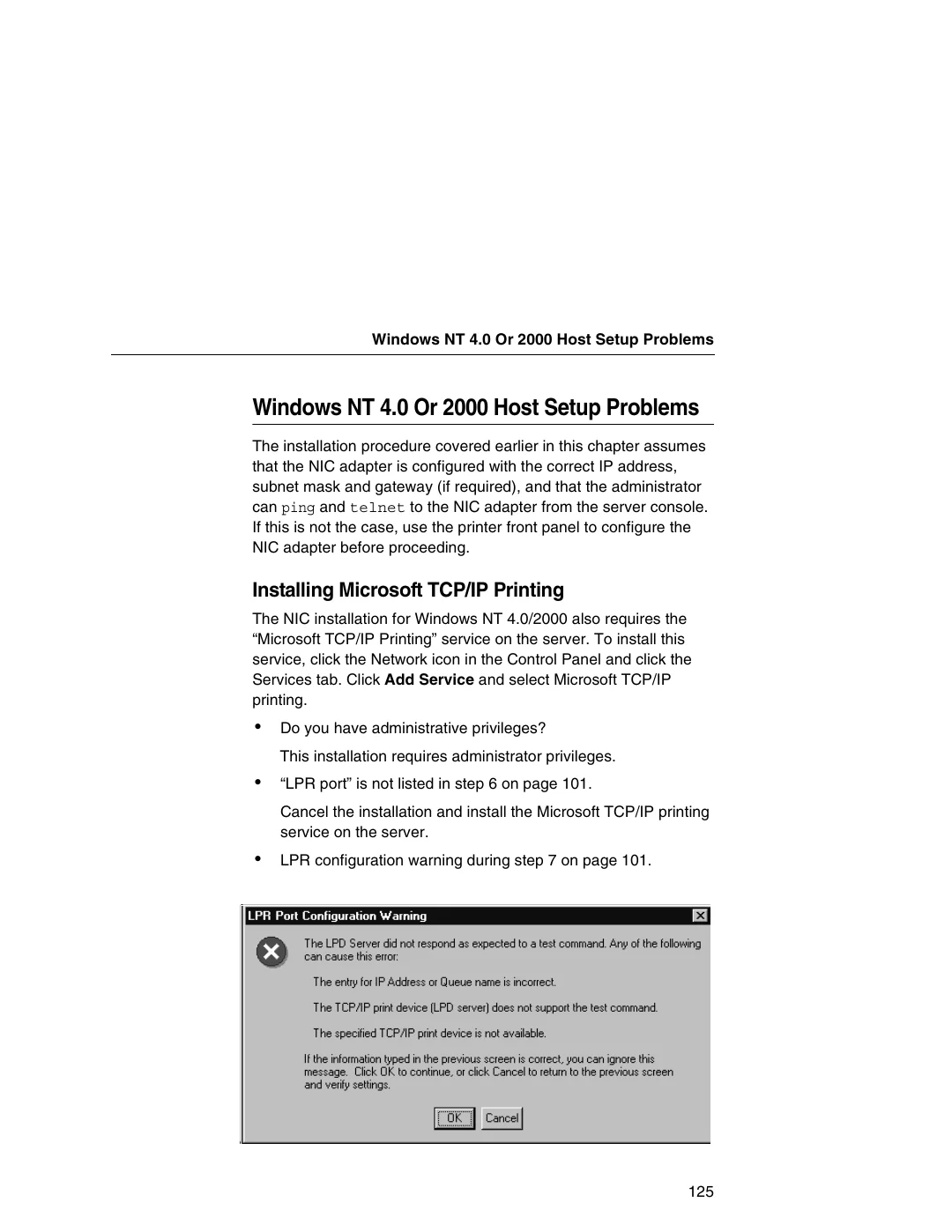
LPR configuration warning during step 7 on page 101.