Chapter 4. Software Management | |
|
|
∙
∙
Link Status
ATM Status
PERFORMANCE MONITORING
1.Link Status
2.ATM Status
3.Reset Counters
ESC. Exit
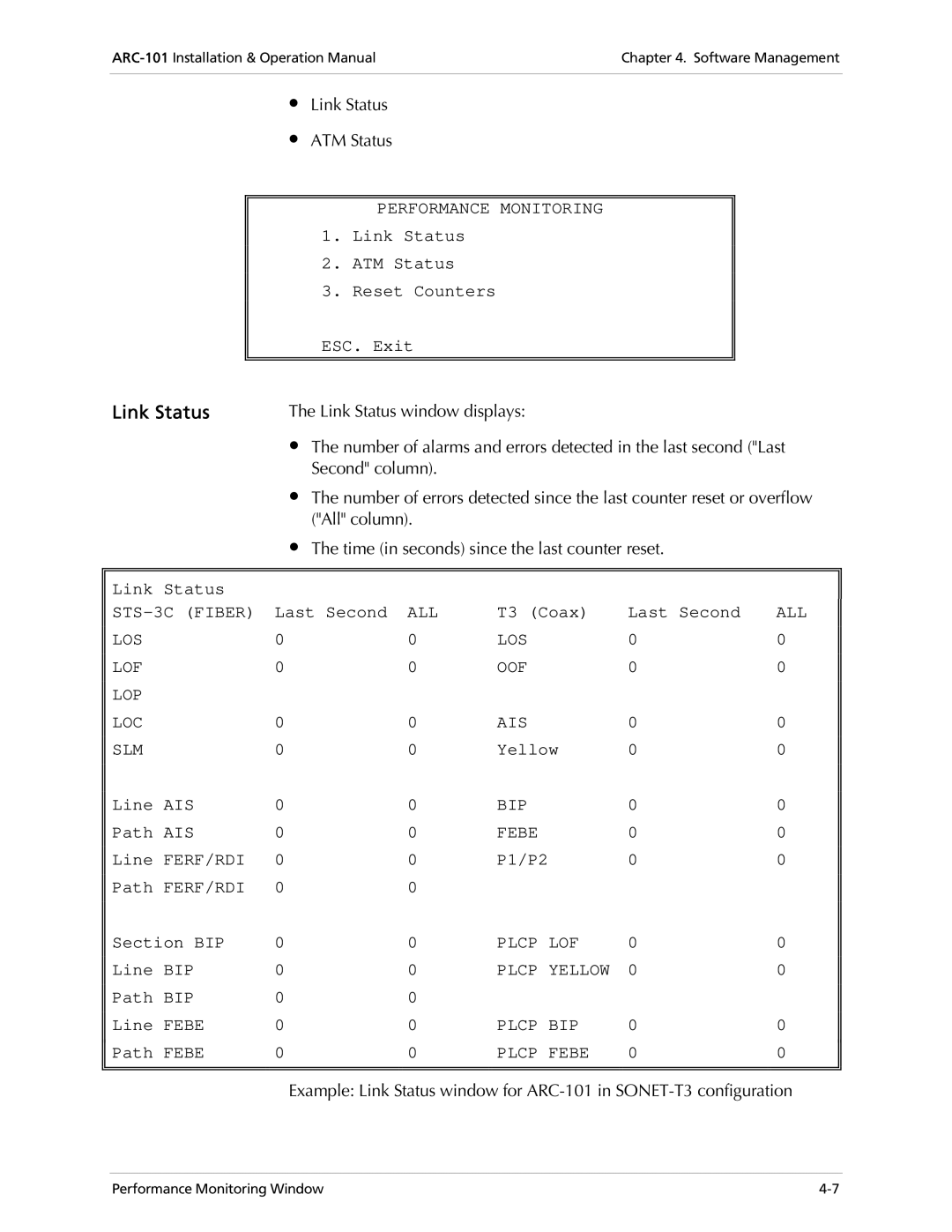
Link Status | The Link Status window displays: |
|
| ||
| ∙ The number of alarms and errors detected in the last second ("Last | ||||
| Second" column). |
|
|
| |
| ∙ The number of errors detected since the last counter reset or overflow | ||||
| ("All" column). |
|
|
| |
| ∙ The time (in seconds) since the last counter reset. |
| |||
|
|
|
|
|
|
Link Status |
|
|
|
|
|
Last Second | ALL | T3 (Coax) | Last Second | ALL | |
LOS | 0 | 0 | LOS | 0 | 0 |
LOF | 0 | 0 | OOF | 0 | 0 |
LOP |
|
|
|
|
|
LOC | 0 | 0 | AIS | 0 | 0 |
SLM | 0 | 0 | Yellow | 0 | 0 |
Line AIS | 0 | 0 | BIP | 0 | 0 |
Path AIS | 0 | 0 | FEBE | 0 | 0 |
Line FERF/RDI | 0 | 0 | P1/P2 | 0 | 0 |
Path FERF/RDI | 0 | 0 |
|
|
|
Section BIP | 0 | 0 | PLCP LOF | 0 | 0 |
Line BIP | 0 | 0 | PLCP YELLOW | 0 | 0 |
Path BIP | 0 | 0 |
|
|
|
Line FEBE | 0 | 0 | PLCP BIP | 0 | 0 |
Path FEBE | 0 | 0 | PLCP FEBE | 0 | 0 |
|
|
|
|
|
|
|
|
|
|
|
|
Example: Link Status window for
Performance Monitoring Window |