MultiModemII User Guide
2.Dial the remote modem and establish your online connection.
3.Type the escape sequence +++AT and press ENTER to bring your modem into online command mode.
4.Type AT&T3 and press ENTER. Once you receive an OK message from your mo- dem (if responses are enabled), your modem is placed in digital loopback mode.
5.Have someone enter data from the remote keyboard. For this test, typing multiple uppercase U characters is a good way to send an alternating test pattern of binary ones and zeros. The data received by your modem enters its analog receiver, is converted to digital data, is reconverted into analog, and then is transmitted back to the remote modem. Your modem passes this test if the data received on the remote monitor is the same as the data entered from the remote keyboard.
6.To exit the test, turn off the modems.
Note: You can also start and stop a local digital loopback test by using the front panel LCD and buttons. See “Diagnostic Options Trunk” in Chapter 3.
Back-to-Back Test
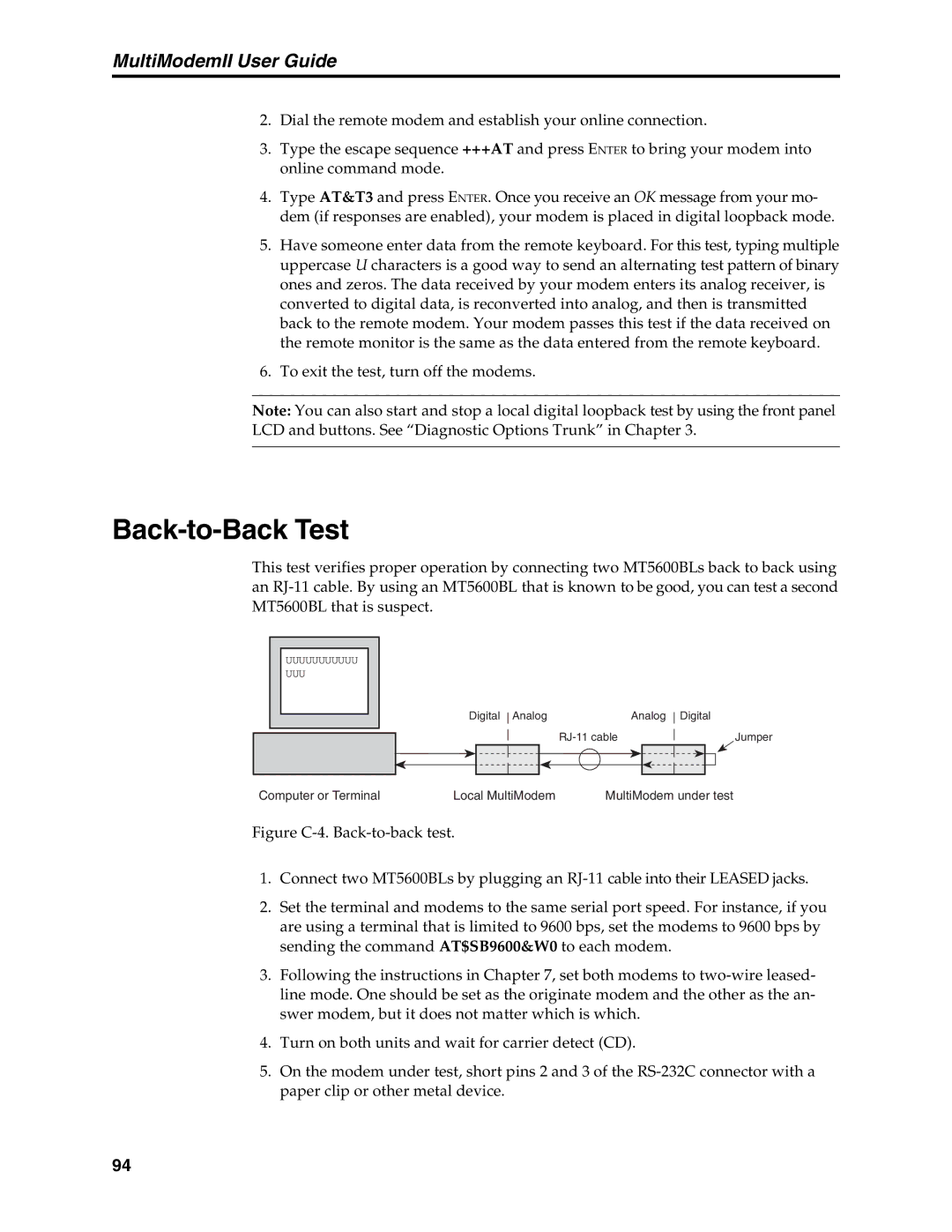
This test verifies proper operation by connecting two MT5600BLs back to back using an
|
|
|
|
|
|
|
|
|
|
|
|
|
|
| UUUUUUUUUUU |
|
|
|
|
|
|
|
|
|
|
|
| UUU |
|
|
|
|
|
|
|
|
|
|
|
|
|
|
|
| Digital Analog | Analog Digital | |||||
|
|
|
| |||||||||
|
|
|
|
|
|
|
|
|
|
| Jumper | |
|
|
|
|
|
|
|
|
|
|
| ||
|
|
|
|
| ||||||||
|
|
|
|
|
|
|
|
|
|
|
|
|
|
|
|
|
|
|
|
|
|
|
|
|
|
Computer or Terminal | Local MultiModem | MultiModem under test |
Figure C-4. Back-to-back test.
1.Connect two MT5600BLs by plugging an RJ-11 cable into their LEASED jacks.
2.Set the terminal and modems to the same serial port speed. For instance, if you are using a terminal that is limited to 9600 bps, set the modems to 9600 bps by sending the command AT$SB9600&W0 to each modem.
3.Following the instructions in Chapter 7, set both modems to two-wire leased- line mode. One should be set as the originate modem and the other as the an- swer modem, but it does not matter which is which.
4.Turn on both units and wait for carrier detect (CD).
5.On the modem under test, short pins 2 and 3 of the RS-232C connector with a paper clip or other metal device.
94