NCR RealScan 7883 Installation and Owner Guide
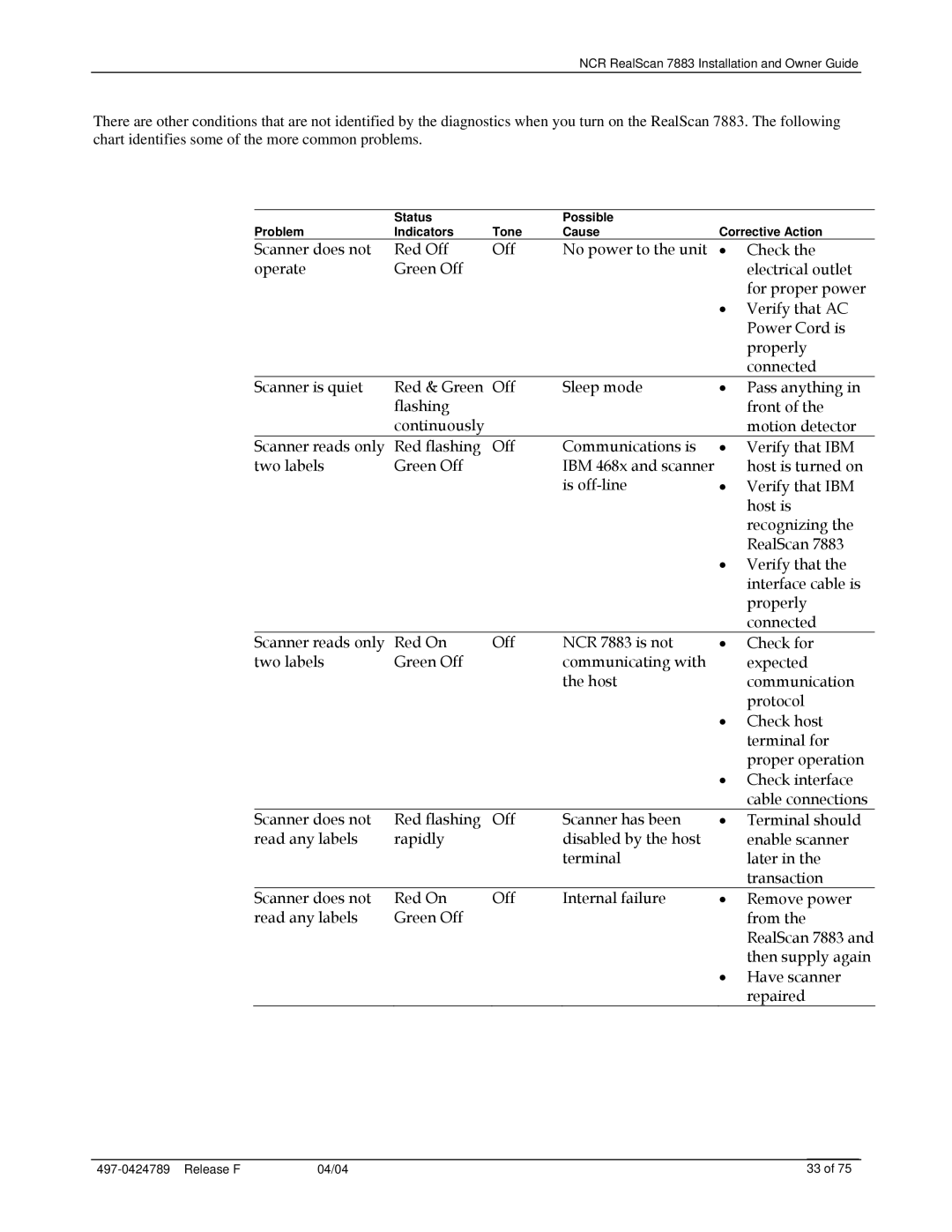
There are other conditions that are not identified by the diagnostics when you turn on the RealScan 7883. The following chart identifies some of the more common problems.
| Status |
| Possible |
|
|
Problem | Indicators | Tone | Cause | Corrective Action | |
Scanner does not | Red Off | Off | No power to the unit | • | Check the |
operate | Green Off |
|
|
| electrical outlet |
|
|
|
|
| for proper power |
|
|
|
| • | Verify that AC |
|
|
|
|
| Power Cord is |
|
|
|
|
| properly |
|
|
|
|
| connected |
Scanner is quiet | Red & Green | Off | Sleep mode | • | Pass anything in |
| flashing |
|
|
| front of the |
| continuously |
|
|
| motion detector |
Scanner reads only | Red flashing | Off | Communications is | • | Verify that IBM |
two labels | Green Off |
| IBM 468x and scanner |
| host is turned on |
|
|
| is | • | Verify that IBM |
|
|
|
|
| host is |
|
|
|
|
| recognizing the |
|
|
|
|
| RealScan 7883 |
|
|
|
| • | Verify that the |
|
|
|
|
| interface cable is |
|
|
|
|
| properly |
|
|
|
|
| connected |
Scanner reads only | Red On | Off | NCR 7883 is not | • | Check for |
two labels | Green Off |
| communicating with |
| expected |
|
|
| the host |
| communication |
|
|
|
|
| protocol |
|
|
|
| • | Check host |
|
|
|
|
| terminal for |
|
|
|
|
| proper operation |
|
|
|
| • | Check interface |
|
|
|
|
| cable connections |
Scanner does not | Red flashing | Off | Scanner has been | • | Terminal should |
read any labels | rapidly |
| disabled by the host |
| enable scanner |
|
|
| terminal |
| later in the |
|
|
|
|
| transaction |
Scanner does not | Red On | Off | Internal failure | • | Remove power |
read any labels | Green Off |
|
|
| from the |
|
|
|
|
| RealScan 7883 and |
|
|
|
|
| then supply again |
|
|
|
| • | Have scanner |
|
|
|
|
| repaired |
04/04 | 33 of 75 |