Englis
Display panel symbols/messages
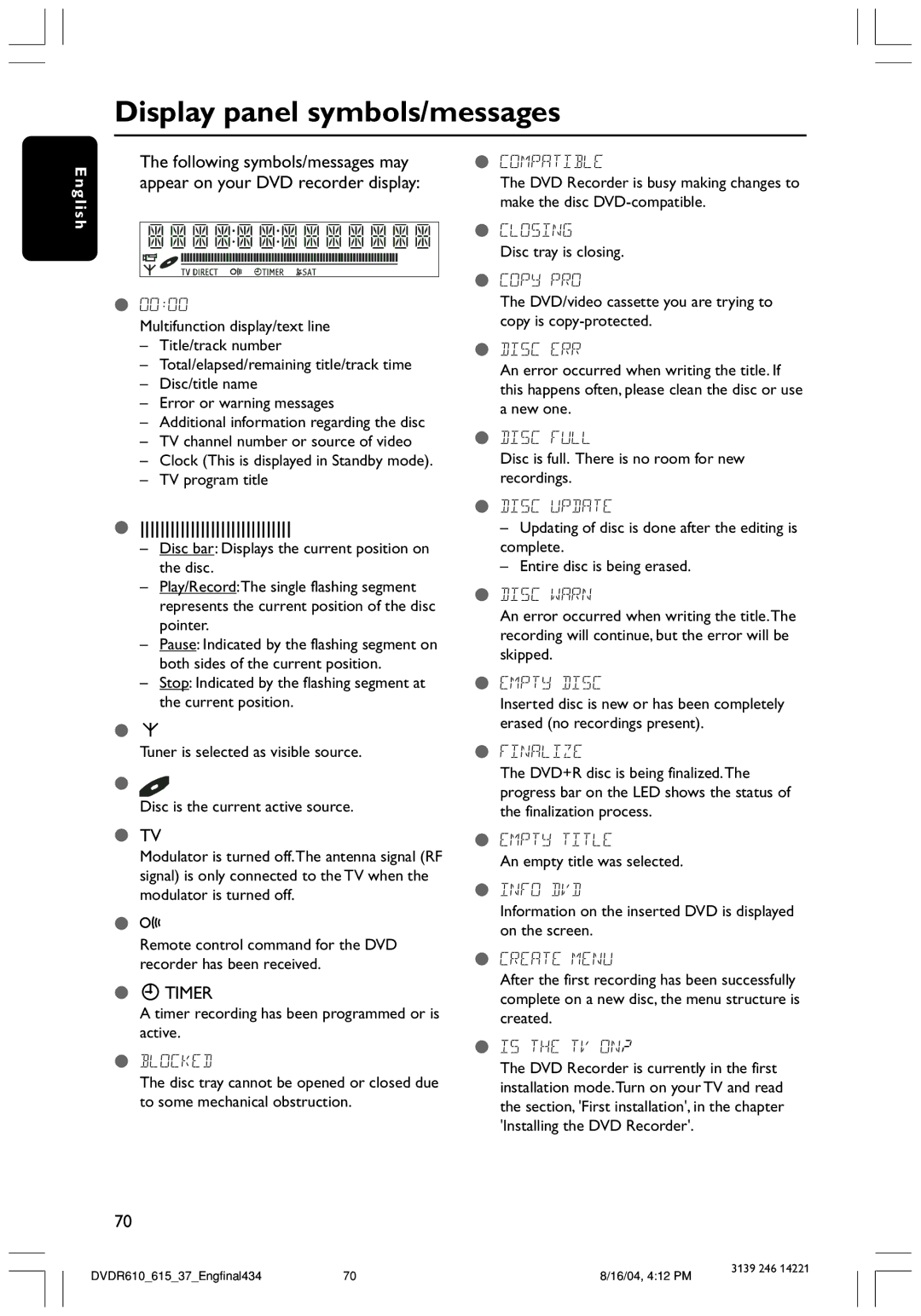
The following symbols/messages may | ● COMPATIBLE |
appear on your DVD recorder display: | The DVD Recorder is busy making changes to |
| make the disc |
h
●00:00
Multifunction display/text line
–Title/track number
–Total/elapsed/remaining title/track time
–Disc/title name
–Error or warning messages
–Additional information regarding the disc
–TV channel number or source of video
–Clock (This is displayed in Standby mode).
–TV program title
●CLOSING
Disc tray is closing.
●COPY PRO
The DVD/video cassette you are trying to copy is
●DISC ERR
An error occurred when writing the title. If this happens often, please clean the disc or use a new one.
●DISC FULL
Disc is full. There is no room for new recordings.
●
–Disc bar: Displays the current position on the disc.
–Play/Record:The single flashing segment represents the current position of the disc pointer.
–Pause: Indicated by the flashing segment on both sides of the current position.
–Stop: Indicated by the flashing segment at the current position.
●¡
Tuner is selected as visible source.
●
Disc is the current active source.
●TV
Modulator is turned off.The antenna signal (RF signal) is only connected to the TV when the modulator is turned off.
●D
Remote control command for the DVD recorder has been received.
●XTIMER
A timer recording has been programmed or is active.
●BLOCKED
The disc tray cannot be opened or closed due to some mechanical obstruction.
70
●DISC UPDATE
–Updating of disc is done after the editing is complete.
–Entire disc is being erased.
●DISC WARN
An error occurred when writing the title.The recording will continue, but the error will be skipped.
●EMPTY DISC
Inserted disc is new or has been completely erased (no recordings present).
●FINALIZE
The DVD+R disc is being finalized.The progress bar on the LED shows the status of the finalization process.
●EMPTY TITLE
An empty title was selected.
●INFO DVD
Information on the inserted DVD is displayed on the screen.
●CREATE MENU
After the first recording has been successfully complete on a new disc, the menu structure is created.
●IS THE TV ON?
The DVD Recorder is currently in the first installation mode.Turn on your TV and read the section, 'First installation', in the chapter 'Installing the DVD Recorder'.
DVDR610_615_37_Engfinal43470
8/16/04, 4:12 PM
3139 246 14221