Getting Started
Printer Drivers for This Machine
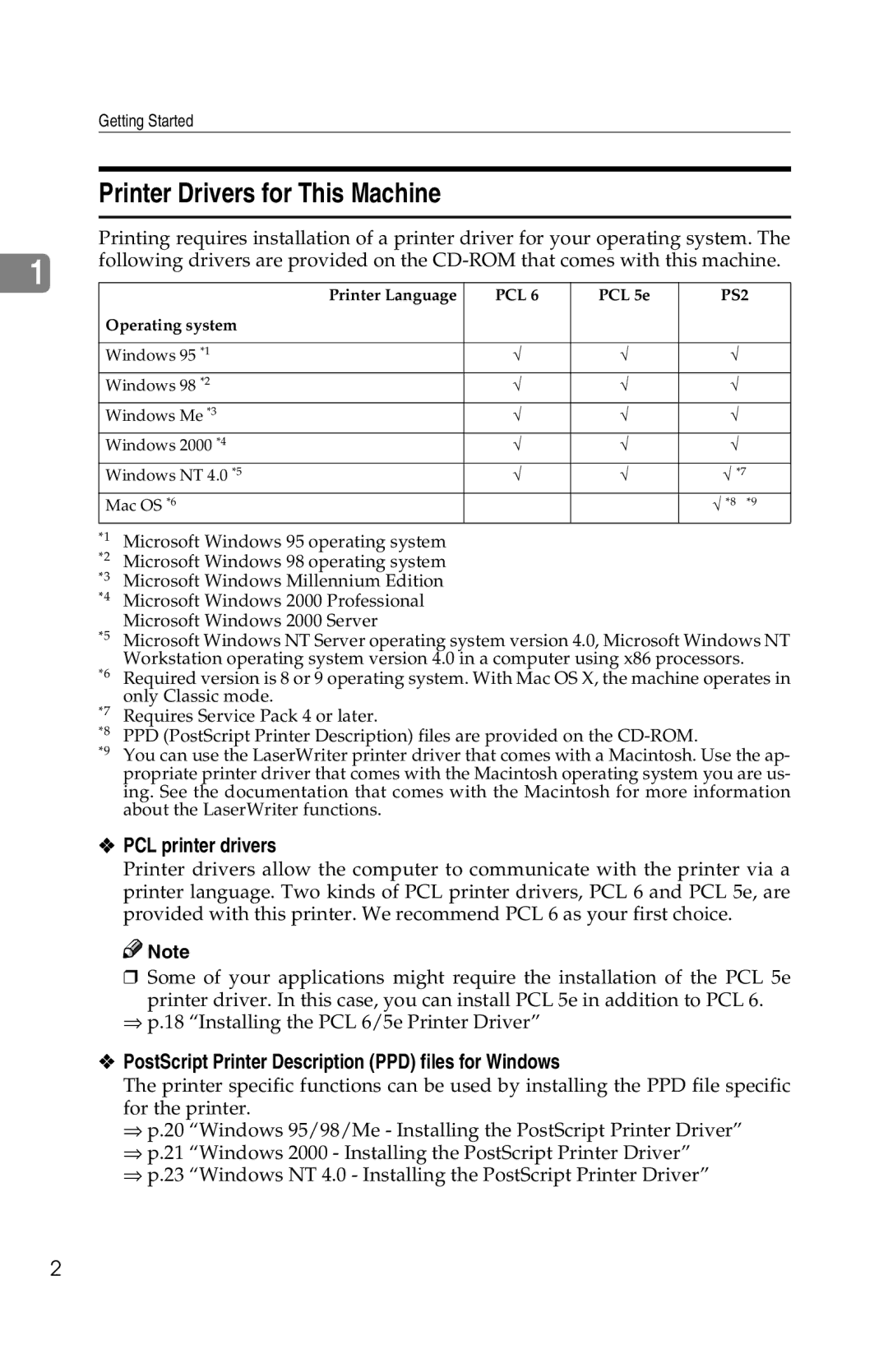
Printing requires installation of a printer driver for your operating system. The
|
| following drivers are provided on the | ||||||
1 | ||||||||
|
|
|
|
|
|
| ||
|
|
| Printer Language | PCL 6 | PCL 5e |
| PS2 | |
|
| Operating system |
|
|
|
| ||
|
|
|
|
|
|
| ||
|
| Windows 95 *1 | √ | √ |
| √ | ||
|
| Windows 98 *2 | √ | √ |
| √ | ||
|
| Windows Me *3 | √ | √ |
| √ | ||
|
| Windows 2000 *4 | √ | √ |
| √ | ||
|
| Windows NT 4.0 *5 | √ | √ |
| √ *7 | ||
|
| Mac OS *6 |
|
|
| √ *8 *9 | ||
| *1 | Microsoft Windows 95 operating system |
|
|
|
| ||
| *2 | Microsoft Windows 98 operating system |
|
|
|
| ||
| *3 | Microsoft Windows Millennium Edition |
|
|
|
| ||
| *4 | Microsoft Windows 2000 Professional |
|
|
|
| ||
| *5 | Microsoft Windows 2000 Server |
|
|
|
| ||
| Microsoft Windows NT Server operating system version 4.0, Microsoft Windows NT | |||||||
| *6 | Workstation operating system version 4.0 in a computer using x86 processors. | ||||||
| Required version is 8 or 9 operating system. With Mac OS X, the machine operates in | |||||||
| *7 | only Classic mode. |
|
|
|
| ||
| Requires Service Pack 4 or later. |
|
|
|
| |||
| *8 | PPD (PostScript Printer Description) files are provided on the |
| |||||
| *9 | You can use the LaserWriter printer driver that comes with a Macintosh. Use the ap- | ||||||
|
|
| propriate printer driver that comes with the Macintosh operating system you are us- | |||||
|
|
| ing. See the documentation that comes with the Macintosh for more information | |||||
|
|
| about the LaserWriter functions. |
|
|
|
| |
❖PCL printer drivers
Printer drivers allow the computer to communicate with the printer via a printer language. Two kinds of PCL printer drivers, PCL 6 and PCL 5e, are provided with this printer. We recommend PCL 6 as your first choice.

 Note
Note
❒ Some of your applications might require the installation of the PCL 5e
printer driver. In this case, you can install PCL 5e in addition to PCL 6.
⇒p.18 “Installing the PCL 6/5e Printer Driver”
❖PostScript Printer Description (PPD) files for Windows
The printer specific functions can be used by installing the PPD file specific for the printer.
⇒p.20 “Windows 95/98/Me - Installing the PostScript Printer Driver”
⇒p.21 “Windows 2000 - Installing the PostScript Printer Driver”
⇒p.23 “Windows NT 4.0 - Installing the PostScript Printer Driver”
2