Getting Started
Connecting the Machine
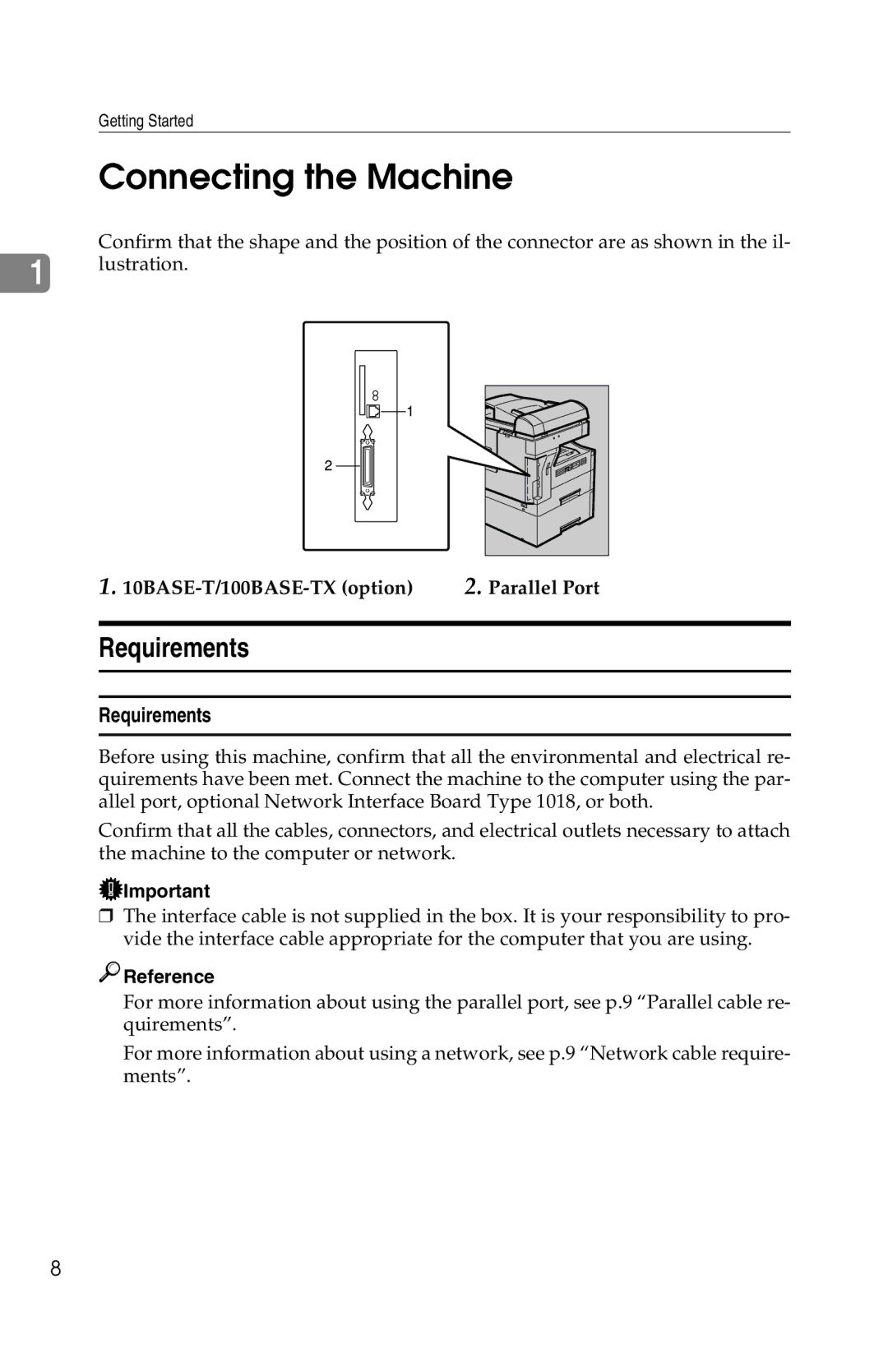
Confirm that the shape and the position of the connector are as shown in the il-
1lustration.
1. | 2. Parallel Port |
Requirements
Requirements
Before using this machine, confirm that all the environmental and electrical re- quirements have been met. Connect the machine to the computer using the par- allel port, optional Network Interface Board Type 1018, or both.
Confirm that all the cables, connectors, and electrical outlets necessary to attach the machine to the computer or network.
 Important
❒The interface cable is not supplied in the box. It is your responsibility to pro- vide the interface cable appropriate for the computer that you are using.

 Reference
For more information about using the parallel port, see p.9 “Parallel cable re- quirements”.
For more information about using a network, see p.9 “Network cable require- ments”.
8