5
Using the Control Panel
Menu |
| Description |
|
| |
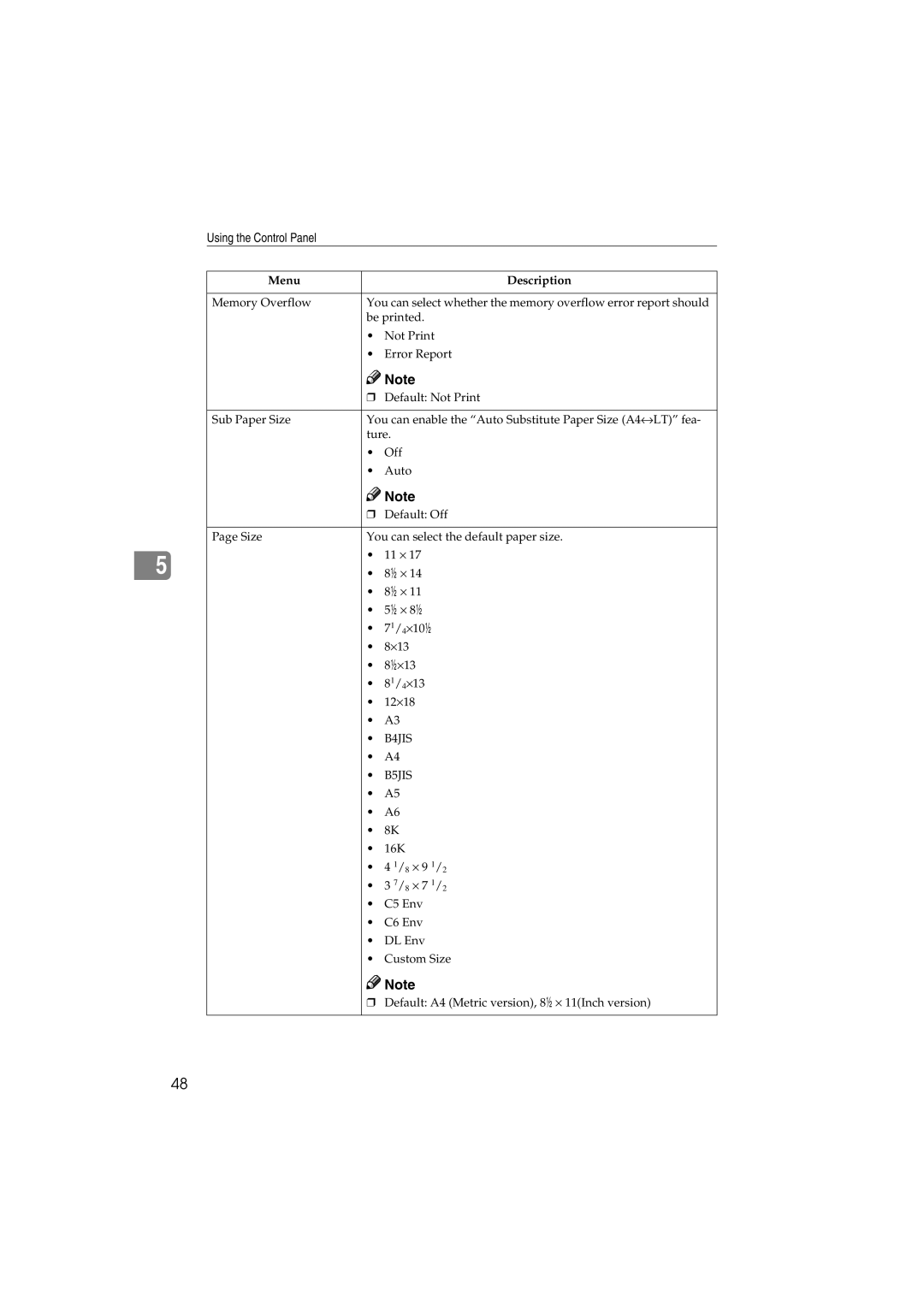
Memory Overflow | You can select whether the memory overflow error report should | |
| be printed. | |
| • | Not Print |
| • | Error Report |
|
| Note |
| ❒ Default: Not Print | |
|
| |
Sub Paper Size | You can enable the “Auto Substitute Paper Size (A4↔LT)” fea- | |
| ture. | |
| • | Off |
| • | Auto |
|
| Note |
| ❒ Default: Off | |
|
| |
Page Size | You can select the default paper size. | |
| • | 11 ⋅ 17 |
| • | 8/ ⋅ 14 |
| • | 8/ ⋅ 11 |
| • | 5/ ⋅ 8/ |
| • 71/4⋅10/ | |
| • | 8⋅13 |
| • 8/⋅13 | |
| • 81/4⋅13 | |
| • | 12⋅18 |
| • | A3 |
| • | B4JIS |
| • | A4 |
| • | B5JIS |
| • | A5 |
| • | A6 |
| • | 8K |
| • | 16K |
| • 4 1/8 ⋅ 9 1/2 | |
| • 3 7/8 ⋅ 7 1/2 | |
| • | C5 Env |
| • | C6 Env |
| • | DL Env |
| • | Custom Size |

 Note
Note
❒Default: A4 (Metric version), 8/ ⋅ 11(Inch version)
48