(Continued) |
|
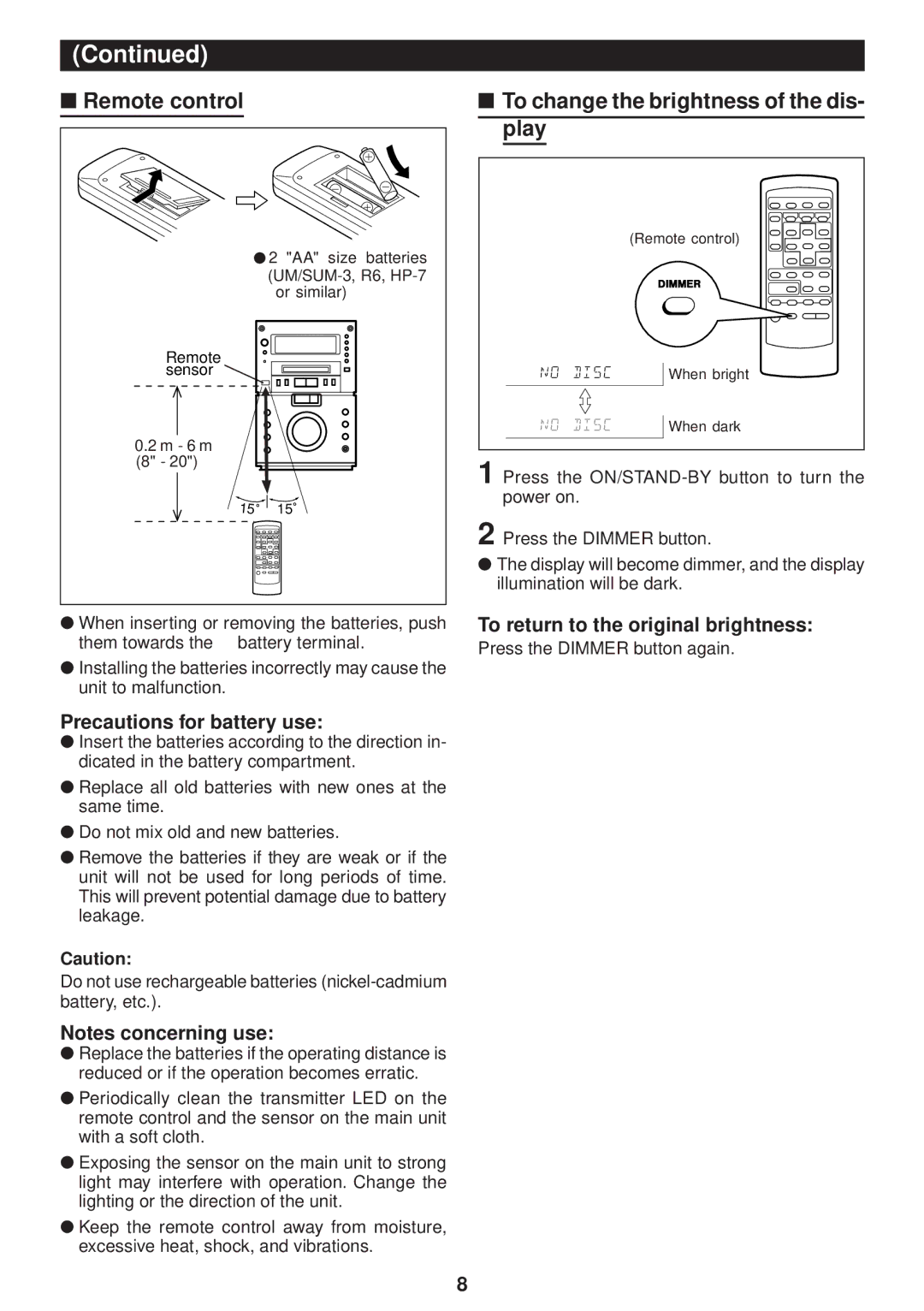
■ Remote control |
|
● 2 "AA" size batteries | |
| |
| or similar) |
Remote |
|
sensor |
|
0.2 m - 6 m |
|
(8" - 20") |
|
15 | 15 |
●When inserting or removing the batteries, push
them towards the | Ïbattery terminal. |
●Installing the batteries incorrectly may cause the unit to malfunction.
Precautions for battery use:
●Insert the batteries according to the direction in- dicated in the battery compartment.
●Replace all old batteries with new ones at the same time.
●Do not mix old and new batteries.
●Remove the batteries if they are weak or if the unit will not be used for long periods of time. This will prevent potential damage due to battery leakage.
Caution:
Do not use rechargeable batteries
Notes concerning use:
● Replace the batteries if the operating distance is reduced or if the operation becomes erratic.
● Periodically clean the transmitter LED on the remote control and the sensor on the main unit with a soft cloth.
● Exposing the sensor on the main unit to strong light may interfere with operation. Change the lighting or the direction of the unit.
● Keep the remote control away from moisture, excessive heat, shock, and vibrations.
■ To change the brightness of the dis- |
play |
(Remote control) |
When bright |
When dark |
1 Press the
2 Press the DIMMER button.
●The display will become dimmer, and the display illumination will be dark.
To return to the original brightness:
Press the DIMMER button again.
8