(Continued)
Caution:
In the following cases, the timer recording function will not work.
●When a MiniDisc has not been inserted.
●When a
●When the MiniDisc you inserted is protected against accidental erasure.
●When there is no recording space left on the Mini- Disc you have inserted (when the “TOC FULL *” or “DISC FULL” messages appear).
■Sleep operation
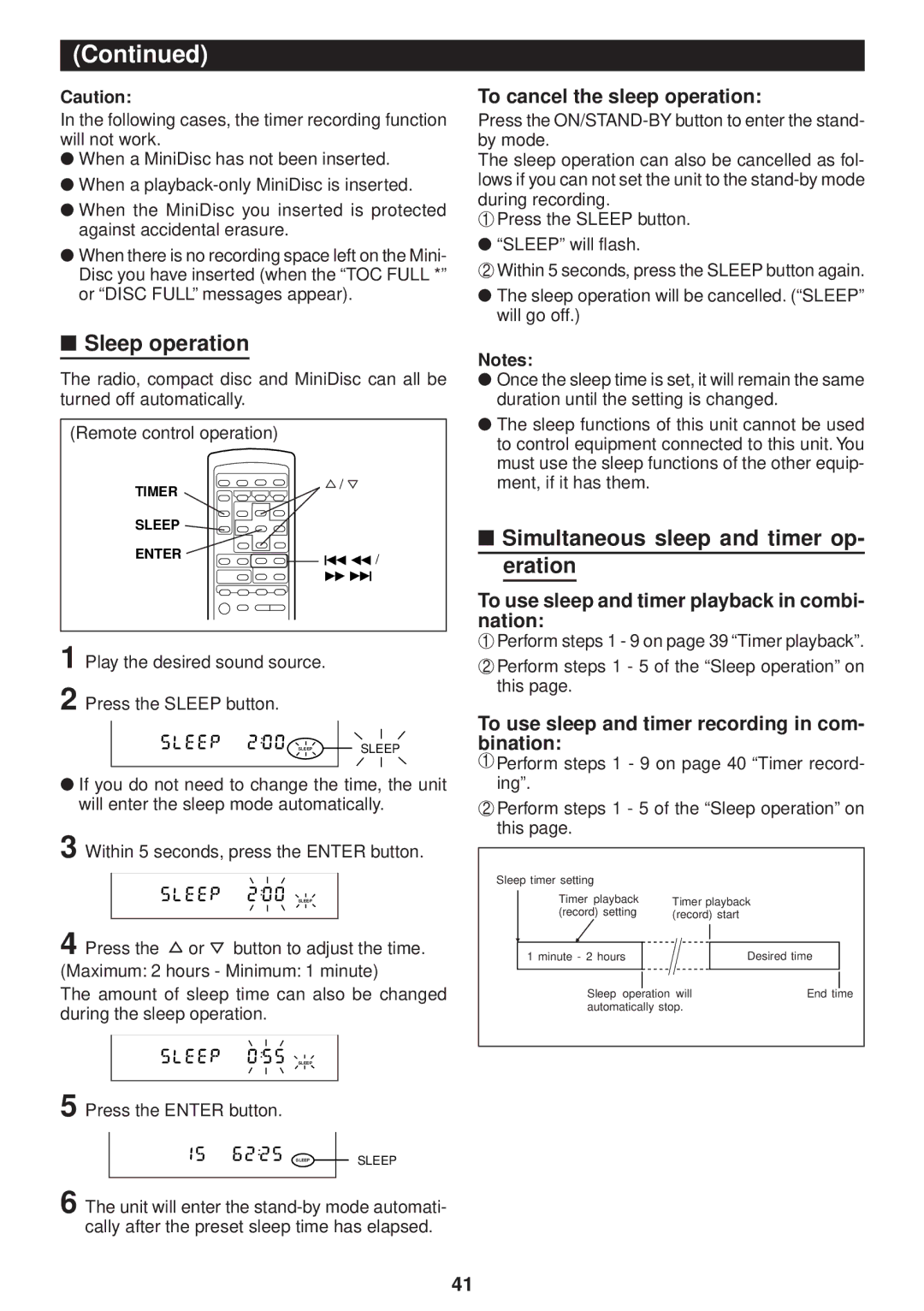
The radio, compact disc and MiniDisc can all be turned off automatically.
(Remote control operation)
To cancel the sleep operation:
Press the
The sleep operation can also be cancelled as fol- lows if you can not set the unit to the
1Press the SLEEP button.
●“SLEEP” will flash.
2Within 5 seconds, press the SLEEP button again.
●The sleep operation will be cancelled. (“SLEEP” will go off.)
Notes:
● Once the sleep time is set, it will remain the same |
duration until the setting is changed. |
● The sleep functions of this unit cannot be used |
to control equipment connected to this unit. You |
must use the sleep functions of the other equip- |
TIMER
/
ment, if it has them. |
SLEEP |
|
ENTER | 5 3 / |
| |
| 2 4 |
1 Play the desired sound source.
2 Press the SLEEP button.
SLEEP | SLEEP |
●If you do not need to change the time, the unit will enter the sleep mode automatically.
3 Within 5 seconds, press the ENTER button.
SLEEP
4 Press the  or
or  button to adjust the time.
(Maximum: 2 hours - Minimum: 1 minute)
The amount of sleep time can also be changed during the sleep operation.
SLEEP
5 Press the ENTER button.
DISC TOC |
|
|
TRACK |
|
|
MEMORY |
|
|
RANDOM | REC | SLEEP |
TOTAL | ||
REMAIN | SLEEP | |
|
|
|
6 The unit will enter the
■Simultaneous sleep and timer op- eration
To use sleep and timer playback in combi- nation:
1Perform steps 1 - 9 on page 39 “Timer playback”.
2Perform steps 1 - 5 of the “Sleep operation” on this page.
To use sleep and timer recording in com- bination:
1Perform steps 1 - 9 on page 40 “Timer record- ing”.
2Perform steps 1 - 5 of the “Sleep operation” on this page.
Sleep timer setting |
|
|
Timer playback | Timer playback | |
(record) setting | (record) start |
|
1 minute - 2 hours |
| Desired time |
Sleep operation will | End time | |
automatically stop. |
| |
41