(Continued)
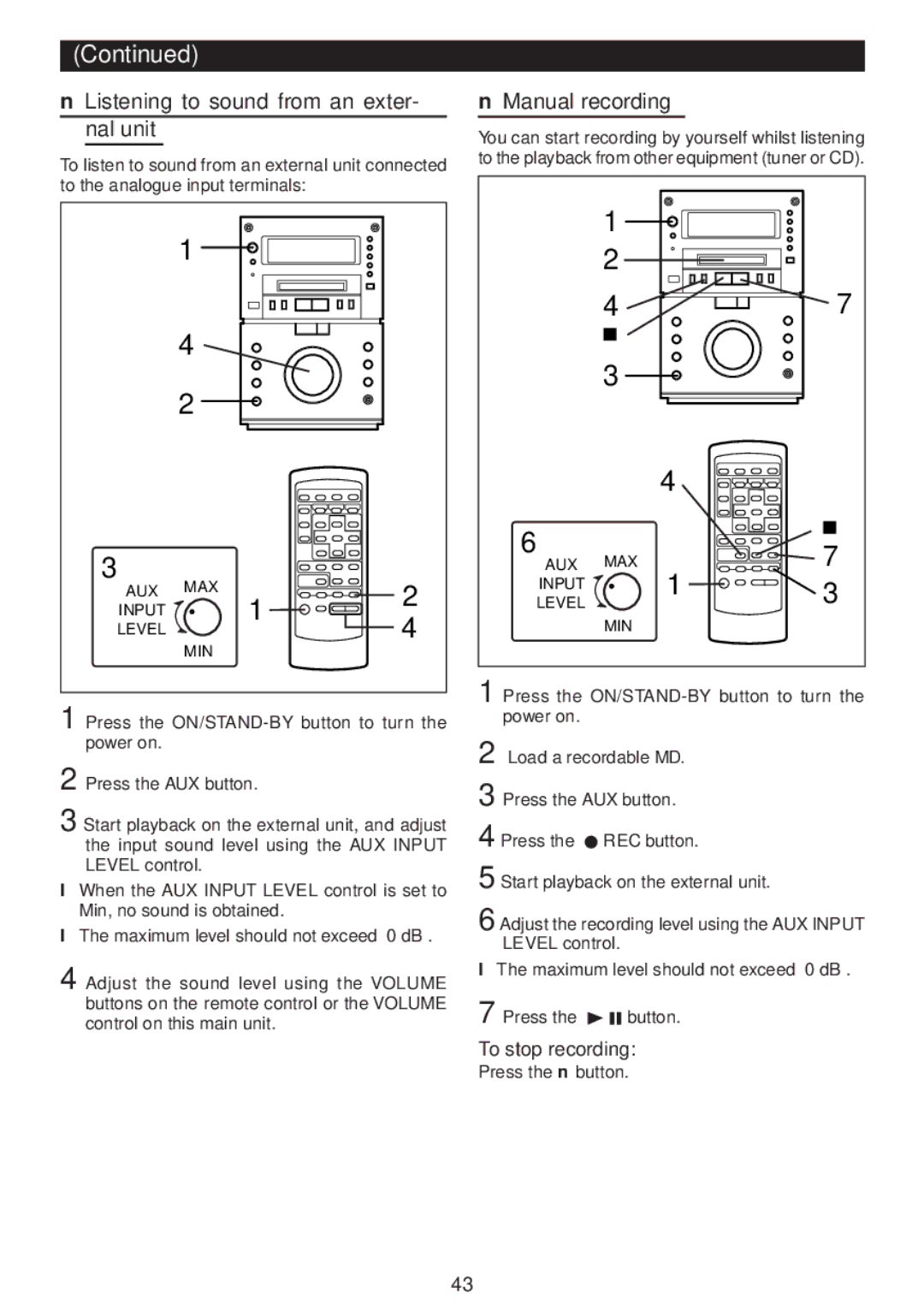
■Listening to sound from an exter- nal unit
To listen to sound from an external unit connected to the analogue input terminals:
| 1 |
|
|
| 4 |
|
|
| 2 |
|
|
3 | MAX |
| 2 |
AUX | 1 | ||
INPUT |
| ||
| 4 | ||
LEVEL | MIN |
| |
|
|
|
1 Press the
2 Press the AUX button.
3 Start playback on the external unit, and adjust the input sound level using the AUX INPUT LEVEL control.
●When the AUX INPUT LEVEL control is set to Min, no sound is obtained.
●The maximum level should not exceed “0 dB”.
4 Adjust the sound level using the VOLUME buttons on the remote control or the VOLUME control on this main unit.
■Manual recording
You can start recording by yourself whilst listening to the playback from other equipment (tuner or CD).
| 1 |
|
|
| 2 |
|
|
| 4 |
| 7 |
| H |
|
|
| 3 |
|
|
|
| 4 |
|
6 |
|
| H |
MAX |
| 7 | |
AUX | 1 | ||
INPUT |
| 3 | |
LEVEL |
|
| |
| MIN |
|
|
1 Press the
2 Load a recordable MD.
3 Press the AUX button.
4 Press the I REC button.
5 Start playback on the external unit.
6 Adjust the recording level using the AUX INPUT LEVEL control.
●The maximum level should not exceed “0 dB”.
7 Press the 0 6 button.
To stop recording:
Press the ■ button.
43