2.6 Charging the Battery
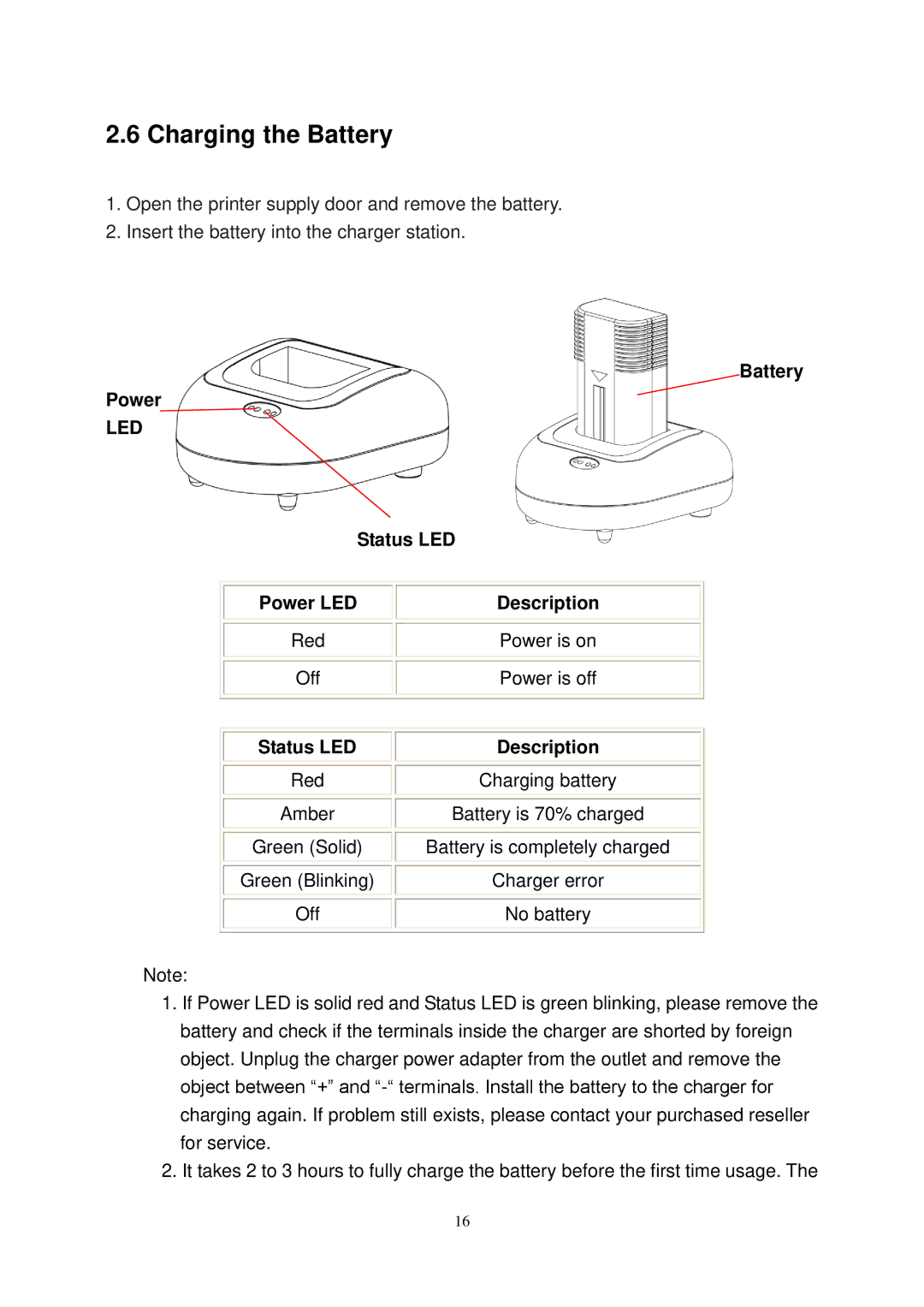
1.Open the printer supply door and remove the battery.
2.Insert the battery into the charger station.
Battery
Power
LED
Status LED
Power LED
Description
Red
Off
Power is on
Power is off
Status LED
Red
Amber
Green (Solid)
Green (Blinking)
Off
Description
Charging battery
Battery is 70% charged
Battery is completely charged
Charger error
No battery
Note:
1.If Power LED is solid red and Status LED is green blinking, please remove the battery and check if the terminals inside the charger are shorted by foreign object. Unplug the charger power adapter from the outlet and remove the object between “+” and
2.It takes 2 to 3 hours to fully charge the battery before the first time usage. The
16