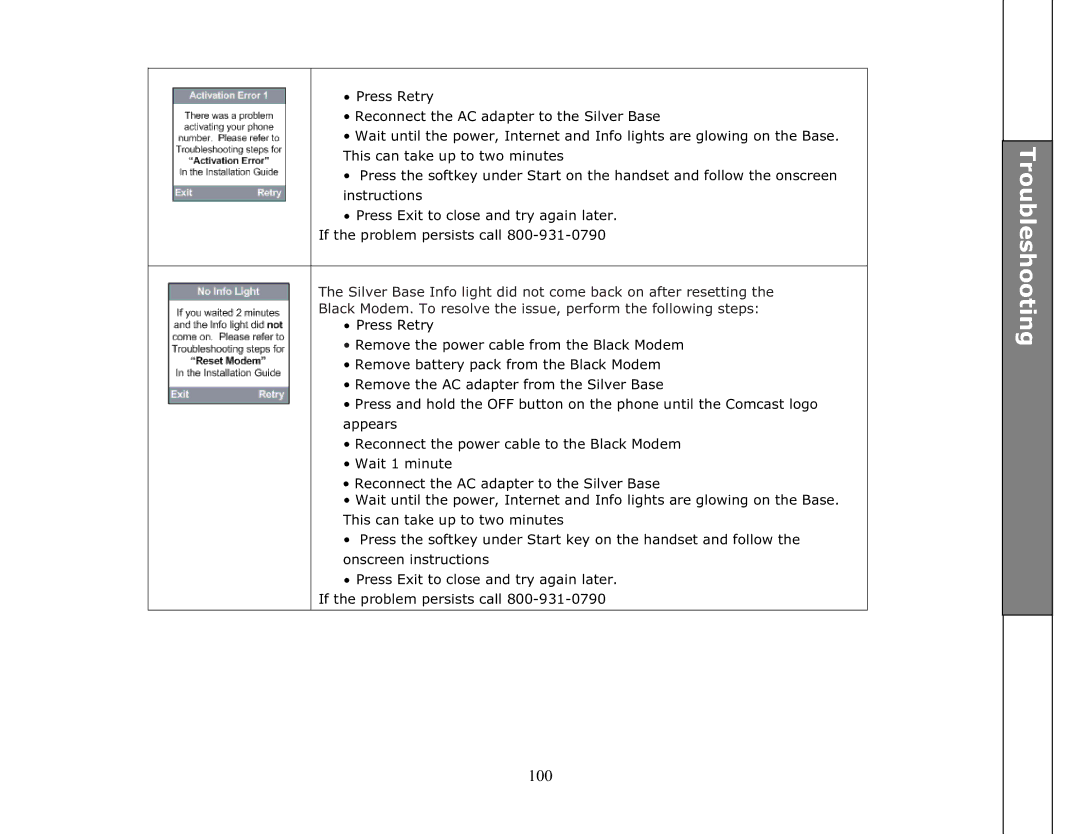
•Press Retry
•Reconnect the AC adapter to the Silver Base
•Wait until the power, Internet and Info lights are glowing on the Base. This can take up to two minutes
•Press the softkey under Start on the handset and follow the onscreen instructions
•Press Exit to close and try again later.
If the problem persists call
The Silver Base Info light did not come back on after resetting the Black Modem. To resolve the issue, perform the following steps:
•Press Retry
•Remove the power cable from the Black Modem
•Remove battery pack from the Black Modem
•Remove the AC adapter from the Silver Base
•Press and hold the OFF button on the phone until the Comcast logo appears
•Reconnect the power cable to the Black Modem
•Wait 1 minute
•Reconnect the AC adapter to the Silver Base
•Wait until the power, Internet and Info lights are glowing on the Base. This can take up to two minutes
•Press the softkey under Start key on the handset and follow the onscreen instructions
•Press Exit to close and try again later.
If the problem persists call