Chapter 34
HowMessagingto Use the
Telephone Inbox
5
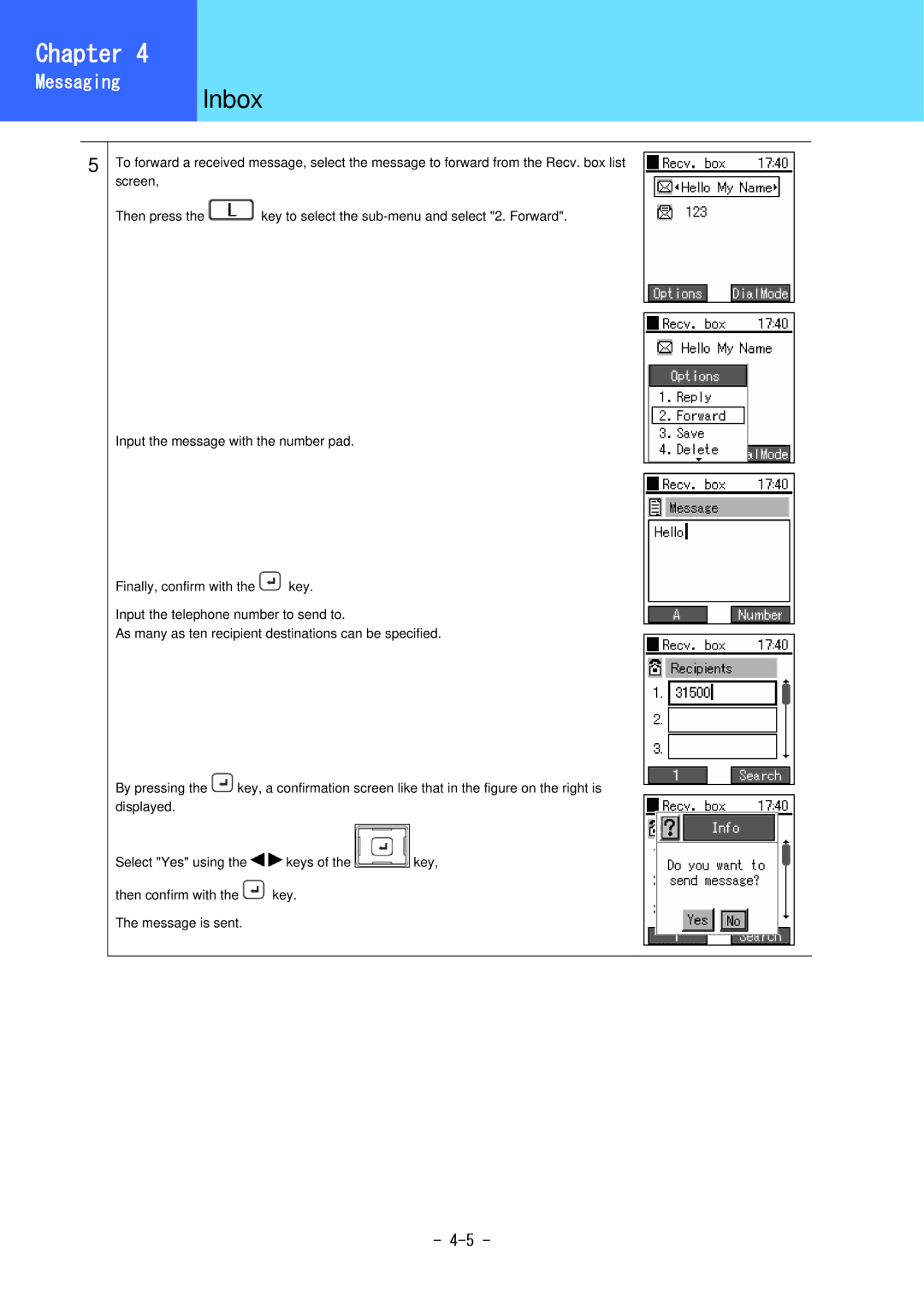
To forward a received message, select the message to forward from the Recv. box list screen,
Then press the  key to select the
Input the message with the number pad.
Finally, confirm with the  key.
key.
Input the telephone number to send to.
As many as ten recipient destinations can be specified.
By pressing the  key, a confirmation screen like that in the figure on the right is displayed.
Select "Yes" using the 
 keys of the
 key,
key,
then confirm with the  key. The message is sent.
-