Chapter 2
Placing and | Call log |
Receiving Calls |
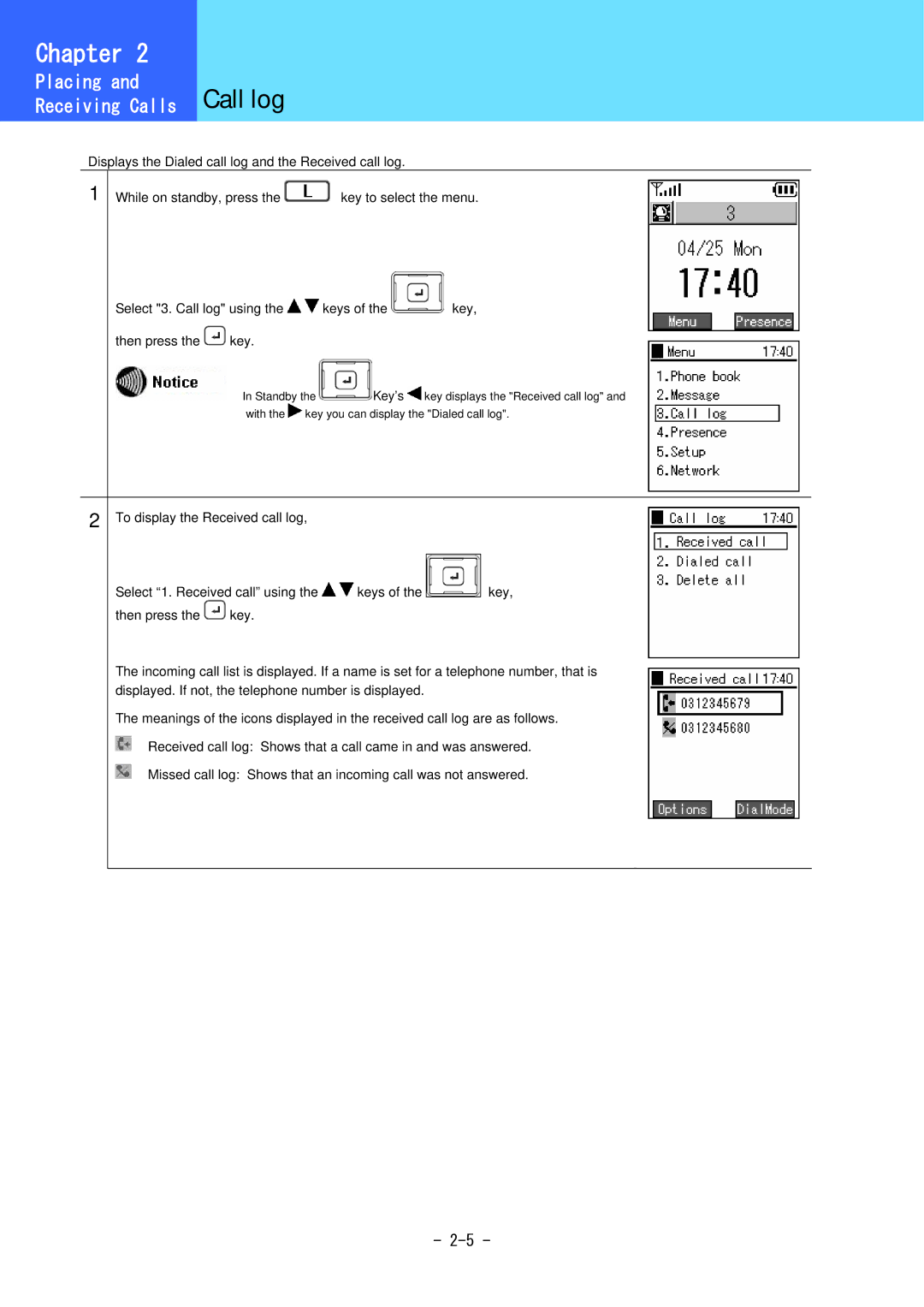
Displays the Dialed call log and the Received call log.
1 While on standby, press the | key to select the menu. |
Select "3. Call log" using the 
 keys of the
  key,
key,
then press the  key.
key.
In Standby the  Key’s
Key’s  key displays the "Received call log" and with the
  key you can display the "Dialed call log".
2 To display the Received call log,
Select “1. Received call” using the 
 keys of the
 key,
key,
then press the  key.
key.
The incoming call list is displayed. If a name is set for a telephone number, that is displayed. If not, the telephone number is displayed.
The meanings of the icons displayed in the received call log are as follows.  Received call log: Shows that a call came in and was answered.
Missed call log: Shows that an incoming call was not answered.
-