Chapter 53
HowPresenceto Use the | Block list |
Telephone |
7
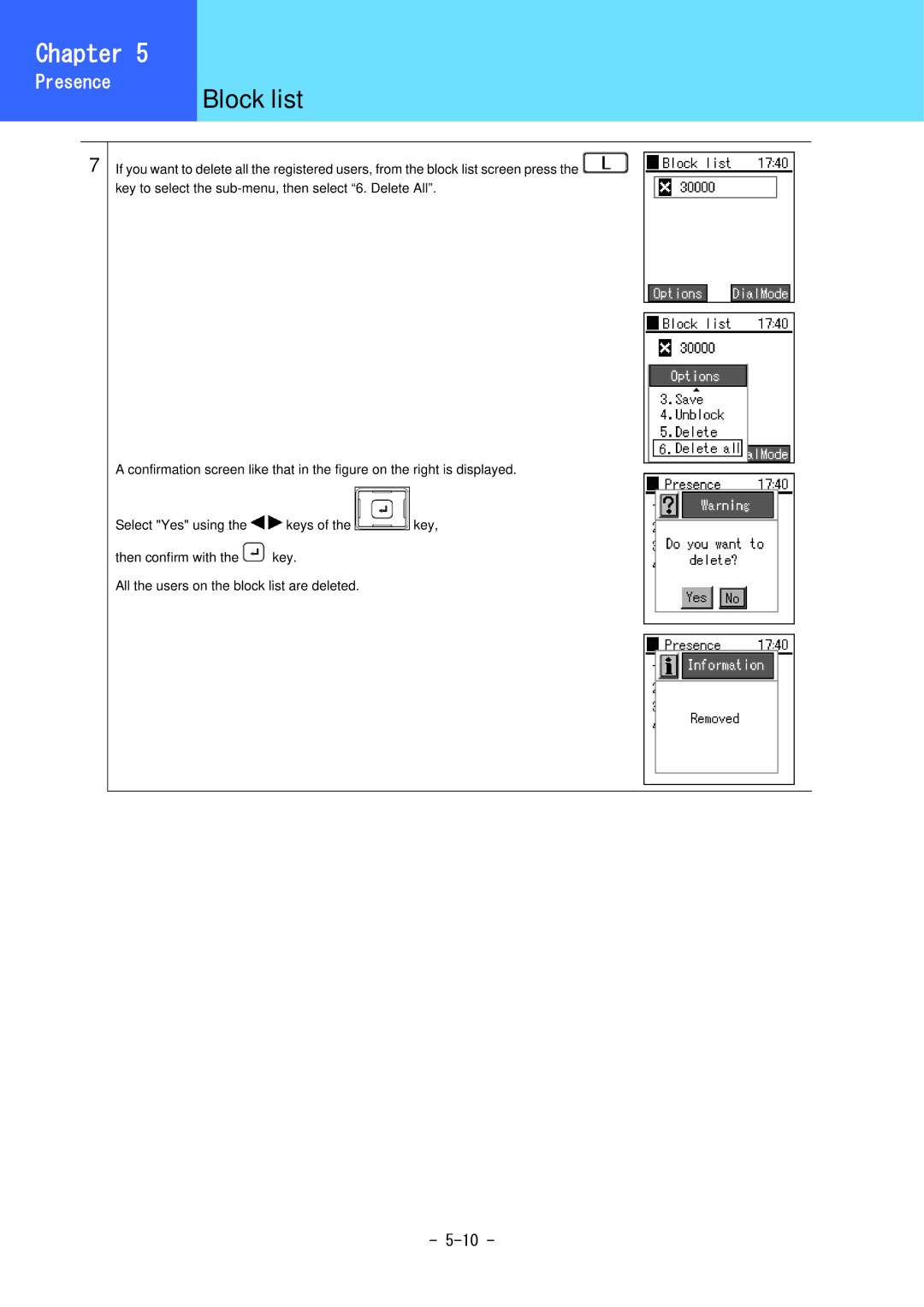
If you want to delete all the registered users, from the block list screen press the  key to select the
A confirmation screen like that in the figure on the right is displayed.
Select "Yes" using the 
 keys of the
 key,
key,
then confirm with the  key.
key.
All the users on the block list are deleted.
-