Printing Pictures
Backing Up Information
Tap File Options Slideshow tab
Tap File Print
Backup/Restore Using ActiveSync
Backup/Restore using iPAQ Backup
Backup
Click Backup Now or Restore Now
Using iPAQ File Store Folder
Changing Word Suggestion Options
Using Input Software
Learning Input Methods
Tap the Word Completion tab
When Entering Text
Using the On-Screen Keyboard
Tap Letter Recognizer
Writing with the Stylus and the Letter Recognizer
Writing with the Stylus and Block Recognizer
Writing with the Stylus Microsoft Transcriber
Tap Transcriber to display the Transcriber Intro screen
Tap Block Recognizer
Drawing and Writing on the Screen
Tap Tools Tap Recognize
Converting Writing to Text
Configuring the Keyboard
Special Keys
Special Key Features
Sticky Keys
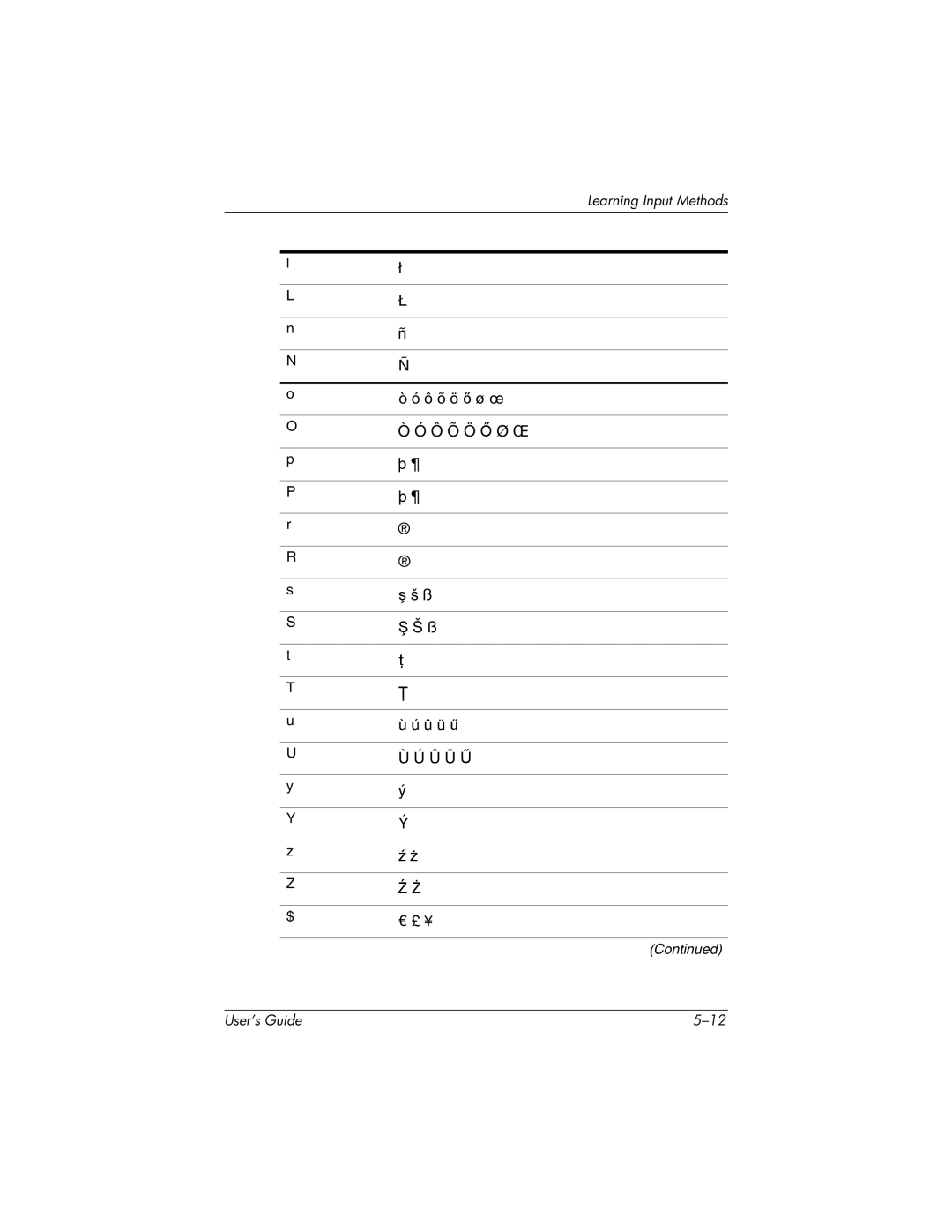
Original Character Modified Character
Symbol Key
Ô õ ö ő ø œ
« »
Keystroke Combination Action
Function Keys
Menu Key Functions
Keyboard Layout
French German
Latin American Spanish Brazilian Portuguese
Expansion Cards
Installing a Secure Digital SD Expansion Card
From the Start menu, tap Programs File Explorer
Viewing the Content of Memory Cards
Removing a Secure Digital SD Expansion Card
Connections
Connecting to the Internet
Tap Start Settings Connections tab Connections icon
Connecting to a Private Network
Entering an Internet Address
From the Start menu, tap Internet Explorer Address Bar
From the Start menu, tap Internet Explorer
Using a Favorites List
Using Bluetooth
Bluetooth
Getting Acquainted with Bluetooth
Understanding Terms
Following Bluetooth terms are used throughout this chapter
Supported Services
Working with Bluetooth Settings
Bluetooth on
Opening Bluetooth Settings
Turning On Bluetooth
Entering a Device Name
Setting Accessibility Properties
Allowing Connections
Allowing All Devices to Connect
Select Other devices can discover me
Allowing Paired Devices to Connect
Allowing Others to Locate Your Device
Settings
Enabling Bluetooth Services
Automatically Enabling Services
Secure Connections using a Passkey or Bond
Requiring Authorization to Access Services
Settings Tap the File Transfer tab
Setting a Shared Folder
Creating a Profile
Understanding Profiles
Activating a Profile
Saving Bluetooth Configuration Settings in a Profile
Renaming a Profile
Working with Bluetooth Manager
Deleting a Profile
Tap Enter
Pairing Devices
Opening Bluetooth Manager
Locating and Selecting a Device
Manager
Tap Remove
Unpairing Devices
Establishing an ActiveSync Connection
Connecting to Other Devices
Identifying the Communications Port
Automatically
Service
Using Bluetooth
Manager Tap New ActiveSync via Bluetooth Next
Setting Up an ActiveSync Partnership on Your iPAQ Pocket PC
Establishing a Serial Connection
Manager Tap New Explore a Bluetooth device Next
Dial-Up Networking
Using Dial-Up Networking
Manager Tap New Connect to the Internet Next
Tap New Connection
Manager Tap New Join a personal network Next
Joining a Personal Area Network
Establishing a Cell Phone Partnership
Creating a File Transfer Connection
Working with Files
Sending Files
Creating a Folder on a Remote Device
Receiving a File from a Remote Device
Using Business Card Exchange
Deleting a File from a Remote Device
Tap File Get