Panel Display
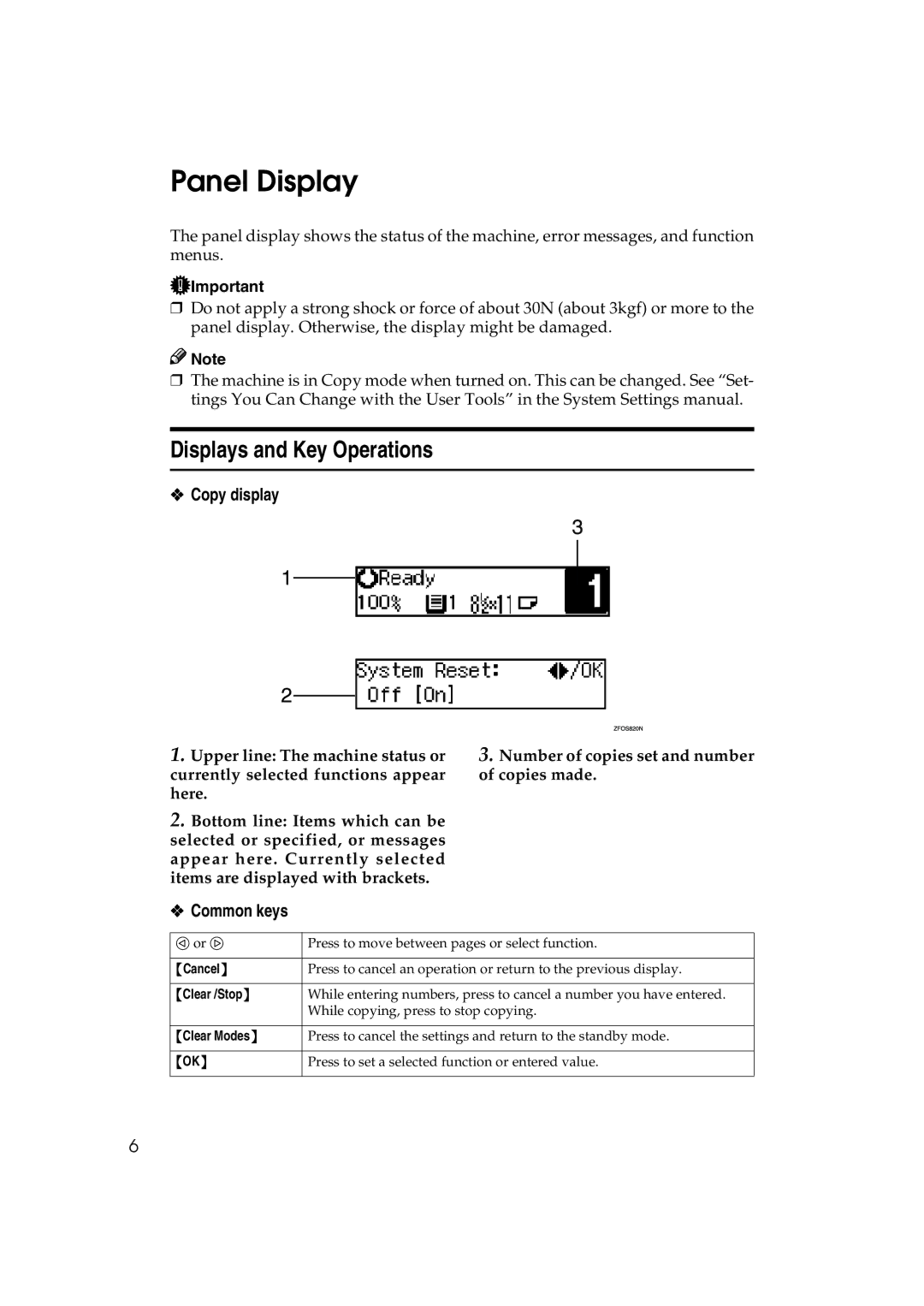
The panel display shows the status of the machine, error messages, and function menus.
 Important
❒Do not apply a strong shock or force of about 30N (about 3kgf) or more to the panel display. Otherwise, the display might be damaged.

 Note
Note
❒The machine is in Copy mode when turned on. This can be changed. See “Set- tings You Can Change with the User Tools” in the System Settings manual.
Displays and Key Operations
❖Copy display
1.Upper line: The machine status or currently selected functions appear here.
2.Bottom line: Items which can be selected or specified, or messages appear here. Currently selected items are displayed with brackets.
3.Number of copies set and number of copies made.
❖Common keys
0 or 1 | Press to move between pages or select function. |
|
|
{Cancel} | Press to cancel an operation or return to the previous display. |
|
|
{Clear /Stop} | While entering numbers, press to cancel a number you have entered. |
| While copying, press to stop copying. |
|
|
{Clear Modes} | Press to cancel the settings and return to the standby mode. |
|
|
{OK} | Press to set a selected function or entered value. |
|
|
6