Operator panel codes
Print side two of a duplex job
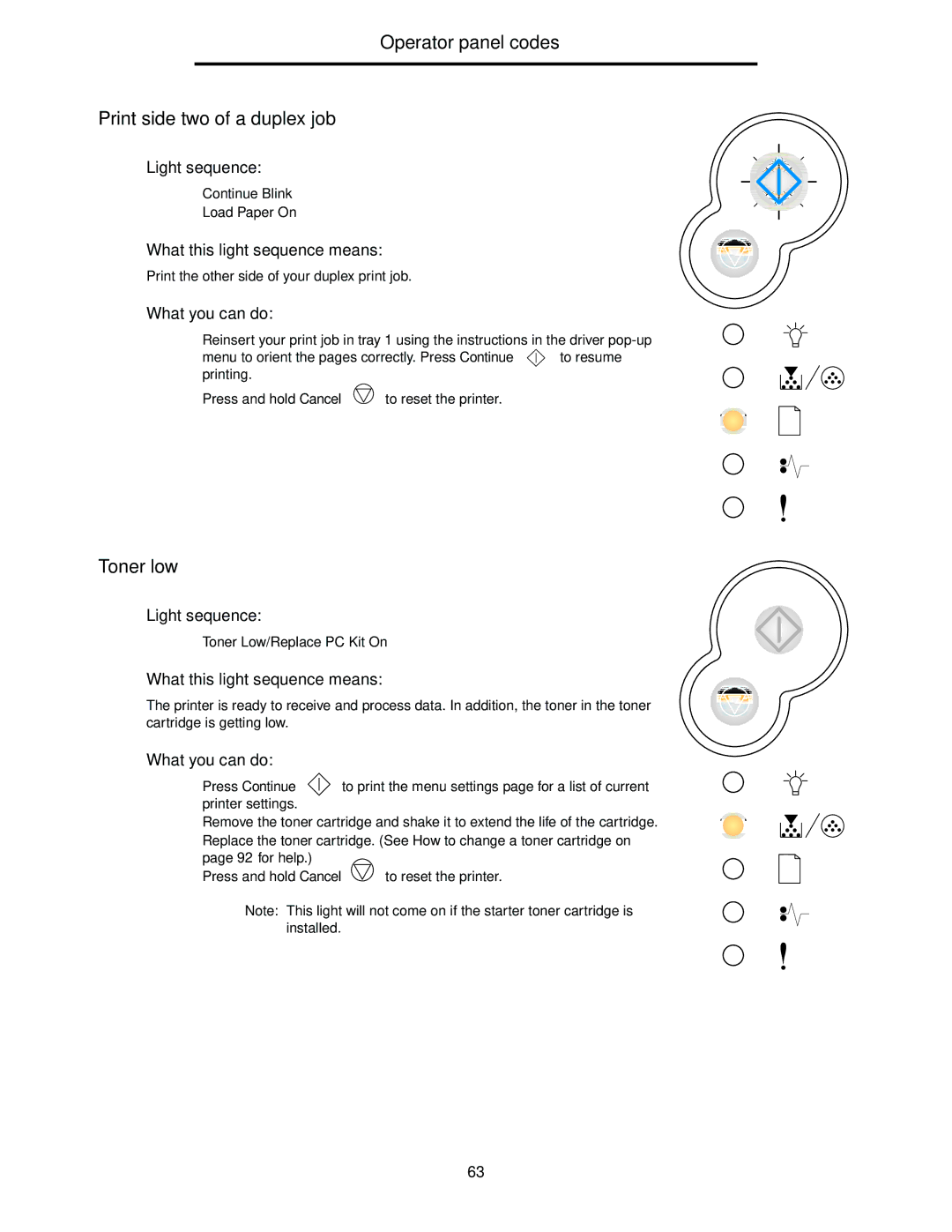
Light sequence:
•
•Load
What this light sequence means:
Print the other side of your duplex print job.
What you can do:
•Reinsert your print job in tray 1 using the instructions in the driver
menu to orient the pages correctly. Press Continue | to resume |
printing. |
|
•Press and hold Cancel  to reset the printer.
Toner low
Light sequence:
•Toner Low/Replace PC
What this light sequence means:
The printer is ready to receive and process data. In addition, the toner in the toner cartridge is getting low.
What you can do:
•Press Continue  to print the menu settings page for a list of current printer settings.
•Remove the toner cartridge and shake it to extend the life of the cartridge.
•Replace the toner cartridge. (See How to change a toner cartridge on page 92 for help.)
• | Press and hold Cancel | to reset the printer. |
Note: This light will not come on if the starter toner cartridge is installed.
63