Changing basic settings in the settings menu
Changing the equalizer setting (DEQ)
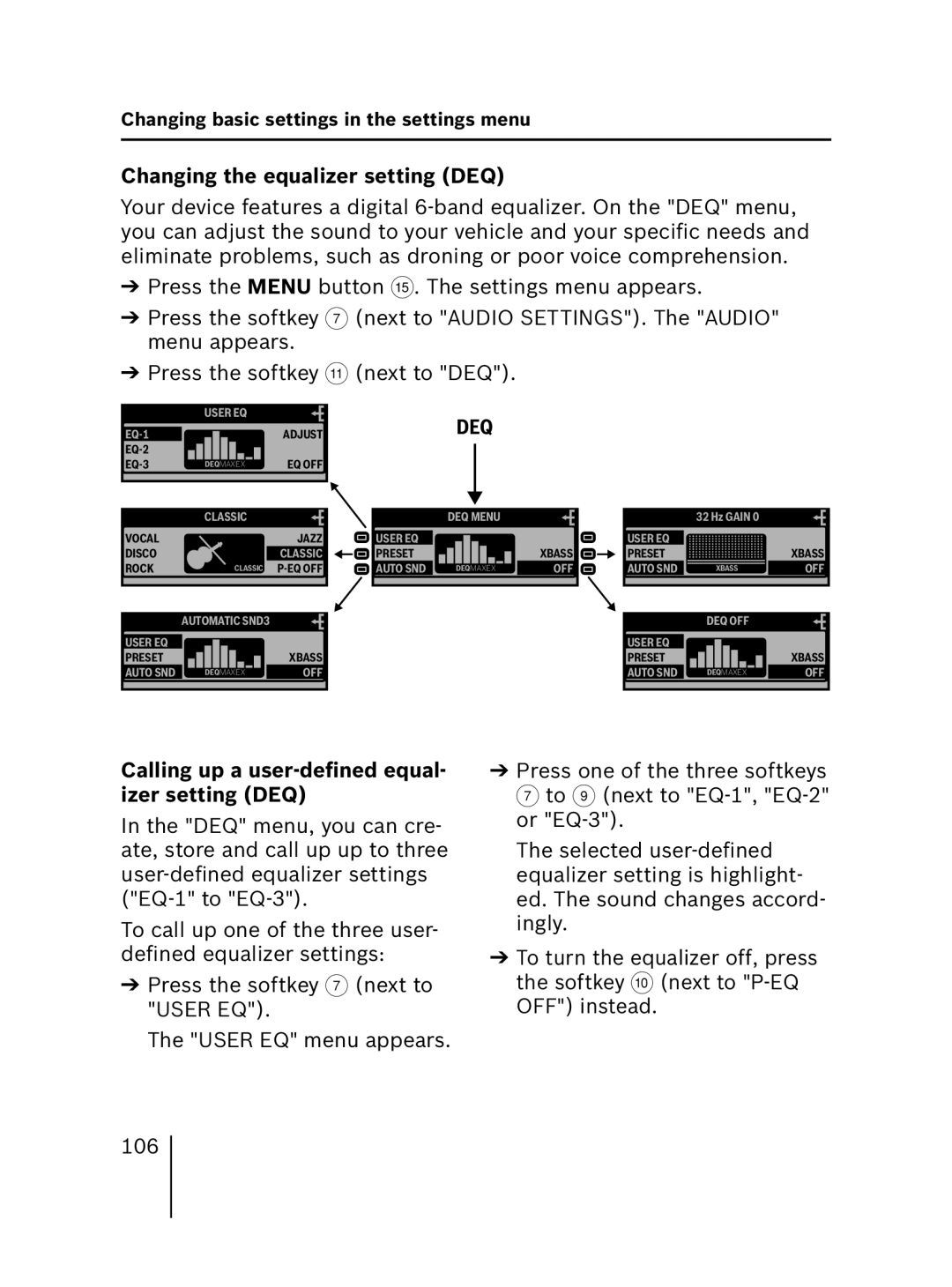
Your device features a digital
➔Press the MENU button ?. The settings menu appears.
➔Press the softkey 7 (next to "AUDIO SETTINGS"). The "AUDIO" menu appears.
➔Press the softkey ; (next to "DEQ").
| USER EQ |
|
| ADJUST | |
|
| |
DEQMAXEX | EQ OFF |
DEQ
| CLASSIC | |
VOCAL |
| JAZZ |
DISCO |
| CLASSIC |
ROCK | CLASSIC | |
 USER EQ
PRESET
 AUTO SND
DEQ MENU
XBASS 

DEQMAXEXAUDIO OFF
32 Hz GAIN 0
USER EQ
PRESET 


 XBASS
XBASS
AUTO SND |
| XBASS |
| OFF |
AUTOMATIC SND3 |
|
|
| DEQ OFF |
|
|
|
USER EQ |
|
| USER EQ |
|
|
PRESET |
| XBASS | PRESET |
| XBASS |
AUTO SND | DEQMAXEX | OFF | AUTO SND | DEQMAXEX | OFF |
Calling up a user-defined equal- izer setting (DEQ)
In the "DEQ" menu, you can cre- ate, store and call up up to three
To call up one of the three user- defined equalizer settings:
➔Press the softkey 7 (next to "USER EQ").
The "USER EQ" menu appears.
➔Press one of the three softkeys 7 to 9 (next to
The selected
➔To turn the equalizer off, press the softkey : (next to
106