W . d e l l . c o m s u p p o r t . d e l l . c o m
Dell Inspiron
Abbreviations and Acronyms
Contents
Using a Battery
Using CDs, DVDs, and Other Multimedia
Adding and Replacing Parts
109
Appendix
Contents
Dell Product Information Guide
Finding Information
Help File
Dell Support Website support.dell.com
W . d e l l . c o m s u p p o r t . d e l l . c o m
Front View
Tour of Your Computer
Keyboard Status Lights
Solid green The battery is charging
Left Side View
PC Card slot CD or DVD drive Audio connectors
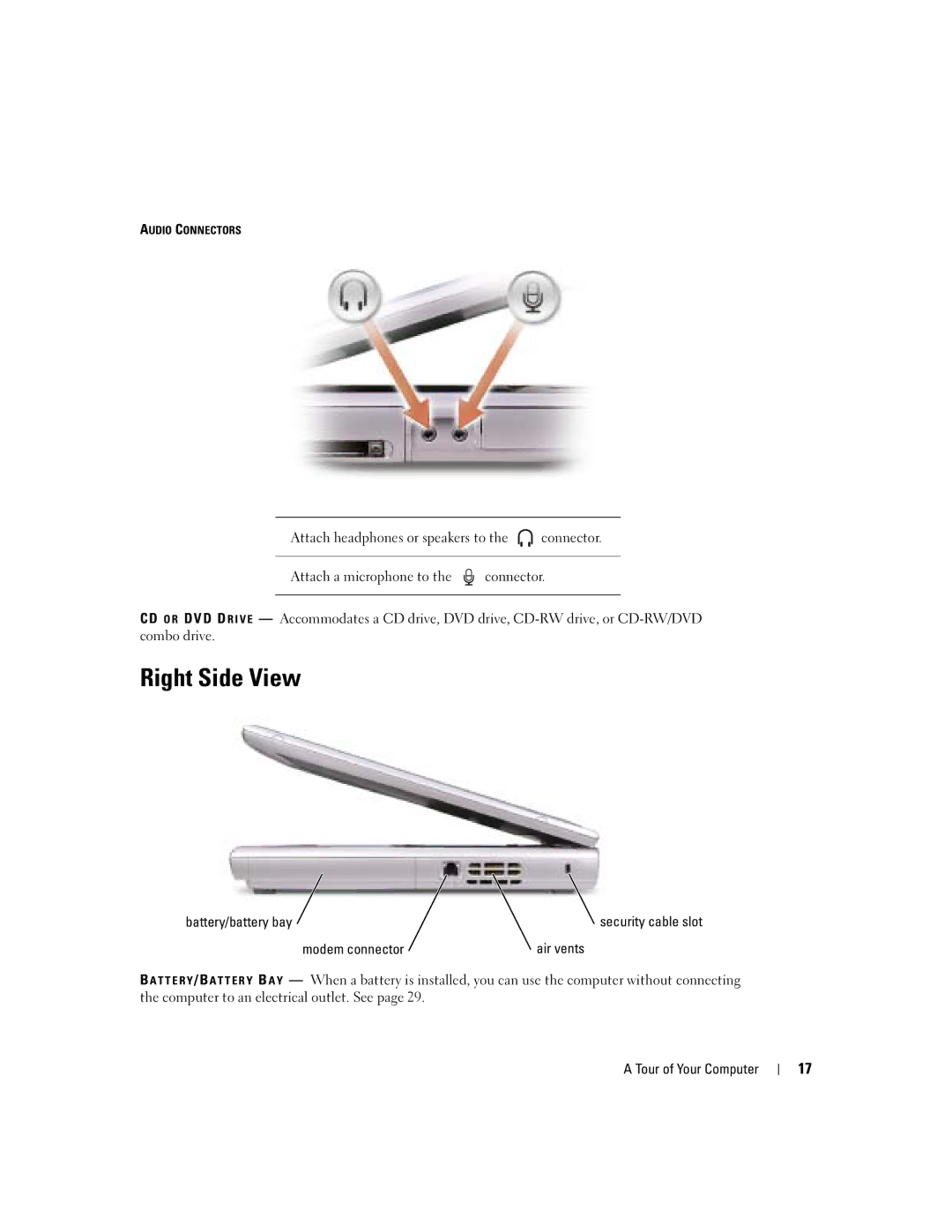
Right Side View
Modem connector Air vents
Modem Connector
Back View
AC adapter AC adapter connector Tour of Your Computer
Connects USB devices, such as a mouse, keyboard, or printer
Card cover Bay Hard drive Air vent Memory module cover
Bottom View
Tour of Your Computer
Setting Up Your Internet Connection
Setting Up Your Computer
Connecting to the Internet
Next window, click the appropriate option
Modem and Internet Connection Problems
Mail Problems
Printer Cable
Setting Up a Printer
Connecting a USB Printer
Surge Protectors
Printer Problems
Power Protection Devices
Turning Off Your Computer
Uninterruptible Power Supplies
Line Conditioners
Computer turns off after the shutdown process finishes
Battery Performance
Using a Battery
Charging the Battery
Checking the Battery Charge
Power Meter
Low-Battery Warning
Installing a Battery
Removing a Battery
Storing a Battery
Battery and Power Problems
If battery life is short
If the battery is not charging
Dell AccessDirect Button
Using the Keyboard and Touch Pad
Numeric Keypad
Reprogramming the Button
Keyboard Shortcuts
Power Management
System Functions
CD or DVD Tray
Microsoft Windows Logo Key Functions
Speaker Functions
Touch Pad
External Keyboard Problems
Touch Pad or Mouse Problems
Customizing the Touch Pad
Click Mouse
Unexpected Characters
CD or DVD Problems
Using CDs, DVDs, and Other Multimedia
Using CDs and DVDs
If you have a problem with integrated speakers
Sound and Speaker Problems
If you have a problem with external speakers
Reenable the integrated speakers
Copying CDs and DVDs
How to Copy a CD or DVD
Using Blank CD-Rs and CD-RWs
Helpful Tips
Connecting to a Network Adapter
Setting Up a Home and Office Network
On the welcome screen, click Next
Network Setup Wizard
Network Problems
Determining Your Network Type
Connecting to a Wireless Local Area Network
Connecting to a Wireless Network in Microsoft Windows XP
Setting Up a Home and Office Network
Setting Up a Home and Office Network
Setting Up a Home and Office Network
When to Use the Dell Diagnostics
Solving Problems
Dell Diagnostics
Option Function

 connector.
 connector.