Back View
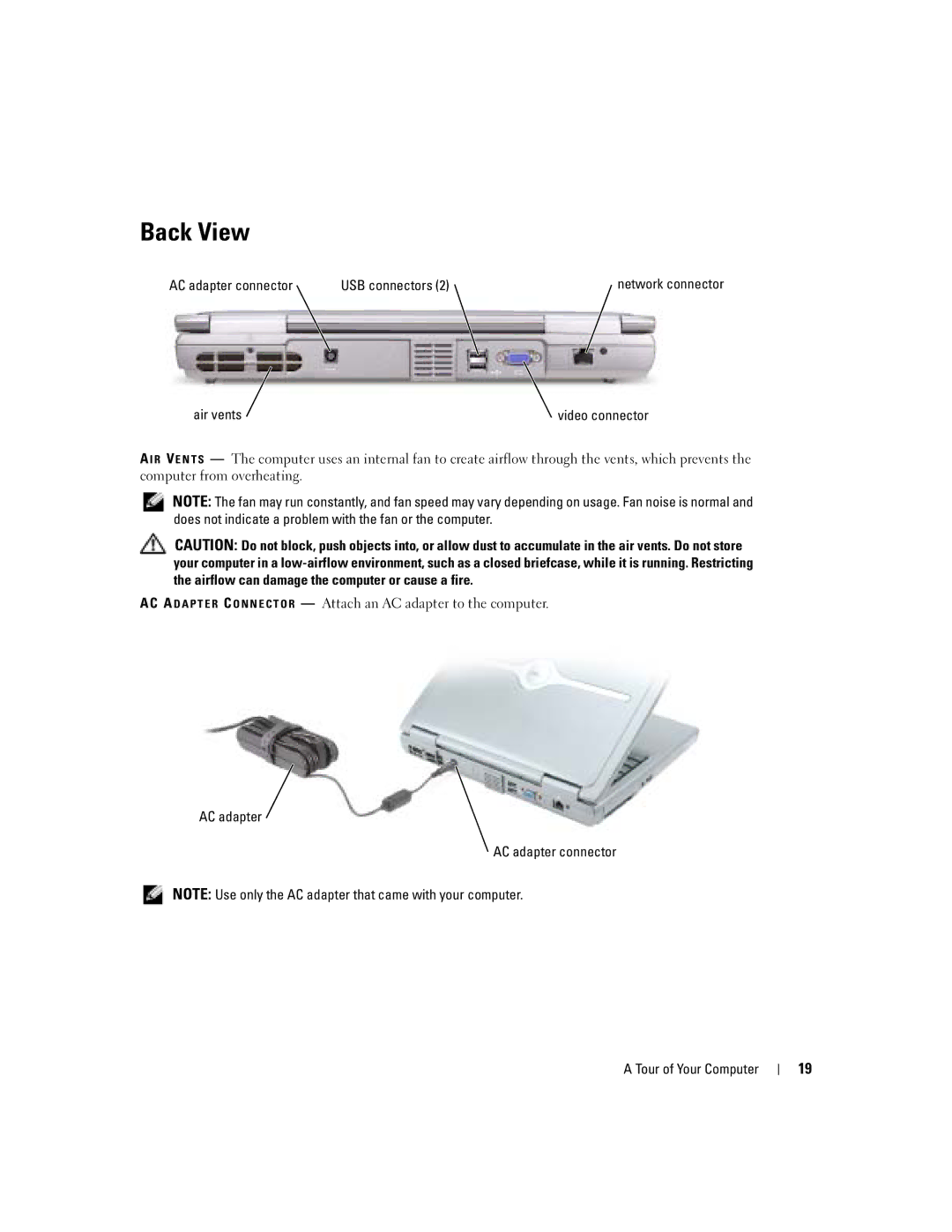
AC adapter connector | USB connectors (2) | network connector |
air vents | video connector |
A I R VE N T S — The computer uses an internal fan to create airflow through the vents, which prevents the computer from overheating.
NOTE: The fan may run constantly, and fan speed may vary depending on usage. Fan noise is normal and does not indicate a problem with the fan or the computer.
CAUTION: Do not block, push objects into, or allow dust to accumulate in the air vents. Do not store your computer in a
AC A D A P T E R C O N N E C T O R — Attach an AC adapter to the computer.
AC adapter
AC adapter connector
NOTE: Use only the AC adapter that came with your computer.
A Tour of Your Computer
19