Online User’s Guide
Disclaimer and limitation of liability
Warranty and License Agreement
Copyright
Software download available
Contents
Applications Overview
Application-Specific Tasks
Setting Preferences for Your Phone
Advanced HotSync Operations
Troubleshooting Tips
Introduction to Your PCS Phone Handspring Treo
Introduction to Your PCS Phone Handspring Treo 300
System requirements
What is a PCS Treo 300?
Sold separately MB RAM memory
Minimum requirements
Upgrade information
To upgrade
Each device must have a unique name
Locating front panel controls Speaker
Rocker switch Contrast
PCS Treo 300 components
Option key Microphone Scroll buttons
Speaker Functions as the earpiece on your PCS Treo
Antenna
Stylus LED Power button IR port Ringer switch
Locating top panel controls
Green = Fully charged
Double-blink red Locating back panel components
Plug the travel charger into a wall outlet
Charging the battery
To charge the battery with the travel charger
Press the power button twice in quick succession
Turning your PCS Treo 300 on and off
Press Option Type the letter Q
Adjusting the display
To adjust the display
Press Space to finish
Using the stylus to get things done
Menu bar
Command buttons Pick list Check box
Elements of the phone interface
Scroll bar
Moving around the screen
To move around the screen do one of the following
Customizing your phone
Tap an item with the stylus
Displaying online tips
To open the Preferences screens
Tap the Preferences category you want to view
Hold Option and press Return to finish
To automatically set the current date and time
Tap the Set Date box
Tap the up or down arrows to change the hour
Tap AM or PM Hold Option and press Return to finish
Tap here
To use the headset
Using the headset
Place the speaker in your ear
Connecting the HotSync cable
To connect the HotSync cable
Using desktop software
Serial cable and port
Print data from your desktop software on any printer
Using your phone with Palm Desktop software
To install Palm Desktop software
Connect the HotSync cable. See page 19 for instructions
Select Mail Setup under Programs/Handspring or Palm on
Using your phone with Microsoft Outlook
To install Palm Mail
Windows Start menu
Entering Data in Your Phone
Entering Data in Your Phone
Type the letter you want to capitalize
Using the PCS Treo 300 keyboard
Press Shift
Press Shift twice
Press Backspace to cancel it
Press the key where the number or symbol appears in blue
Press Option
Typing extended characters
Typing accented characters
To enter accented characters
To enter extended characters
~ † ‡
Using menus
Navigation keystrokes
Keyboard shortcut menu commands
To use the menu bar
Using text ShortCuts
Your phone includes the following predefined ShortCuts
Using the onscreen keyboard
Using your computer keyboard
Importing data
To import data
Entering Data in Your Phone
Managing Your Applications
Managing Your Applications
To open an application
Using the Applications Launcher
Opening applications
To categorize an application
Switching between applications
Categorizing applications
To change the Applications Launcher display
To display applications by category
Changing the Applications Launcher display
Under Options, select Preferences/R
Choosing preferences
Installing and removing applications
Installing add-on applications
Open an application Press Menu
Double-click the Palm Desktop icon on your desktop
To install add-on software on your phone
Click Install
Click Open
Removing applications
Click Done
Hold Option and press Return twice to finish
To remove an add-on application
Security
Click Yes to uninstall the software
Palm and then Uninstall
Removing Palm Desktop software
Security, you can do the following
Assigning a password
To assign a password
To change or delete your password
Tap the Password box Enter the current password
Changing or deleting a password
Tap Lost Password Tap here
Recovering from a forgotten password
To delete a forgotten password
Hold Option and press Return for Yes
Applications Overview
PhoneBook Date Book Plus Blazer Memo Pad
To Do List CityTime Calculator Expense
PhoneBook, you can do the following
PhoneBook
Create up to 50 speed dial entries
To open PhoneBook
To open Date Book Plus
Date Book Plus
Date Book Plus, you can do the following
Blazer, you can do the following
Blazer Web Browser
Press Blazer . Blazer opens and the Page view appears
To open Blazer
Memo Pad, you can do the following
Memo Pad
Take notes or any kind of message on your phone
To open Memo Pad
SMS, you can do the following
To open SMS
To Do List displays the category of items you last viewed
To Do List
Press Option Press Date Book Plus
To Do List, you can do the following
CityTime, you can do the following
CityTime
Press Option Press Blazer
To open CityTime
Press Option Press Memo Pad
Switch to basic mode to perform simple calculations
Calculator
Calculator, you can do the following
Expense, you can do the following
Expense
Press Option Press Menu Tap the Expense icon
To open Expense
Common Tasks
Common Tasks
To create a record
Creating records
Under Record, select New… /N Tap New
Blinking cursor Edit line Entering text
Editing records
Blinking cursor One or more edit lines
Edit menu
Memo Pad Delete Memo Expense Delete Item
Following commands may appear in an Edit menu
Deleting records
To delete a record in any of the PIM applications
Other ways to delete records
Purging records
You can also delete records in the following ways
To purge records
Categorizing records
Open the application Press Menu
System-defined and user-defined categories
To move a record into a category
Open the record you want to categorize
Select the category for the record
Record, select Edit Contact /E
To display a category of records
Select the category you want to view
Tap New Enter the name of the new category
To define a new category
To rename a category
First name initial and last name Last name
Finding records
Your phone offers several ways to find information quickly
Looking up Contacts records in PhoneBook
Using Find
To use Find
To use Phone Number Lookup
Using Phone Number Lookup
Tap the text that you want to review
Under Options, select Phone Lookup /L
Phone Number Lookup tips
Open the Expense record to which you want to add names
Tap Who
Sorting lists of records
Open the application to display the list screen Press Menu
Hiding and masking private records
Making records private
Display the entry that you want to make private
To make a record private
Tap the shaded bar that masks the record
Change the security setting
Press Return
Attaching notes
Display the entry to which you want to add a note
Choosing fonts
Tap the Note icon
Performing a HotSync operation for the first time
Exchanging and updating data HotSync operations
Small font Bold font Large font
To perform a local HotSync operation
Press the HotSync button on the cable
An application installed in RAM memory
Beaming information
To beam an application
Turn on your phone
To receive beamed information
Application-Specific Tasks
Application-Specific Tasks
Repeatedly press PhoneBook to cycle through the views
To change the PhoneBook view, do one of the following
Contacts view
Mode is on Signal strength icon
Speed Dial view
Active Call view
To define a Speed Dial button
Using the Speed Dial view
Defining a Speed Dial button
Tap the Dial Extra Digits Automatically check box to
Adding Contacts list entries to your Speed Dial list
Calling a Speed Dial number
Select the entry you want to use and press Return
Press Space to dial
To dial a number from the Speed Dial view
Changing a Speed Dial entry
Close the lid to end the call
Edit Entry dialog, enter the new information
To change a Speed Dial entry
From the Speed Dial view, press Menu
Drag the entries to the slot where you want them to appear
Edit Entry dialog, tap Delete
Press Space to dial Close the lid to end the call
Under Record, select New Contact /N
Return to finish
To create a new Contacts entry
Under Record, and select Duplicate Contact /T
Duplicating a Contacts entry
To duplicate an entry
Calling a number in your Contacts list
Press Space to open the entry Press Menu
Tap the pick list next to the label you want to change
Changing Contact entry details
Select any of the following settings
Select a new label Hold Option and press Return to finish
To open the Contact Entry Details dialog box
To review Call History
Using the Call History view
Reviewing Call History
Missed call Outgoing call Incoming call
Use the scroll buttons to select the number you want to add
To purge entries in Call History view
Select the entry you want to add
Purging Call History
Tap the pick list to choose which calls to purge
Using the Active Call view
Select the purge option you want to use
Receiving Calls
To silence the ring, do any of the following
Slide the ringer switch to the silent position
Close the lid if it is open Press the top scroll button
Press Return Tap Mute
Place or answer a call
Tap Cancel Spkr to turn off the speakerphone
Place a call From the Active Call screen, tap Spkrphone
To respond to call waiting, do one of the following
Call status indicator Tap Hold TapOff
Handling Multiple Calls
101
Place two calls
Dial the number
Return for Yes
Checking voicemail
There are several ways to access your voicemail mailbox
Tap
To check voicemail
Select the call forwarding option you want to use
You can redial the last number you called
106
Tap Make Emergency Call
PhoneBook menus
107
108
Call Preferences
Other than United States or Canada, numbers are
110
Enables you to change the default password
Application-Specific Tasks 111
Communication software on your phone
Phone Number Displays your phone number
Roaming List
Support
Working in Day View
To view or select a date, do one of the following
Scheduling an event Current date
Next year
Tap to select
To schedule an event
Are defined for the new event
Rescheduling an event
Enter a description of the event
Tap the event you want to reschedule
To reschedule an event
To set an alarm for an event
Tap the event to which you want to assign an alarm
Setting an alarm for an event
Enter numberof time units here
Tap the Repeat box to open the Change Repeat dialog box
To dismiss the alarm reminder, do one of the following
Tap the event
Scheduling repeating or continuous events
Changing and deleting repeating or continuous events
Select the record you want to change or delete
Repeat box
To change or delete repeating events
Considerations for repeating or continuous events
120
Application-Specific Tasks 121
Repeatedly press Date Book Plus to display the next view
Changing the Date Book Plus view
Drag the stylus below the date bar and then lift it
Working in Week View with Text
Tips for using Week View
Week View with Text icon Tips for using Week View with Text
Application-Specific Tasks 123
Working in Month View
Tips for using Month View
Keep the following points in mind
Previous/next month
Button
Tips for using Year View
Working in Year View
Working in List View
Spotting event conflicts
List View button Tips for using List View
Selected Scroll to
126
From the Day View, press Menu
Tap the circle to the right or left of the event
Tap the check box next to the item
Select the event you want to save as a template Press Menu
130
Date Book Plus menus
Record menu List View Day View
Application-Specific Tasks 131
Options menu
Week View Day View Week View with Text Month View Year View
132
Floating events
134
Application-Specific Tasks 135
Number in the title bar
136
Year View display
Each day
Title bar for the first and last weeks in the month
Daily from the Year View display
Time
Undated, Dated only, and Undated only
This text
Shows version information for Date Book Plus
Blazer
Enter the URL you want to view
Working with bookmarks
140
Adding bookmarks
Viewing bookmarked pages
To view a bookmark
To bookmark the current
Under Bookmark, select Add Bookmark /A
From the Bookmark view, press Menu
To define a bookmark
142
Deleting bookmarks
Editing bookmarks
To edit a bookmark
To delete a bookmark
Drag the page to the slot where you want it to appear
View
Blazer menus
Menu
Section Application-Specific Tasks 145
Bookmarks menu Bookmark view Go menus View Options menu
146
Browser tab
Terminates your connection to the Internet
Set Proxy. Opens the Set Proxy dialog box where you can
For details
Displays version information for Blazer
Tap New
Memo list, tap the text of the memo
To create a new memo
Reviewing memos
150
Memo Pad menus
Record menus Memo list Memo screen Options menus
Single message alert
PCS voicemail paging system PCS messaging website
Receiving text messages
Returns you to the previous application
Viewing text messages
Other category you’ve defined
Tips
To view text messages in the List view
Calling the sender
Open the message to which you want to respond
Responding to text messages
To call the sender
Respond
You can save time by copying text from your messages
Select the deletion method you want to use
156
SMS menus
Message menus List view Message view
Delete messages
Shows version information for SMS
Press a scroll button to deselect the To Do item
Setting priority
Press Option and then press Date Book Plus
To create a To Do item
Tap the Due Date pick list
Tap the Priority number on the left side of the To Do item
Tap the text of the item whose details you want to change
Tap the date that you want to assign the item
Tap the Category pick list
Tap the check box on the left side of the item
To change the Show Options settings
Completed To Do item To Do Show Options
162
To Do List menus
Record menu Options menu
To set your home city
Setting your home city
Press Option and then press Blazer
Under Options, select Select Home City /H
To add a city to the list
To set your remote cities
Adding cities
Under Options, select Edit Cities /E
Options menu
Press Option and then press Memo Pad
Basic Calculator includes the following buttons
Displaying Recent Calculations
Using the Advanced Calculator mode
Clears any value that is stored in the Calculator memory
To display recent calculations
Tap here to change views
Using the Advanced Calculator buttons
Primary buttons
168
Application-Specific Tasks 169
Math buttons
Trigonometry buttons
To solve this example
= 360 30 years x 12 months APR = PV = 100,000 FV =
Finance buttons
170
Tap Solve Hold Option and press Return to finish
Application-Specific Tasks 171
172
Logic buttons
Statistics buttons
Weight/Temp buttons
Application-Specific Tasks 173
174
Length buttons
Area buttons
Volume buttons
175
Tap the pick list and select the view you modified
From the Advanced Calculator screen, press Menu
Tap the pick list and select the view you want to modify
Program menu Advanced Calculator
Calculator menus
Options menus Basic Calculator Advanced Calculator
To create an Expense item
178
Select the new date Hold Option and press Return to finish
Tap the Expense item to which you want to assign details
To customize the Currency pick list
Select any of the following options
Customizing the Currency pick list
Tap one of the four Country boxes
Defining a custom currency symbol
To define a custom currency symbol
Under Options, select Custom Currencies /Y
To open the Show Options dialog box
Expense list, tap Show Select any of the options
Show Options
Tap Show
Creating or printing an expense report
Application-Specific Tasks 183
Click to select Categories
Click the expense category that you want
To create or print an expense report
184
Using expense report templates
185
Expense menus
To view your expense data using a Microsoft Excel template
Click Options
Record menu
Options menu
188
Your phone and the HotSync cable
Setting Preferences for Your Phone
Preferences screens, you can do the following
Tap the application that you want to assign to the button
Viewing Preferences
Buttons Preferences
To change the Buttons Preferences
HotSync Buttons Preferences
Setting Preferences for Your Phone 191
Connection Preferences
To change the HotSync Buttons Preferences
Predefined configurations
Connection Methods
Modem
Setting an infrared to modem configuration
To create an IrCOMM to Modem connection
Digitizer Preferences
194
Formats Preferences
Country default
To set the country default
Time, date, week start, and numbers formats
General Preferences
Auto-off delay
To set the Auto-off delay
Tap the Auto-offpick list
Setting Preferences for Your Phone 197
System, alarm, and game sounds
To set the system, alarm, and game sounds
Network Preferences
Tap the check box Hold Option and press Return to finish
Connecting automatically
Creating a new packet data configuration
To choose an automatic connection
Tap the User Name field Enter your user name
Press Menu Under Service, select New /N
Enter the Service name
200
Entering a password
To enter a password
Select the appropriate Connection
Enter password here Tap here
Setting Preferences for Your Phone 201
Selecting a connection
Make sure the Mobile IP check box is selected
Tap the IP Address check box to select it
Tap HA Password and enter your Home Agent password
Defining an IP address for a Mobile IP service template
Select check box
To enter a permanent IP address Tap Advanced
Defining Tunneling and SPI in a Mobile IP service template
IP address field below the check box
204
Tap the Tunneling pick list and select Reverse or Forward
Adding detailed information to a Simple IP service template
To define a Simple IP service template 1. Tap Details
To enter Tunneling and SPI
Tap Advanced Tap the IP Address check box to select it
Defining the IP address in a Simple IP service template
Deselect the Mobile IP check box
Deselect check box
Defining DNS addresses in a Simple IP service template
Setting Preferences for Your Phone 207
Under Service, select Delete /D
Deleting a service template
To delete a service template
Tap the Query DNS check box to deselect it
Displaying expanded Service Connection Progress messages
Network Preferences menu commands
Checking your wireless service status
Owner Preferences
Ringer Preferences
To select ring volume settings
Setting Preferences for Your Phone 211
To unlock the Owner Preferences screen Tap Unlock
To select ring tone settings
Creating a ShortCut
Setting Preferences for Your Phone 213
ShortCuts Preferences
To create a ShortCut
After you create a ShortCut, you can modify it at any time
Tap the ShortCut you want to delete
Advanced HotSync Operations
215
216
Selecting HotSync setup options
To set the HotSync options
Software and your phone to find and use the fastest speed
From the HotSync Manager menu, choose Custom
Customizing HotSync application settings
To customize HotSync application settings
218
Advanced HotSync Operations 219
IR HotSync operations
Click Change
Click the Options tab
Select Enable infrared communication
Double-click the Infrared icon
Preparing your computer for infrared communication
Control Panel
Double-click the Wireless Link icon
To enable infrared communication with Windows
Configuring HotSync Manager for infrared communication
222
Performing an IR HotSync operation
Advanced HotSync Operations 223
Handheld
If needed, connect the cable to your computer
To perform an IR HotSync operation
Returning to serial cable HotSync operations
Uncheck InfraRed on the menu
To disable infrared communication with Windows
Conducting a HotSync operation via a network
Box
226
To perform a network HotSync operation via a LAN
Using File Link
Performing a network HotSync operation via a LAN
227
To create a user profile
Creating a user profile
Click New Enter a unique name for the profile, and click OK
Click Profiles
Advanced HotSync Operations 229
Click Yes to transfer all the profile data to the phone
To use a profile for the first-time HotSync operation
230
Maintaining Your Phone
Maximizing battery life Resetting your phone
His chapter provides information on the following
231
232
Battery considerations
Caring for your phone
Resetting your phone
Performing a soft reset
Reset tool
Unscrew the tip of the stylus to access the reset tool
To perform a soft reset
Performing a warm or safe reset
To perform a hard reset
Press any other button to perform a soft reset
Performing a hard reset
Maintaining Your Phone 235
236
To restore your data after a hard reset
Select Desktop overwrites handheld
237
238
Treo
Review this section to see if your problem is listed
Troubleshooting Tips 239
Normal operating mode and start using Palm Desktop software
Software installation problems
To install software
Again
Operating problems
Tapping and keyboard problems
Wireless communication problems
Tap Clear Voicemail Icon
Cant dial international
Troubleshooting Tips 243
Make sure you dialed the correct number
Numbers
Verify that you are in a coverage area
244
Show Only Due Items is selected
Application problems
To Do List, tap Show and check whether
Restart your computer
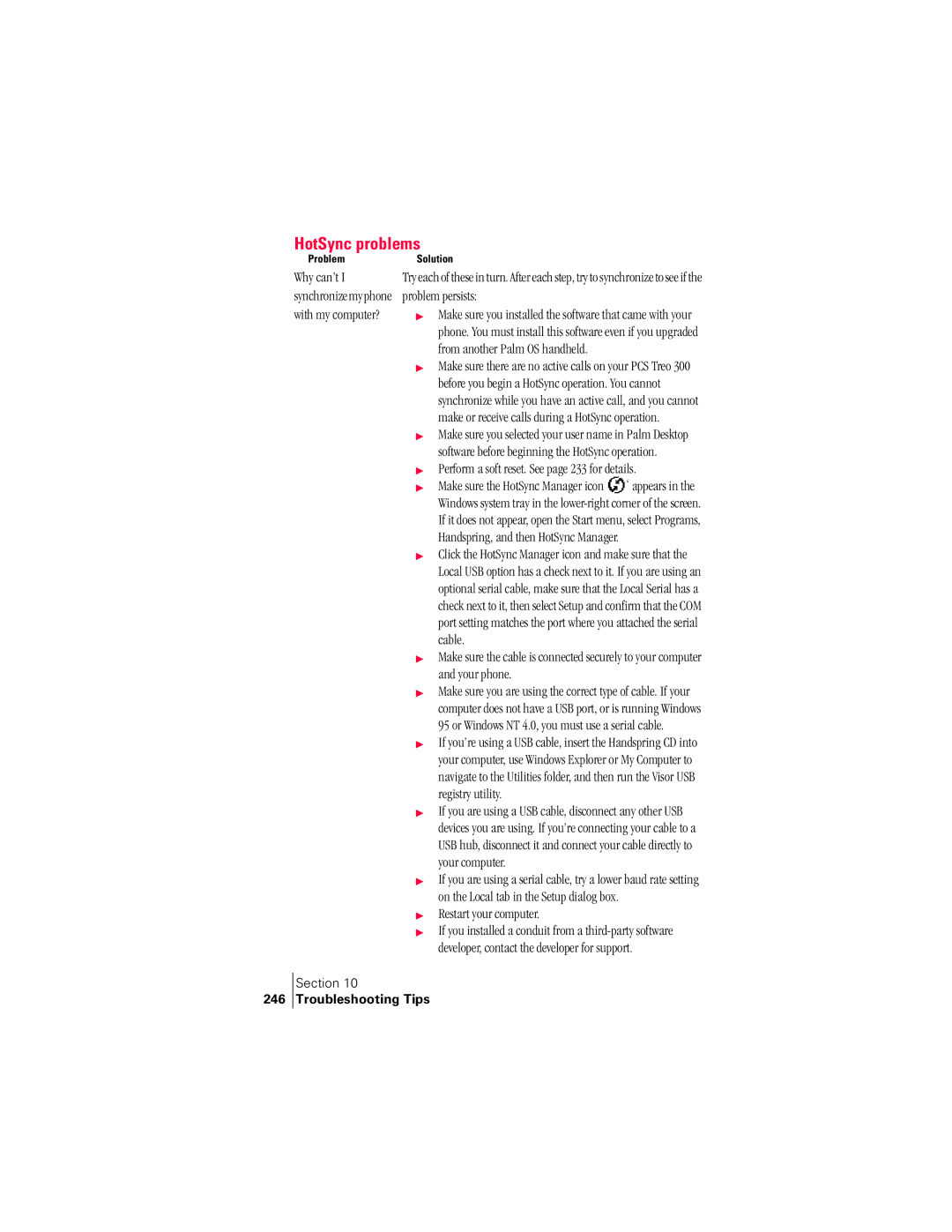
HotSync problems
246 Troubleshooting Tips
Beaming problems
Reinstall the Palm Desktop software
248
Password problems
Forgot the password to show my hidden or masked records
Technical support
249
250
Performance and Safety
Important Information About Your Phone and Service
Maintaining Safe Use of and Access to Your Phone
Caring for and Protecting Your Phone Battery
Acknowledging Special Precautions and the FCC Notice
Exposure to Radio Frequency Energy SAR
Handspring Product Warranty
User Guide Proprietary Notice
254
Handspring, Inc End User Software License Agreement
Other Product Information 255
Other Product Information
GNU Library General Public License
Other Product Information 257
Other Product Information
Other Product 11 Information
Used for software interchange
Other Product 11 Information
No Warranty
How to Apply These Terms to Your New Library
Acknowledgments
264
Other Product Information
Other Product Information
Index
Index
Bold font for text 75 Bookmarks
Chain calculations 167 Charger Connecting 9
See also PIM
Floating events 127 Fonts Formats preferences
See also Private records Hold button
Command equivalents key- board
Microphone 6 Microsoft
PhoneBook
SMS
Soft reset 233 Sorting
HotSync operations 246 port User name

 ‘ appears in the Windows system tray in the