Appendix
Chaptering
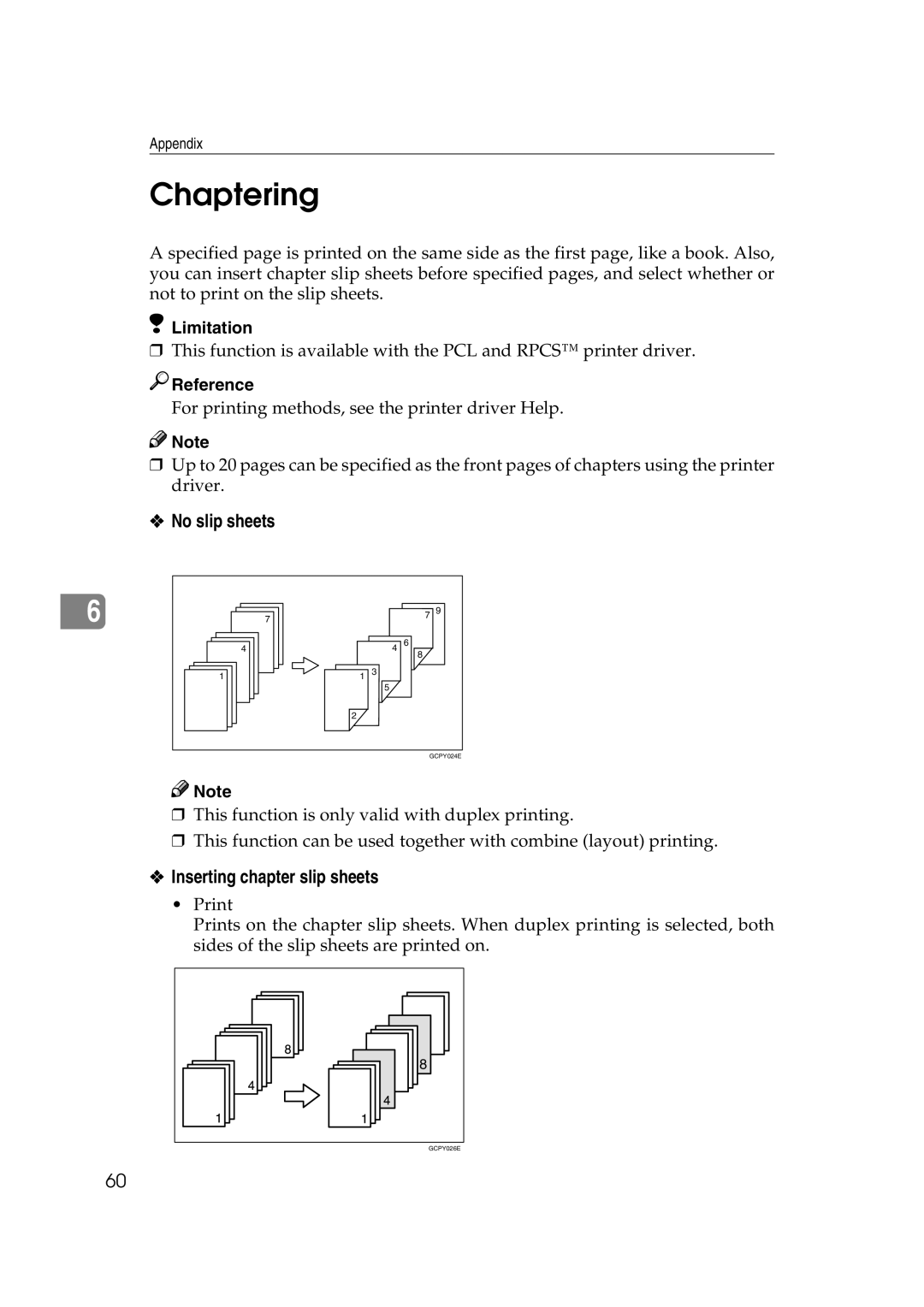
A specified page is printed on the same side as the first page, like a book. Also, you can insert chapter slip sheets before specified pages, and select whether or not to print on the slip sheets.
Limitation
❒This function is available with the PCL and RPCS™ printer driver.

 Reference
For printing methods, see the printer driver Help.

 Note
Note
❒Up to 20 pages can be specified as the front pages of chapters using the printer driver.
❖No slip sheets
6 | 7 |
| 7 | 9 |
|
|
| ||
4 |
| 4 | 6 |
|
|
|
| 8 |
|
1 | 1 | 3 |
|
|
|
| 5 |
|
|
| 2 |
|
|
|
|
|
| GCPY024E | |
Note |
|
|
|
|
❒ This function is only valid with duplex printing. | ||||
❒ This function can be used together with combine (layout) printing. | ||||
❖ Inserting chapter slip sheets |
|
| ||
Prints on the chapter slip sheets. When duplex printing is selected, both sides of the slip sheets are printed on.
8 |
GCPY026E |
60